In today’s world, even a kid in a small town can quickly create a professional email. A graphic designer can develop a logo without touching Photoshop, and business owners can respond to 100 customer inquiries without additional employees, using only an internet connection and an AI program.
The bad news about this revolution is that very few people know what are AI tool, and how to use one. There is a plethora of material on the web about AI tools that assumes you already know what a “language model” or “neural network” is. This will do you no good if you’re just beginning to know about these new-age tools.
By the time you’re done reading this blog, you’ll have a clear understanding of how AI tools operate, even if you have no IT experience. Besides, you’ll see actual examples of AI tools that people are using daily, along with the step-by-step breakdown that will teach you where to get started with AI tools.
So, regardless of whether you’re a 12th grader who’s curious about what the AI hype is about or a working adult who wants to know if AI tools can save them time, this easy-to-understand guide on AI tools for beginners is a goldmine for you!
AI Tools Examples You Already Use
Here’s a fun fact to start with, before we jump into a dedicated AI Tool, chances are, you’re probably already using various forms of AI in your everyday life:
- Google search will give you predictions while you type a query into its search engine
- Gmail will automatically suggest responses for you when composing an email
- Spotify & Netflix will recommend songs/movies/shows based on what you have previously listened to or watched
- Autocorrect on your mobile device corrects your typos as soon as they happen!
Now, here are some popular dedicated AI tools examples that people are using in 2026:
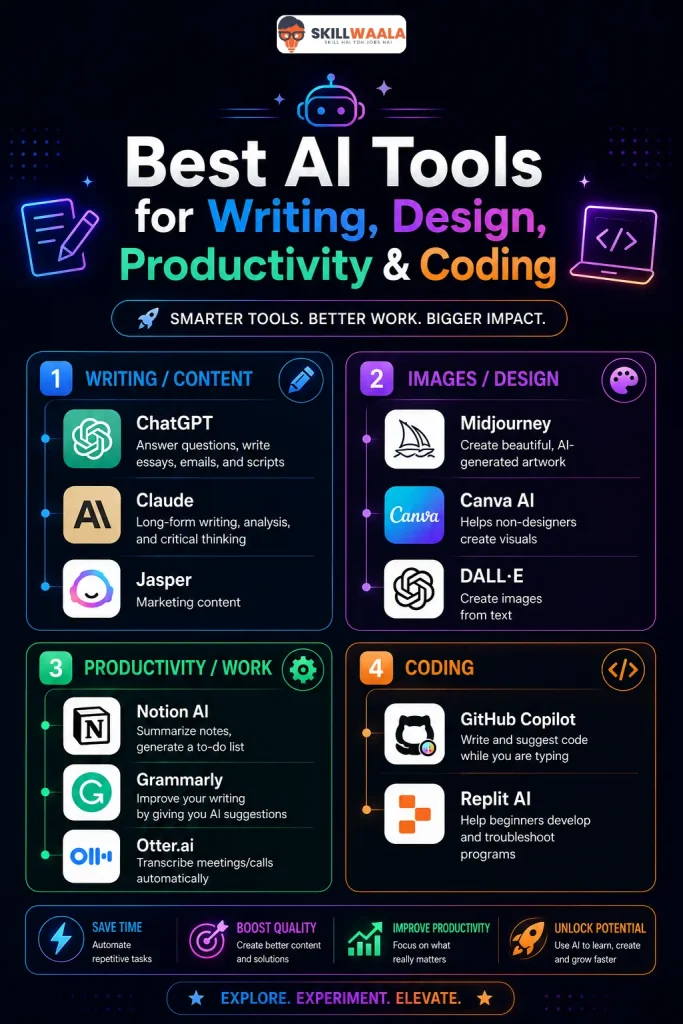
Writing/Content
ChatGPT: Answer questions, write essays, emails, and scripts
Claude: Long-form writing, analysis, and critical thinking
Jasper: Marketing content
Images/Design
Midjourney: Create beautiful, AI-generated artwork
Canva AI: Helps non-designers create visuals
DALL·E: Create images from text
Productivity/Work
Notion AI: Summarize notes, generate a to-do list
Grammarly: Improve your writing by giving you AI suggestions
Otter.ai: Transcribe meetings/calls automatically
Coding
GitHub Copilot: Write and suggest code while you are typing
Replit AI: Help beginners develop and troubleshoot programs
AI Tools for Beginners: Where Do You Even Start?
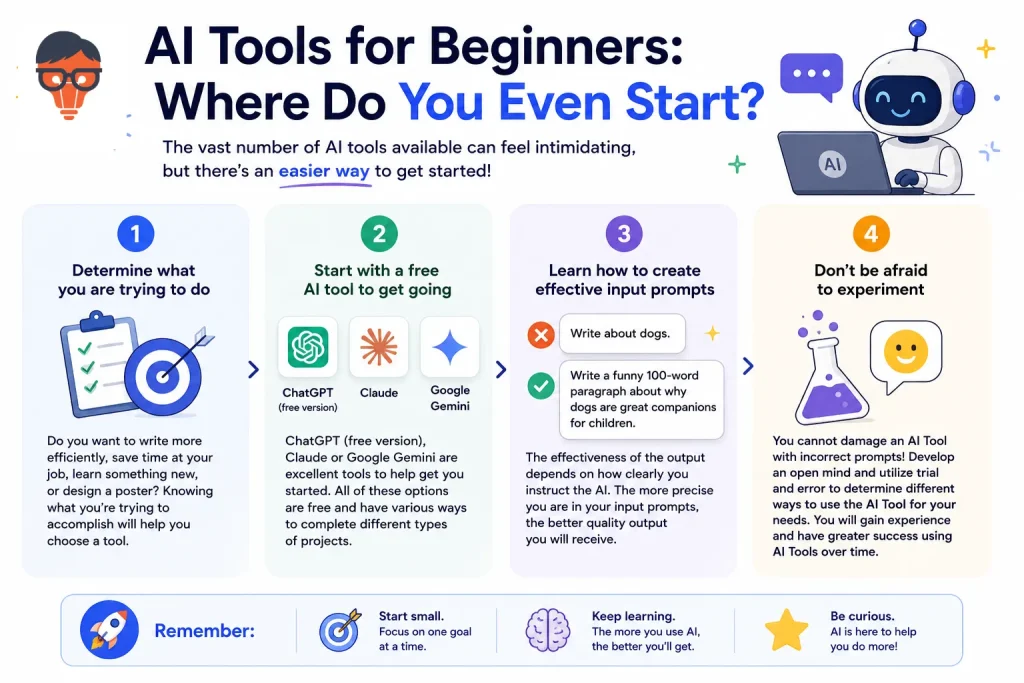
The vast number of AI tools available can feel quite intimidating for someone just starting out using them, but don’t be discouraged; there’s an easier way to work through this when beginning!
Step 1.
Determine what you are trying to do: Do you want to write more efficiently, save time at your job, learn something new, or design a poster? Knowing what you’re trying to accomplish will help you choose a tool.
Step 2
Start with a free AI tool to get going. ChatGPT (free version), Claude or Google Gemini are excellent tools to help get you started. All of these options are free and have various ways to complete different types of projects.
Step 3
Learn how to create effective input prompts. The effectiveness of the output depends on how clearly you instruct the AI. For example, “Write about dogs” does not give much direction versus “Write a funny 100-word paragraph about why dogs are great companions for children.” The more precise you are in your input prompts, the better quality output you will receive.
Step 4
Don’t be afraid to experiment; You cannot damage an AI Tool with incorrect prompts! Develop an open mind and utilize trial and error to determine different ways to use the AI Tool for your needs. You will gain experience and have greater success using AI Tools over time through these approaches.

How to Use AI Tools Effectively?
Knowing how to utilize artificial intelligence (AI) tools correctly is a highly sought-after skill. Below are four key characteristics of those individuals who achieve mediocre results versus those who achieve high-level results when working with AI tools.
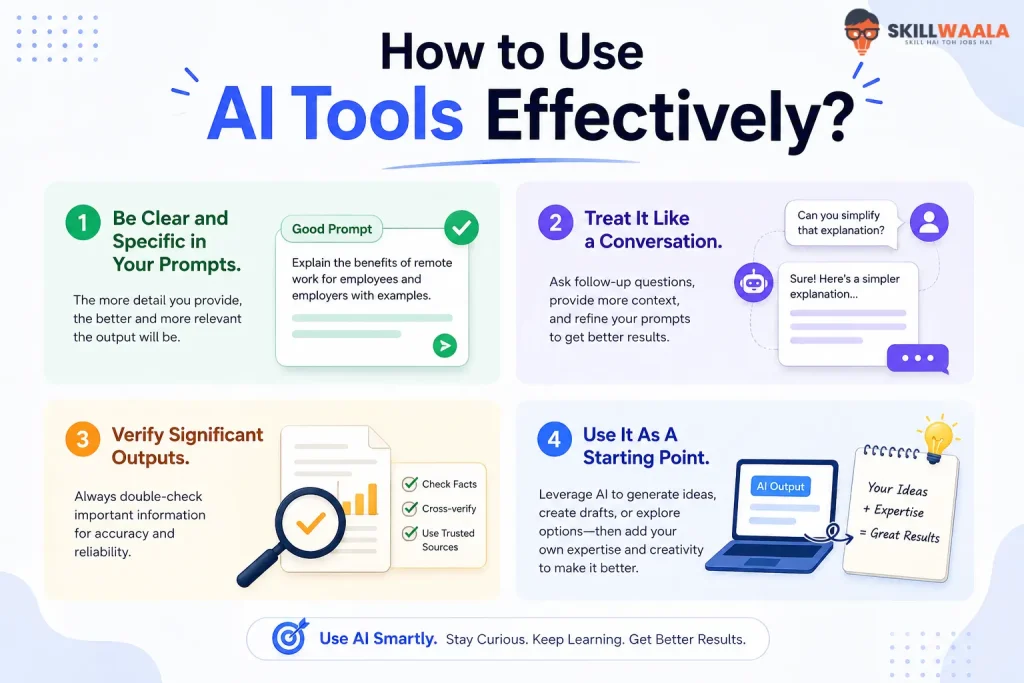
Be Clear and Specific in Your Prompts.
When you provide the tool with enough background information (context), the end product will be better. For example, you should state your target audience, tone of voice, desired output format, and objectives in your prompt to the AI tool.
Treat It Like a Conversation.
It is not necessary to achieve perfection on your first attempt; rather, the AI tool will work well when you continually provide feedback after receiving each response. If the first response does not meet your expectations, simply ask the AI tool to shorten it or request it to be written in a more conversational tone.
Verify Significant Outputs.
While AI tools are very powerful and provide excellent results, they can still produce incorrect outputs. Therefore, you should always verify any important output provided by an AI tool, especially with respect to numerical data, dates, or current events.
Use It As A Starting Point.
The highest quality output occurs when you allow AI to create a draft for you to refine, and also allow the AI to recommend suggestions that you will ultimately determine.
Related: AI Tools in Video Editing
What Can AI Tools Help You Do? (Real-Life Use Cases)
This is where it gets exciting for all involved. Whether a student, freelancer, or someone working a 9-5 job, there are many ways that an AI tool can provide true added value in their life.
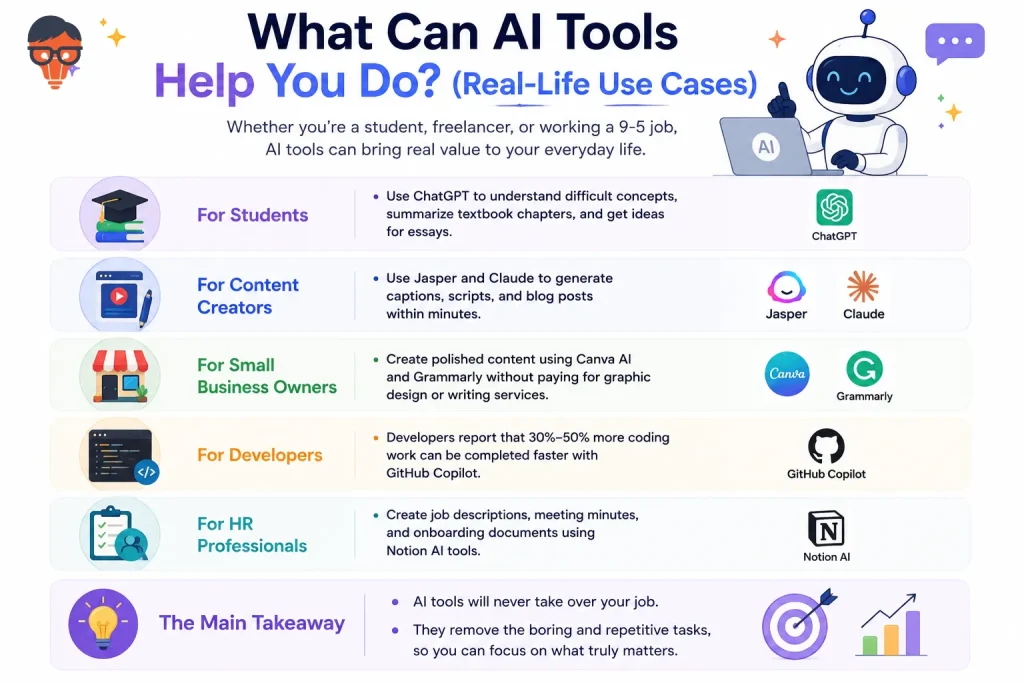
- A student could use ChatGPT to find difficult concepts or summarize a textbook chapter, as well as get ideas for an essay.
- Content creators can use the Jasper and Claude tools to generate captions, scripts, and blog posts within minutes.
- Small business owners can create polished content using Canva AI and Grammarly without having to pay for graphic design or writing services.
- Developers report that 30%-50% more of their coding work can be completed faster with GitHub Copilot (an artificial intelligence-powered code completion tool).
- Human resources professionals are creating job descriptions, meeting minutes, and onboarding documents using Notion AI tools.
The main takeaway is that AI tools will never take over your job. Instead, they remove the boring and repetitive parts from your job, allowing you to focus your attention on what is most important.
Are AI tools ethically safe?
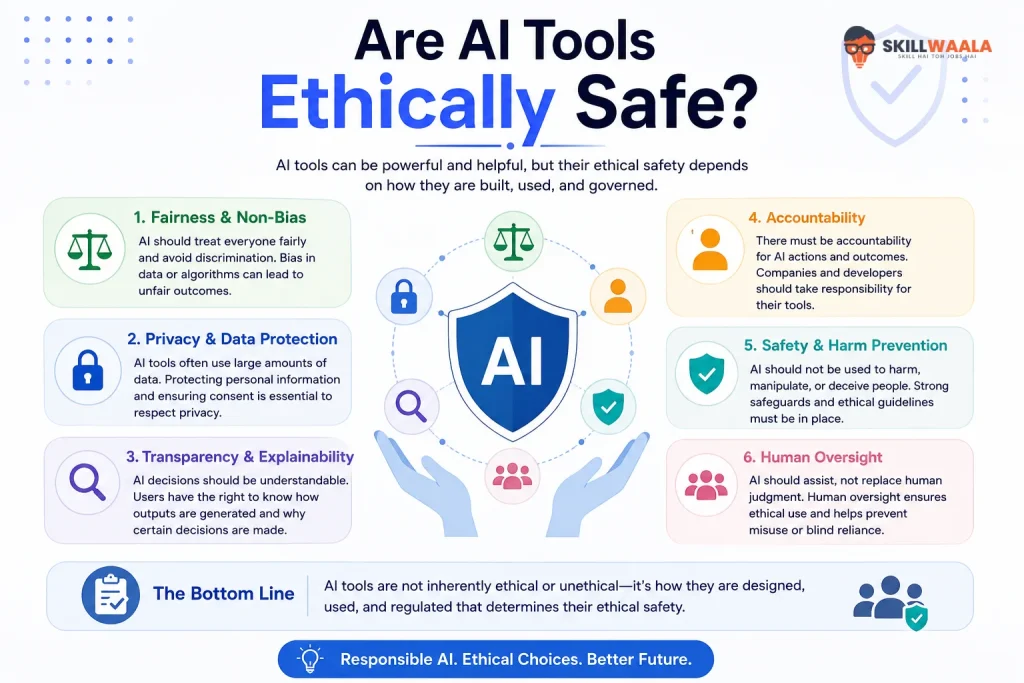
Many people have asked themselves if AI tools are indeed ethical. The answer isn’t completely clear-cut, but for general day-to-day use, A.I. tools are very safe. However, do have things to consider before you start using different types of A.I. tools, such as:
- Never share sensitive personal information with an AI bot (example: Login passwords, bank account numbers, or medical history).
- You also need to be aware that the dataset on which an AI model was trained contains human-generated content (which may include various forms of human bias).
- Always declare that you used an A. tool. You should declare it in any situations where your professional activities are impacted by this A.I. (most definitely within the academic and legal world).
- Most reputable AI tools will contain language detailing how they will make use of your personal information (read those instructions).
- Used properly, A.I. tools can promote huge benefits; however, they could also promote disinformation and/or moral ambiguity if misused. Therefore, know why you’re using the tools you choose to use!

What is the Future of AI Tools?
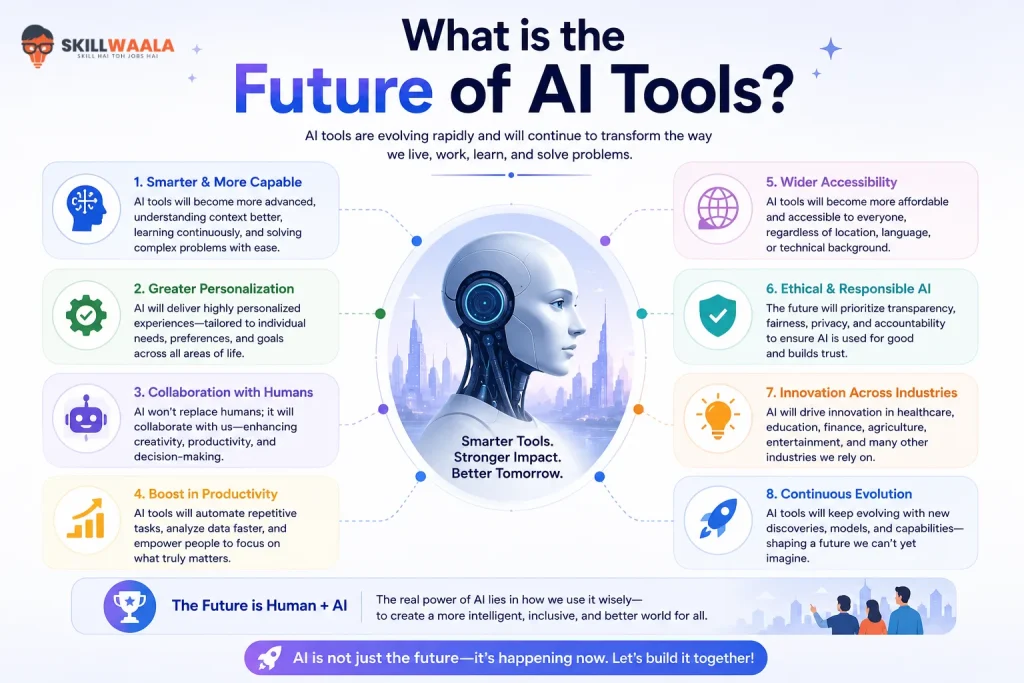
The advent of AI technology has only just begun to revolutionise how we interact with computers. From being relatively simple tools for assisting users as chatbots, AI tools are becoming far more sophisticated and able to function as independent agents.
Autonomous agents are capable of performing many complex tasks that previously required human effort, such as searching the internet for information, scheduling meetings, writing/code, or executing multiple-step instructions.
The next few years will see an explosion of AI being embedded into many already-popular applications and workflows. Learning how to effectively use these tools will give users an extreme advantage in both their personal and professional lives.
FAQs (Frequently Asked Questions)
AI tools are applications designed using Artificial Intelligence (AI). Automating work-related tasks, such as writing/designing/programming, or analysing data, can be done far more quickly and easily with AI than by completing them manually.
There are many free versions of AI applications that allow users to access free resources; however, most limit the number of features. For example, ChatGPT, Claude, Google Gemini, and Canva AI all offer users robust access with enough functionality to be productive.
No, modern-day AI software/apps have been designed so that anyone can easily use them. If you can type/use sentences, then you will also be able to use Development & Support tools without the need for coding or tech knowledge.
For nearly all individuals who are interested in starting to use AI tools, ChatGPT or Claude should be used. If you are interested in developing/designing, then you can use Canva AI. If you are seeking writing or grammar help, you may want to explore Grammarly. If you need automated services or products, then you should consider Otter.ai. Choose the tool you can use best for your urgent task.
Write clear, specific requests for the AI to process; communicate with the AI in a conversational fashion; verify all important information (before submitting professionally) prior to finalizing; and view any AI output as a first draft, not an absolute response. Practising will help you improve your use of AI.
The majority of AI tools will be used to automate repetitive tasks, and it is difficult to imagine that AI will ever fully replace human creativity, judgment, and emotional intelligence. Instead, AI tools should not be thought of as substitutes for traditional human thinking or reasoning, but as tools that will allow you to become more productive.
Generally, yes, most of the time. When using AI tools to accomplish work-related assignments, you must not disclose confidential company property/business-related information. You should also always review AI-created content prior to publishing/submitting for formal purposes.
About The Author