A lot of conversations have been happening in college, office break areas, and family dinner tables over the last two years around that one topic. Someone mentions AI and the room divides into two groups. One group gets excited. The other group crosses their arms and says, “That’s not for me. I’m not good with tech.”
If you fall in the second group, this blog is just for you.
The best AI tools today don’t require any coding, engineering background or tech experience beyond using a smartphone. The barrier that existed years ago is gone and what’s left is a learning curve which can be handled with the right help.
Let’s break it down.
Why People Who Aren’t Tech Experts Fear Using AI?

It’s understandable that many people are scared of AI. For a time, using AI meant writing computer programs, training models or reading academic journals with complex formulas. That was a world that wasn’t accessible to people.
Since 2024 and into 2025, things have changed a lot. Many no-code AI applications have made tools available through easy-to-use web interfaces. You click, and you get what you need. That’s how most of these applications work.
Example: you don’t need to know how a car works to drive it. You can use AI to write an email summarize a report or create a presentation without knowing how it works.
The technical difficulties are still there. They’re hidden behind user-friendly designs.
Who Are Non-Technical Users? What Do They Need?
This is important because it shapes everything:
- College student writing their internship application emails
- A marketing person trying to create social media content
- The Senior manager who needs to analyze data without bothering the analytics team
- A business owner who wants to build a chatbot for their website but has no developer on staff
All these people are “non-technical” in some sense. They have problems that AI tools can solve. What unites them is their need: they want results, not code. They want the writing done, the image created, the data summarized and the presentation designed.
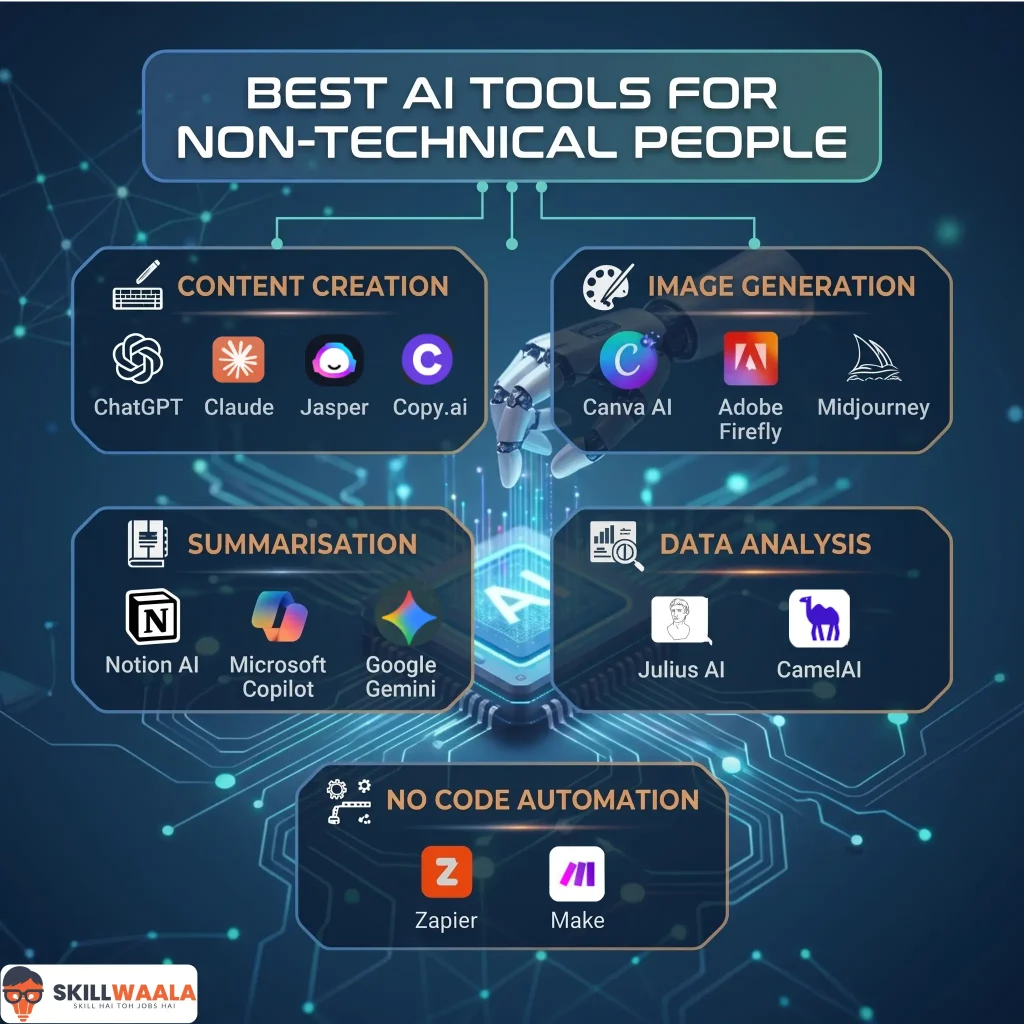
The Categories of AI Tools That Require No Coding At All
When people talk about AI tools for beginners, they usually give you a list of product names. It is more helpful to know the categories of these tools. This is because it helps you figure out which type of tool can solve your problem. You can use this knowledge to find the tool for you.
| Category | Tool | Key Description |
| Writing & Content Creation | ChatGPT | Great for drafting blogs, emails, and simplifying complex ideas while helping with brainstorming. |
| Writing & Content Creation | Claude | Best for long-form, thoughtful writing with a natural human-like tone. |
| Writing & Content Creation | Jasper | Ideal for marketing content with strong brand voice consistency and SEO focus. |
| Writing & Content Creation | Copy.ai | Perfect for quick, catchy, and concise short-form content like captions and ads. |
| Image & Design Generation | Canva AI | Easiest tool for creating social media designs, posters, and presentations. |
| Image & Design Generation | Adobe Firefly | Produces high-quality, professional, and copyright-safe visual content. |
| Image & Design Generation | Midjourney | Generates highly detailed and artistic visuals for creative projects. |
| Summarisation & Productivity | Notion AI | Helps organize, summarize, and turn ideas into structured plans. |
| Summarisation & Productivity | Microsoft Copilot | Automates tasks across Office apps like writing, analysis, and presentations. |
| Summarisation & Productivity | Google Gemini | Assists with content, brainstorming, and multi-format tasks across Google apps. |
Writing and Content Creation
There are tools like ChatGPT, Claude, Jasper and Copy.ai that let you create content. You can make blogs, emails, scripts, social media posts and product descriptions by talking to the AI. You tell the AI what you need, and it makes a draft. Then you make it better without knowing how to code.
- ChatGPT: If your job role demands writing blogs, emails, or scripts, then this can be your go-to tool. Additionally, it lets you explain complex concepts easily and can help with tasks like brainstorming and research.
- Claude: Best for deep thinking and long writing, especially when it comes to writing articles, reports, or books. Works better than most generative AI tools at providing a human-written tone.
- Jasper: Should be used for marketing content like ads, landing pages, or email campaigns. It helps you keep the brand tone consistent and proves itself groundbreaking for SEO-focused content.
- Copy.ai: Provides quick, concise content with the utmost precision. People who work on Instagram captions, ads, or hooks for their content tend to choose this tool over others.
Image and Design Generation
Some tools like Canvas AI features, Adobe Firefly and Midjourney let you describe what you want to see in an image or design. Then the AI makes it for you. This is useful for students who are making a presentation or for people who are making their brand or for managers who are making a report for their company. You do not need to know how to design to use these tools.
- Canva AI: There is no match for Canva AI when it comes to easy design and creating social media content. Be it posters, Insta posts, or presentations, it offers some of the best design content out there.
- Adobe Firefly: If you look for professional designs, then choose Adobe Firefly as it never disappoints with its high-quality images, text effects, and all the copyright-friendly content you need for business use.
- Midjourney: Creating stunning AI art is incomplete without it. The ultra-detailed artistic images it delivers will do wonders for your thumbnails and concept art. A little tricky to use initially, but it indeed gives you a lot of creative freedom.
Summarisation
There are tools like Notion AI, Microsoft Copilot and Google Gemini that can read documents and make a summary. They can also make a draft email. Organize your information. These tools are part of the apps you already use.
- Notion AI: Struggling with organizing your work? Notion AI helps you with features like summarizing notes, creating meeting docs, and, most importantly, turning your ideas into structured plans.
- Microsoft Copilot: Imagine a tool made entirely for all the apps you interact with regularly, from Word, Excel, to PowerPoint. That’s Microsoft Copilot, which helps you with everything from writing emails and making presentations to analyzing Excel data and automating essential office tasks.
- Google Gemini: Working across Gmail, Docs, and Drive, Google’s AI gives you detailed answers to your questions along with brainstorming concepts seamlessly. Additionally, it handles texts, images, and even videos pretty well.
Data Analysis Without Formulas
Now you can use tools like Julius AI and CamelAI’s Advanced Data Analysis feature to analyze data. You just upload a spreadsheet and ask the AI a question in simple language. For example, you can ask “Which product was the most popular in the last quarter?” The AI will give you the answer with charts if you want.
- Julius AI: Considered the best for data analysis, especially spreadsheets. You can simply upload the Excel or CSV files and ask your queries. If required, one can easily access the charts, insights, and reports from it without any coding.
- CamelAI: With CamelAI, one can create AI agents that can perform tasks independently. You can seamlessly automate your workflows, including reports, dashboards, and apps. Lastly, you can build tools, apps, or even internal systems, all of this without the need for any coding.
No Code Automation
Tools like Zapier and Make let you connect apps together automatically. You do not need to write any code. For example, a recruiter can use these tools to move job applicants from a form to a spreadsheet and send them an email. All of this happens without any setup.
- Zapier: If you are a complete beginner, it’s your buddy for simple automations. You can connect Zapier to apps like Gmail, Sheets, WhatsApp, and even other AI tools like Notion. A highly recommended AI tool for solo creators or small business owners.
- Make: If you seek more advanced automations for complex workflows that require multiple steps, then Make can be a better choice for you. In a nutshell, it works best for tasks that require detailed logic and customizations.
Related: Best Free AI Tools Everyone Should Know
The Real Skill Is Asking The Right Questions, Not Programming
People who have used AI tools for a time know that the most important thing is to ask the right questions. This is called prompting. If you ask a question, you get a vague answer. If you ask a clear question, you get a useful answer. This skill is something you can learn. You just need to practice and learn from experts.
If you want to use AI tools, it is a good idea to learn from someone who knows what they are doing. Skillwaala’s free AI Tools course teaches more than 3,500 AI tools. These courses are, for people who are just starting out or who want to get better at using AI tools. Whether you are a student, an employee or someone who has been working for a long time, SkillWaala can help you. If you have not checked it out yet you should bookmark it now.
Learn how to use AI for writing, research, presentations, image generation, and workflow automation with a practical 30-day learning plan designed for beginners.
Learn AI Step by Step →Mistakes People Make When Starting With Artificial Intelligence

Understanding these mistakes can save you a lot of frustration:
The first mistake is treating Artificial Intelligence as a search engine.
Artificial Intelligence tools, especially conversational ones, are not better than Google. They can reason, draft, transform and explain. Using them to look up facts is like using a powerful car to just sit in a parking lot.
The second mistake is accepting the outputs without checking.
Artificial Intelligence tools are starting points, not products. The best results come from a conversation, where you refine, ask for alternatives and iterate. This is not a flaw in the tools; it’s how they’re designed to be used.
The third mistake is trying to learn many Artificial Intelligence tools at once.
There are many Artificial Intelligence tools and new ones are being created every day. Beginners who try to learn every new tool end up not knowing what to do. A better approach is to pick two or three Artificial Intelligence tools that are relevant to your work or study needs, learn them well and then keep practicing.
Related: Top 10 AI Tools for Daily Work
How Experienced Professionals Can Use AI Tools Without Technical Knowledge
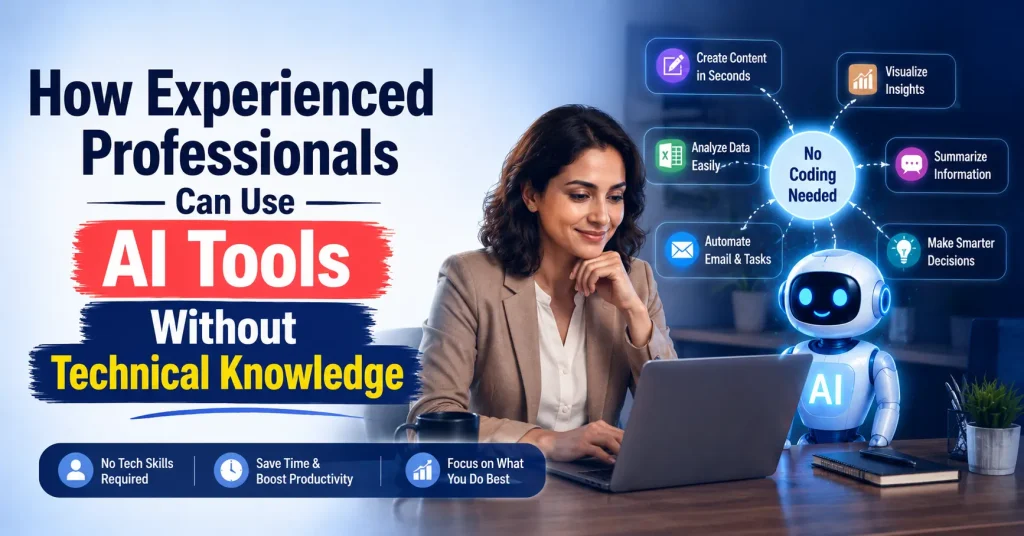
There’s a group of people who deserve their own section here: senior professionals, managers, directors and entrepreneurs who are good at their jobs but feel anxious about not fully understanding Artificial Intelligence.
This feeling is normal. The response to it should not be to avoid Artificial Intelligence. It should be to adopt Artificial Intelligence in a proper way.
The good news is that your knowledge of your industry is an advantage when using Artificial Intelligence tools. You know your industry, customers, data and processes. Artificial Intelligence tools make your expertise better; they don’t replace it.
A senior HR professional who understands what good hiring looks like will use an Artificial Intelligence recruitment tool more effectively than a junior hire who doesn’t know what they’re screening for.
The problem for senior professionals is not that they’re not capable; it’s that they’re not familiar with Artificial Intelligence. Familiarity comes from using AI and practicing. Platforms like Skillwaala provide a way to learn Artificial Intelligence tools that respect your time and build your confidence without requiring you to learn technical things.
AI Presentation Tools You Should Try
Find the best AI tools to design presentations faster, enhance visuals, and create impactful slides for work, education, or business.
Try AI Presentation MakersA Practical Starting Point: Three Artificial Intelligence Tools Worth Your Attention
Of a long list, here are three Artificial Intelligence tools that are easy to use and can help you get started with Artificial Intelligence:
- For writing and communication, start with ChatGPT. You can ask it to rewrite an email summarize an article or help you prepare for a meeting. Just talk to it like you’d talk to a colleague who knows a lot about the topic.
- For content try Canva and its Artificial Intelligence-powered “Magic Studio” features. You can create images resize designs for platforms and write copy, all without leaving the interface.
- For workflow automation look at Zapier’s tier. Connect two apps you use every day and build one automation. Even a simple one, like saving email attachments to Google Drive will help you understand what’s possible with Artificial Intelligence.
Once you’ve used these Artificial Intelligence tools for a week you’ll have a clearer idea of where Artificial Intelligence fits into your work and you’ll be ready to learn more and get a sense of where AI fits into your specific workflow, and you’ll be ready to go deeper.

Conclusion
The idea that AI is for engineers and data scientists is not true anymore. The tools available today are powerful, easy to use and really helpful. The only thing that stops people from being more productive is not wanting to start and not knowing where to learn. If you are a student, a worker or a professional who wants to stay ahead, learning AI tools is a great decision.
Start with Skillwaala. It is free, detailed and made for people like you.
Frequently Asked Questions
Yes, you can. AI tools are made for people who are not from a technical background. They have interfaces where you type instructions in plain English and get outputs right away. You don’t need to know how to program, set up things or have prior experience.
If you are a beginner, start with ChatGPT for writing and conversation. Canva AI for design, Notion AI for productivity and note-taking and Zapier for automation. Each of these tools has a free version and you can start using them with just a browser and an email address.
Yes, they are. Professionals in companies, startups and government organizations use no-code AI tools every day. The “no code” label refers to how you use the tool, not how good it is, and these tools work like AI systems used by big companies.
With proper learning, most people get good at AI tools in four to six weeks. If you follow a course, you can learn faster. Platforms like Skillwaala offer courses that can help you learn faster.
Not just safe, but also expected. Employers want to know if you can use AI tools. Be specific about the tools you used and what you did with them. This shows that you really know how to use AI tools and makes you stand out from candidates.
About The Author