

Most people know ChatGPT as the place they go when they need an answer, an idea, or a quick explanation. However, many still don’t know that ChatGPT Ads have launched and are becoming a real advertising opportunity for businesses.
That changes how you approach everything from targeting and ad copy to campaign measurement. Instead of competing for attention on a search results page, businesses can reach people while they’re already having a conversation about something relevant to their product or service.
If you’re also trying to understand what ChatGPT ads are and how to use them, this guide will showcase what we have learned by spending our money on the platform.
What Are ChatGPT Ads?
ChatGPT Ads are paid advertisements shown inside ChatGPT when they are relevant to a user’s conversation. Instead of relying mainly on search keywords, the system uses
conversational context to decide when an ad may be useful.
ChatGPT now reaches more than 1 billion weekly active users, which explains why advertising on the platform has become such a significant opportunity. (Source)
Let’s say someone asks ChatGPT for help choosing a laptop for college. They could see a sponsored ad from a laptop brand related to that conversation.
However, ads are separate from ChatGPT’s answers. Paying for an ad does not influence the response or mean ChatGPT endorses the advertiser.
It’s a new advertising model, and many of the rules marketers know from Google Ads don’t actually apply here.
How Do ChatGPT Ads Work?
ChatGPT Ads work differently from the keyword-based advertising most marketers are used to. When someone is discussing a product, comparing options, or trying to solve a problem, OpenAI’s ad system looks at the context and intent of the conversation to find relevant ads. Depending on the user’s settings and market, it can also consider signals from their broader ChatGPT experience.
For advertisers, this means the conversation matters more than matching an exact search term. They can also add context hints describing the situations, needs, and use cases where their product may be relevant. These hints guide ad matching but do not guarantee placement.
For example, an ad for running shoes could be relevant when someone is asking ChatGPT about training for their first marathon, even if they never type “buy running shoes.”
In layman’s terms, ChatGPT Ads are built around intent and context, not just keywords.
Who Can Run ChatGPT Ads?
ChatGPT Ads are currently available to businesses through Ads Manager Beta, but access depends on the country where the legal entity is based.
The platform is still in beta, though. OpenAI says it is continuing to expand access and refine campaign creation, delivery, measurement, and optimization. (Source)
ChatGPT Ads are available to eligible businesses in India. But being able to access Ads Manager does not mean every business or product category can advertise.
For most businesses, the rules are fairly straightforward. Education, travel, local services, software, consumer products, and lifestyle businesses can generally be considered for advertising, provided their ads and landing pages meet OpenAI’s policies.
On the other hand, some industries face tighter restrictions. Financial services, healthcare, and legal services may require additional review, particularly when ads make claims or promote regulated products.
Then there are categories that are completely banned. OpenAI’s advertising policies prohibit ads for political campaigns, gambling, adult sexual content, tobacco, weapons, illegal drugs, counterfeit goods, scams, and malicious software, among other restricted categories.
Ads also cannot be placed alongside certain sensitive conversations, even if the advertiser itself belongs to an otherwise permitted industry.
So, if you’re planning a ChatGPT Ads campaign, check both sides of the equation. Firstly, check whether your industry is eligible. Second, check whether the specific product, creative, claims, and landing page comply with OpenAI’s advertising policies.
Are ChatGPT Ads Available in India?
Yes. India currently has self-service access to ChatGPT Ads Manager, so businesses with an eligible Indian legal entity can create and manage campaigns without going through a separate sales process.
That makes the opportunity particularly interesting for Indian advertisers. OpenAI’s current Ads Manager supports country targeting, and India has a minimum daily campaign budget of ₹725.
There’s another important detail. ChatGPT Ads are still in the beta phase, so features, targeting options, ad formats, and buying methods can change as the platform develops.
If you’re planning a first campaign, that means it’s better to treat ChatGPT Ads as a channel to test and learn rather than assume it already works like a mature Google or Meta Ads ecosystem.
How Much Do ChatGPT Ads Cost?
ChatGPT Ads currently supports CPM and CPC pricing, with CPC available for conversion-focused campaigns.
For CPC campaigns, OpenAI recommends starting with a maximum bid of $3-$5 per click, which is roughly ₹264-₹440 per click at current exchange rates. Keep in mind that this is a recommended starting bid, not a fixed price. Your actual cost can vary based on the auction and campaign performance.
Indian advertisers also need to account for the platform’s ₹725 minimum daily campaign budget. The three options work differently:
- CPM: Pay for every 1,000 impressions
- CPC: Pay for each valid click
- oCPC: Pay-per-click while the system optimizes delivery toward a selected conversation.
In our testing, we found that CPC gives you a straightforward starting point. You can set a bid, control your campaign budget, and see what you’re actually paying to bring a visitor to your website.
How to Use ChatGPT Ads? Step-by-Step Process
Running a ChatGPT Ads campaign starts in OpenAI Ads Manager Beta. The basic structure is simple: campaign > ad group > review > launch
Step 1: Create Your Ads Manager Account
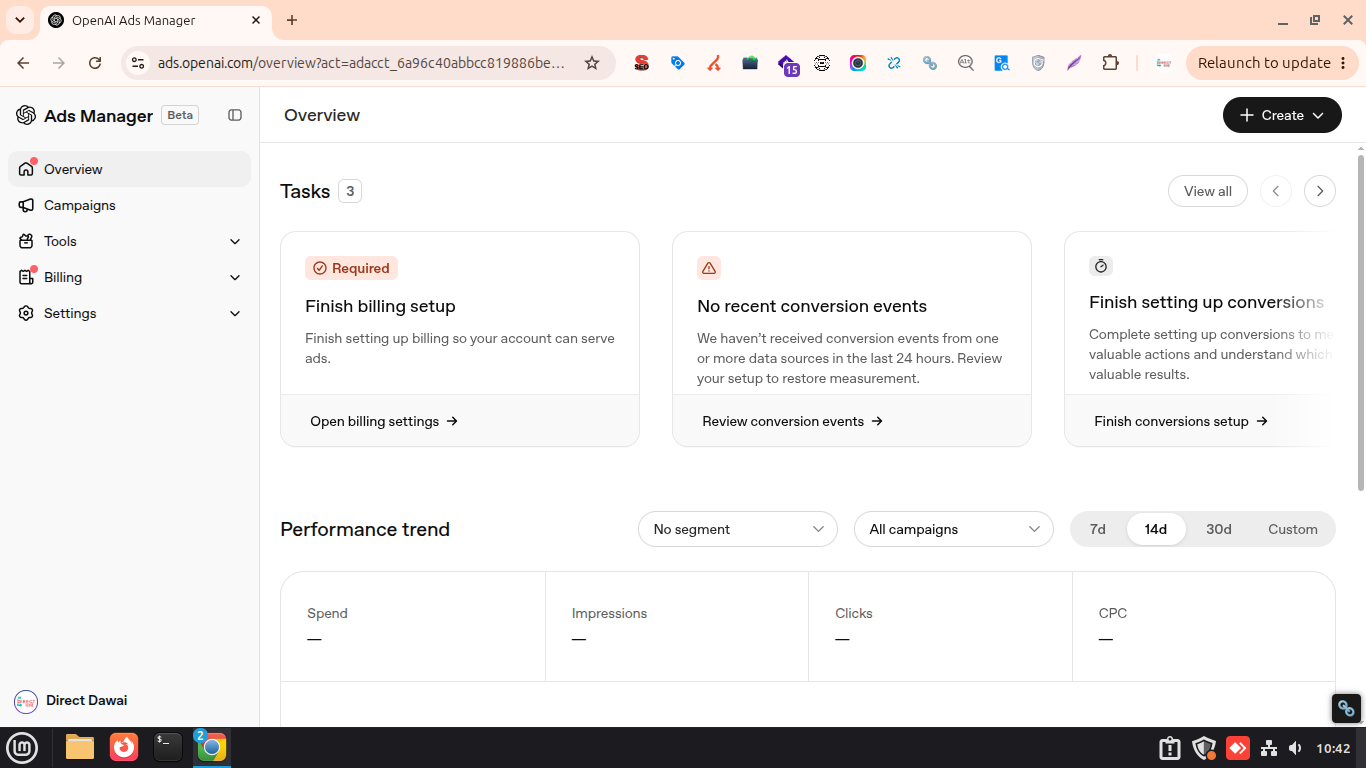
Before creating a campaign, you need an OpenAI Ads Manager Beta account.
Simply go to Ads Manager and sign in with your OpenAI account. Choose the account that is connected to your work email.
During setup, you will provide your business name, website, logo, industry, country, currency, and time zone. You will then complete business verification and set up your billing profile and payment method. Keep this information at hand during business verification:
- Legal Business Name
- Business Tax ID (e.g., EIN)
- Payment method (credit/debit card)
Once verification and billing are complete, you can invite other people from your team to manage the account. Campaigns won’t start delivering until all required account setup steps are finished.
Double-check your country, currency, and time zone, as these cannot be changed after the advertiser account is created.
Step 2: Create Your Ad Campaign
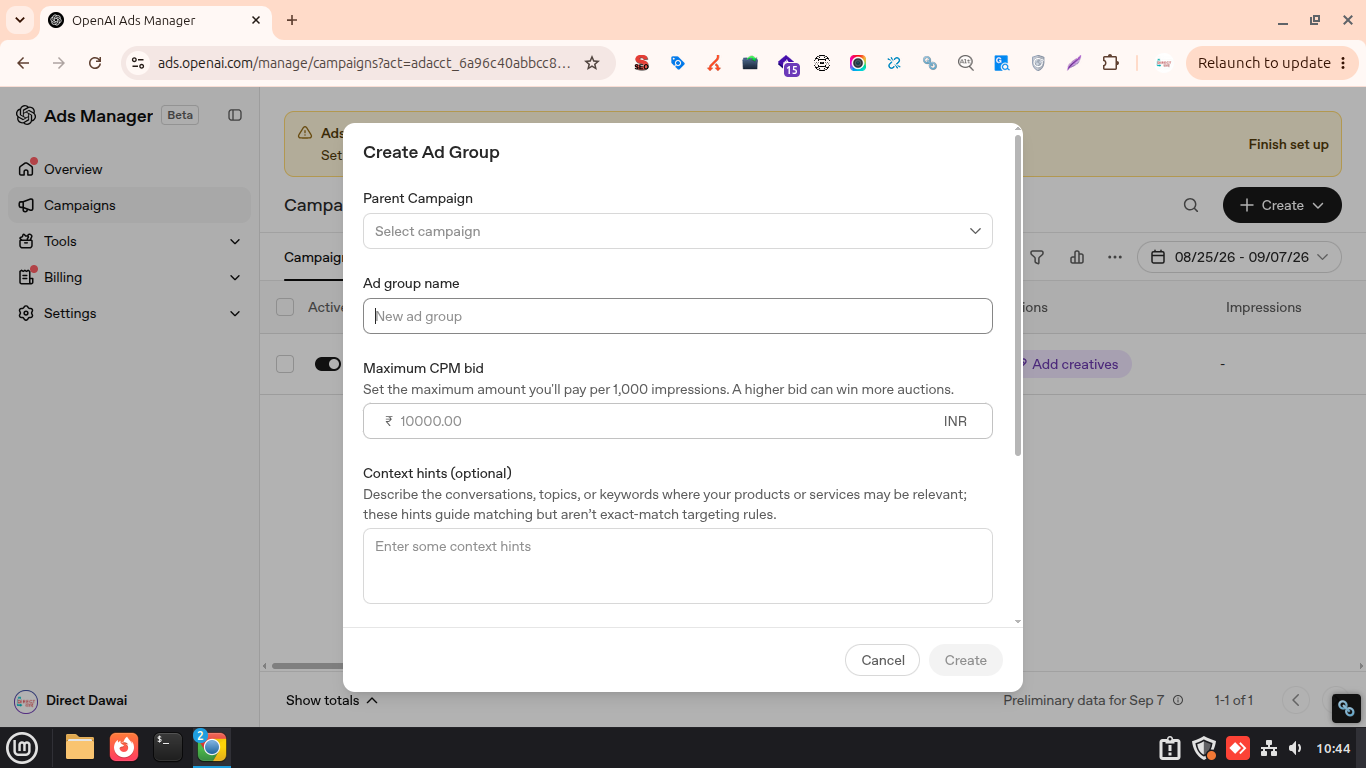
Once your Ads Manager account is ready, you can create your first campaign. Start by choosing the campaign objective that matches what you want the ads to achieve.
ChatGPT Ads currently offer three main buying options. CPM for impressions, CPC for clicks, and oCPC for conversion-focused campaigns. You’ll also set the campaign’s name, start and end dates, budget, and target location at this stage.
Keep the first campaign focused on one clear goal. For example, if you’re trying to drive traffic to an AI course, CPC makes more sense than optimizing for impressions when your immediate goal is getting people onto the course page.
Once the campaign is created, you can move on to targeting the conversations where your ad is most relevant.
Step 3: Choose Your Targeting (Without Keywords)
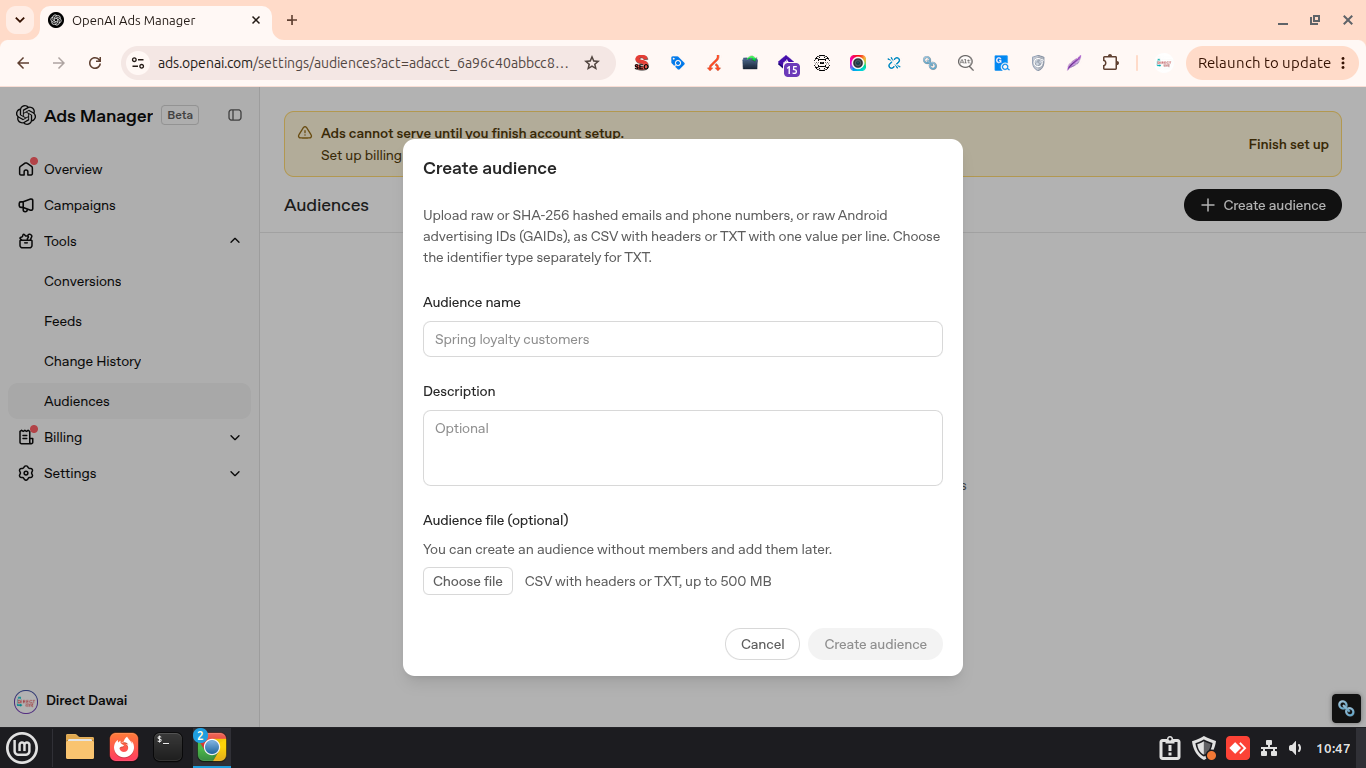
ChatGPT Ads don’t use traditional keyword targeting in the way Google Ads does. Instead, you can define locations, platforms, audiences, and contextual signals to help determine where your ads are relevant.
The most distinctive option is context hints. These describe the kinds of conversations, needs, or situations where you want your product to appear. For example, an online learning platform could use a hint around people exploring AI skills for career development rather than targeting a specific search phrase. You can also include or exclude custom audiences where the feature is available.
The goal is to give the system enough context to find relevant users without trying to turn conversational advertising into a traditional keyword campaign. Think about the conversation you want to enter, not just the keyword you want to target.
Step 4: Create Your Ad
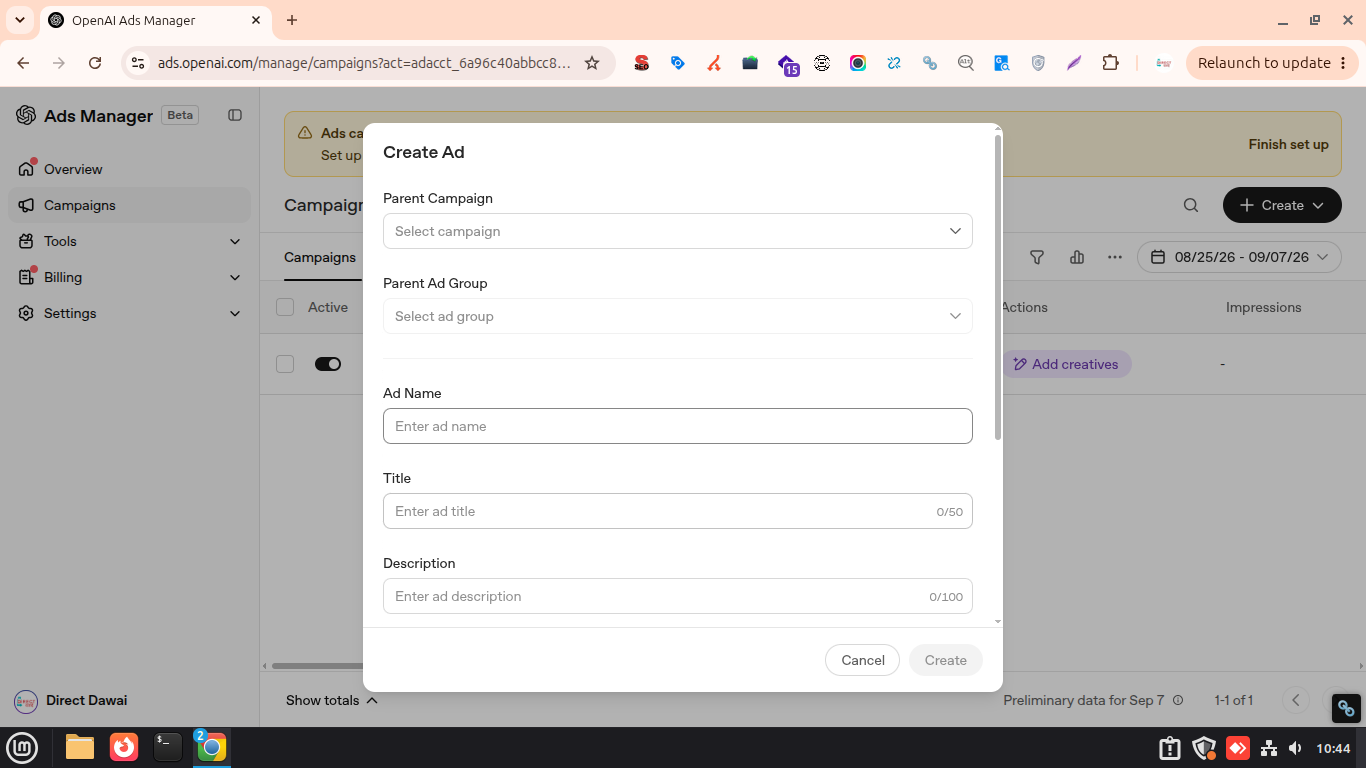
Now comes the part users actually see. In Ads Manager, you can create your ad by adding your brand name, logo, headline, primary text, image, and destination URL. You can also create multiple creative variations within an ad group to test different messages.
Keep the message closely connected to the context you’re targeting. For instance, If your ad is aimed at people researching AI courses, the headline should tell them what they’ll get rather than relying on a vague brand message.
Your landing page should follow the same logic. Someone who clicks an ad about an AI course shouldn’t have to hunt around your website to find the course.
The conversation gets the user’s attention. Your ads need to give them a reason to click.
Step 5: Set Your Budget
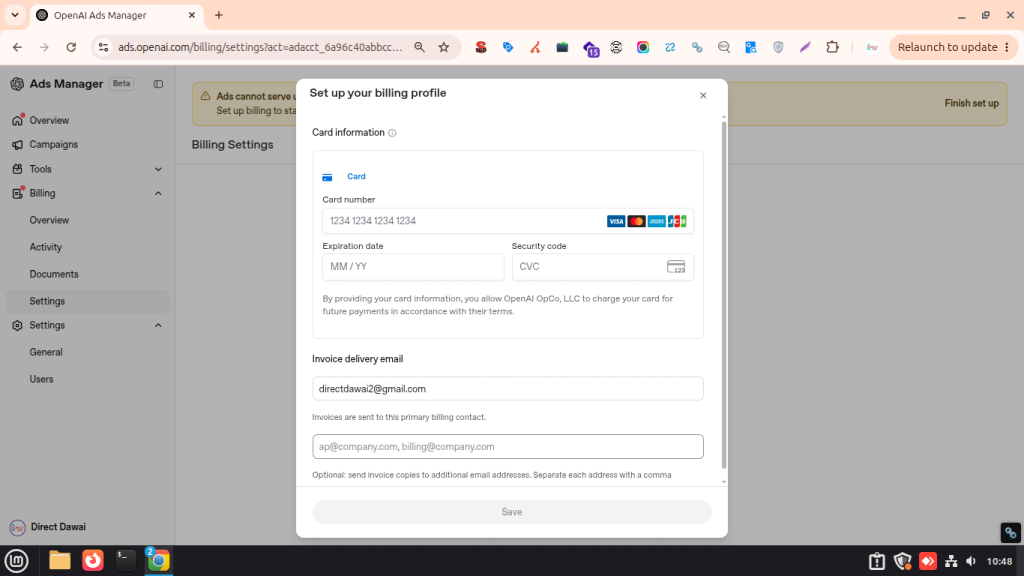
Once the ad is ready, decide how much you’re willing to spend. ChatGPT ADs let you set a daily or total campaign budget, depending on how you want to control your spending.
For Indian advertisers, the current minimum daily campaign budget is ₹725. CPC campaigns, OpenAI recommends starting with a maximum bid of $3-$5 per click, which is roughly ₹264-₹440, depending on the exchange rate.
Obviously, that doesn’t mean every click will cost ₹440. Your actual CPC depends on the auction and campaign conditions.
For a first test, avoid committing a large budget before you know how much traffic and how many conversions the campaign can generate.
Start with a controlled budget, collect enough data, and then decide whether increasing spend is viable or not.
Step 6: Launch and Track Performance
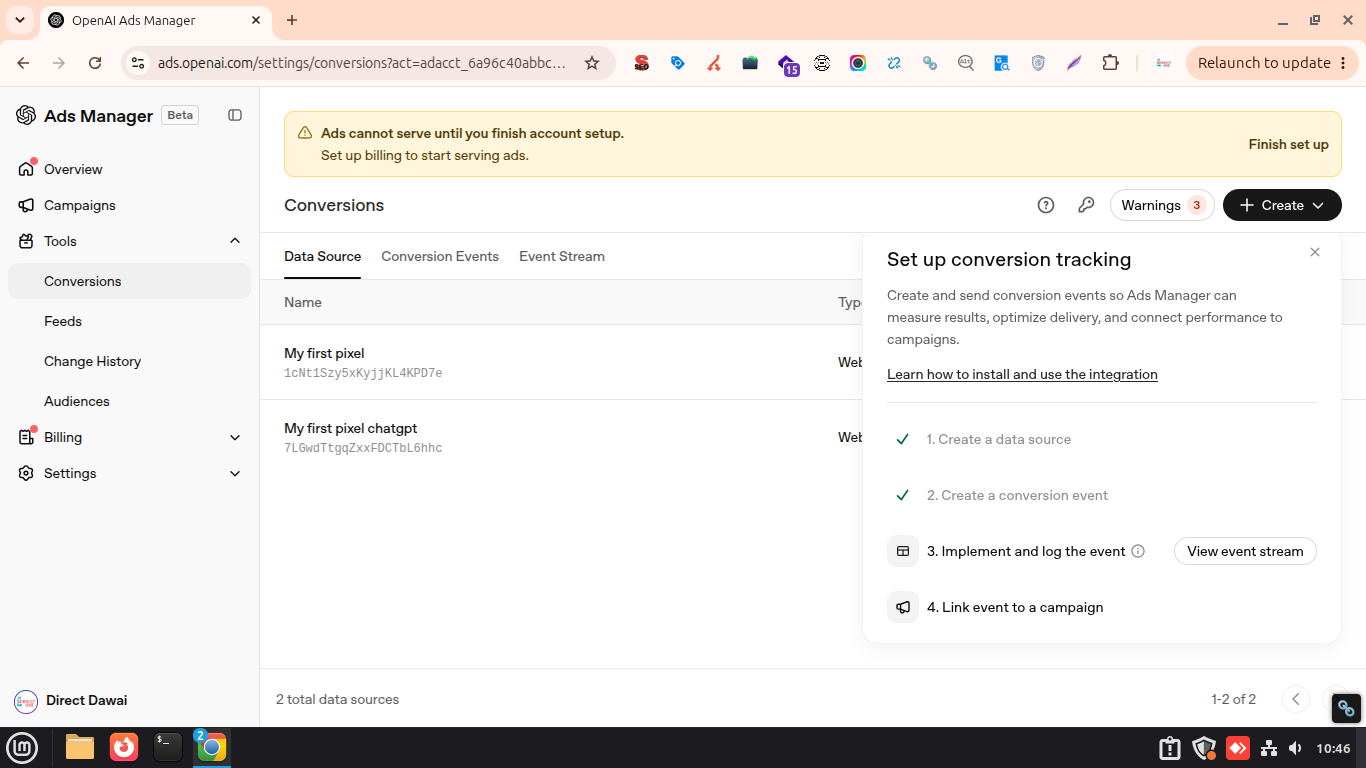
Before your campaign goes live, review the targeting, creative, budget, and landing page, then submit it for OpenAI’s ad review. Once approved, the campaign can begin delivering to eligible users.
After launch, Ads Manager gives you access to performance metrics such as impressions, clicks, CTR, CPC, CPM, and conversions when conversion tracking is configured. These numbers tell you more than whether people saw your ad. They show whether the traffic is actually doing something useful.
Give the campaign enough time to collect meaningful data before making major changes. If clicks are coming in but conversions remain weak, the problem may be the landing page or offer rather than the ad itself.
Want to Learn How to Use ChatGPT?
Learn how to write better prompts, improve your results, automate tasks, and use ChatGPT effectively for study, work, coding, content, and more.
Read the Complete ChatGPT GuideHow Do ChatGPT Ads Target Users Without Keywords?
ChatGPT Ads take a different route from traditional search advertising. Instead of asking advertisers to build large keyword lists, the platform uses conversation context and user intent to determine whether an ad is relevant.
This is where context hints become useful. Advertisers can describe the situations or topics where their product makes sense, giving the system additional signals for matching ads with relevant conversations.
For example, an AI course provider might want to reach people discussing career changes, learning AI, or improving their digital skills. The advertiser can describe those contexts rather than trying to predict every possible search phrase a potential customer might type.
That doesn’t mean advertisers can target individual conversations or tell ChatGPT exactly which users should see an ad. The system decides when an ad is eligible based on its relevance to the conversation and the campaign’s targeting settings. This shift from keywords to context is one of the most important things marketers need to understand before running ChatGPT Ads.
How to Measure ChatGPT Ad Performance?
To know whether ChatGPT Ads are actually working, you need to connect campaign activity with a business outcome.
Ads Manager provides core metrics such as impressions, clicks, CTR, CPC, CPM, and conversions. Conversion tracking can be configured to measure actions that happen after someone visits your website. Here are the metrics worth watching:
| Metric | What it tells you |
|---|---|
| Impressions | How often your ad was shown |
| CTR | How frequently people clicked after seeing the ad |
| CPC | What you paid for each click |
| CPM | What you paid per 1,000 impressions |
| Conversions | How many users completed your chosen action |
| Conversion Rate | How effectively your traffic turned into the desired action |
Never judge a campaign by CTR alone. A high click-through rate can look impressive while producing very few leads or sales.
There are some encouraging early signals from advertisers. OpenAI has reported a 3x return on ad spend over 28 days for one e-commerce advertiser. Another technology advertiser reported that more than 80% of its ChatGPT ad-driven traffic came from new customers.
These are individual advertiser results, not benchmarks for the platform as a whole.
ChatGPT Ads vs Google Ads vs Meta Ads
ChatGPT Ads are entering a market where Google and Meta already have well-established advertising systems. The biggest difference is where the user is in their journey when they encounter the ad.
Google Ads typically capture users actively searching for something. Meta Ads rely heavily on audience and behavioral signals. However, ChatGPT Ads sit inside an ongoing conversation, where the user’s intent can be inferred from what they are discussing.
| Factor | ChatGPT Ads | Google Ads | Meta Ads |
|---|---|---|---|
| Primary signal | Conversation context | Search query | Audience signals |
| Keyword targeting | No traditional keywords | Yes | Limited |
| User intent | Conversational intent | Search intent | Interest/behaviour |
| Creative focus | Context + relevance | Query + offer | Visual + audience |
| Best suited for | Users researching or considering solutions | Users actively searching | Demand generation and discovery |
ChatGPT Ads are not necessarily a replacement for Google or Meta. They give advertisers another place to reach users.
Final Words
ChatGPT Ads are still new, but the opportunity is becoming harder to ignore. The platform puts advertising inside conversations where people are already researching problems, comparing choices, and looking for solutions.
The approach is different from Google Ads or Meta Ads. Context matters more than keywords, relevance matters more than reach, and conversations matter more than clicks.
For businesses in India, Ads Manager makes it possible to start testing the channel with a relatively controlled budget. The smarter approach is to begin with a clear audience need, build ads around relevant conversations, and use the resulting data to decide whether ChatGPT deserves a larger share of your advertising budget.
Frequently Asked Questions (FAQs)
No. Ads are separate from ChatGPT’s organic responses, and advertisers cannot pay to change or influence the answers users receive.
No. Ads are shown based on factors such as conversation relevance, user settings, and advertiser targeting. Certain sensitive conversations are also excluded from ad placement.
Yes, within the targeting options offered by Ads Manager. Advertisers can define locations and use audiences and contextual signals to help reach relevant users.
No. Advertisers do not receive users’ private ChatGPT conversations or personal chat history. They receive campaign performance data rather than access to individual conversations.
ChatGPT Ads can be delivered across supported ChatGPT platforms, including web and mobile apps, depending on the campaign’s available placement options.
The eligibility depends on the affiliate offer, business model, landing page, and OpenAI’s advertising policies. Affiliate marketing is not automatically approved simply because the underlying product or service is permitted.
Ads need to pass OpenAI’s review process before they can begin serving. Review times can vary, so advertisers should account for approval when planning a campaign launch.
About The Author

