ChatGPT changed how millions of people learn, write, code, and work. Yet it isn’t the only AI assistant worth using anymore. Some ChatGPT alternatives are better at research. Others shine in coding, document analysis, or real-time web search. The right choice depends less on what’s popular and more on what you need to get done.
That’s where things get confusing.
With dozens of AI tools like ChatGPT launching every month, separating genuinely useful platforms from overhyped ones isn’t easy. A wrong pick can cost you time, money, and productivity.
In this blog, we will list the best ChatGPT alternatives in 2026, comparing their strengths, limitations, pricing, and ideal use cases.
What is ChatGPT?
ChatGPT is an AI chatbot developed by OpenAI that understands natural language and responds much like a human conversation. It can answer questions, write content, generate code, summarize documents, translate languages, and help with everyday tasks in seconds.
Its ease of use and versatility have made it one of the most popular AI tools worldwide. Even so, ChatGPT isn’t the only capable assistant available today. Many users now explore AI tools like ChatGPT for features such as better research, real-time web access, specialized coding support, or more affordable pricing.
Why Do We Need ChatGPT Alternatives?
ChatGPT is one of the most capable AI assistants available, but it isn’t always the best choice for every task. Many users prefer AI tools like ChatGPT because they offer features that better match specific needs.
Here are some common reasons people explore a ChatGPT alternative:
- Access real-time information: Some AI tools can search the web and provide up-to-date answers with source citations.
- Get better coding assistance: Certain platforms are designed specifically to help developers write, debug, and optimize code.
- Use a more generous free plan: Many users look for a free ChatGPT alternative with fewer usage restrictions.
- Work with documents more efficiently: Some AI assistants excel at summarizing PDFs, reports, spreadsheets, and research papers.
- Boost productivity: Integrations with tools like Microsoft 365, Google Workspace, and Slack can streamline everyday work.
- Choose a tool built for a specific purpose: Whether it’s content creation, research, brainstorming, or data analysis, some AI tools simply perform better in niche use cases.
The best ChatGPT alternative is not necessarily the most popular one; it’s the one that helps you get your work done faster and more accurately.
Quick Comparison of the Top 10 ChatGPT Alternatives
| AI Tool | Starting Price | Best For | Key Strength |
|---|---|---|---|
| ChatGPT | $20/month (Plus) | Writing, coding, brainstorming | Most balanced AI assistant |
| Google Gemini | $19.99/month (Google AI Pro) | Research & Google Workspace | Deep integration with Google ecosystem |
| Claude | $20/month (Pro) | Long-form writing & document analysis | Excellent reasoning and natural writing |
| Microsoft Copilot | $20/month (Copilot Pro) | Microsoft 365 users | Native integration with Word, Excel & PowerPoint |
| Perplexity AI | $20/month (Pro) | Research & fact-checking | Real-time web search with citations |
| Grok | $30/month (SuperGrok) | Real-time news & X integration | Live access to trends and social conversations |
| DeepSeek | Free | Coding & reasoning | Powerful capabilities at no cost |
| Poe | $19.99/month | Access to multiple AI models | One subscription for several leading LLMs |
| Meta AI | Free | Everyday AI assistance | Built into WhatsApp, Instagram & Facebook |
| Jasper AI | $39/month (Creator) | Marketing & content creation | Built for businesses and content teams |
| NotebookLM | Free (Google AI Pro unlocks higher limits) | Learning & document summarization | Source-grounded notes and research |
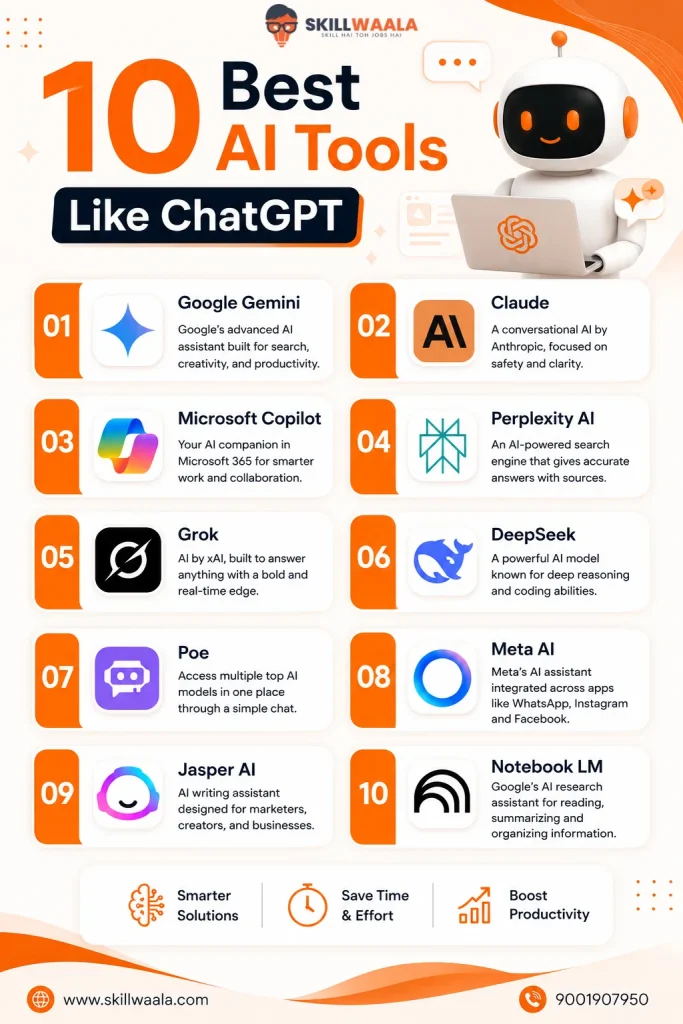
10 Best AI Tools Like ChatGPT in 2026
We have compared the best ChatGPT alternatives based on their features, strengths, and ideal use cases to help you find the right fit.
1. Google Gemini
Best For: Research, Google Workspace users, and multimodal tasks
Google Gemini is Google’s AI assistant designed to work seamlessly across Search, Gmail, Docs, Sheets, and other Google services. It stands out for its ability to combine text, images, and web information. This makes it a strong choice for research, productivity, and everyday problem-solving.
After using Gemini for several weeks, it became clear that it integrated with Google Workspace better than almost any other AI assistant. However, ChatGPT still produced more creative responses during writing tasks.
| Feature | Details |
|---|---|
| Free Plan | Yes |
| Starting Price | $19.99/month (Google AI Pro) |
| Platforms | Web, Android, iOS |
| Ideal For | Research, writing, coding, presentations, and Google Workspace |
Key Features:
- Real-time web access for up-to-date information
- Native integration with Gmail, Docs, Sheets, and Drive
- Supports text, image, voice, and file-based prompts
- Generates images and assists with coding, writing, and data analytics
Pros
- Excellent integration with the Google ecosystem
- Reliable for research and fact-based queries
- Generous free plan for everyday use
Cons
- Creative writing can feel less natural than ChatGPT
- Some advanced features require a paid subscription
Should You Choose Google Gemini?
You should choose Gemini if you already rely on Google Workspace for work or study. Its seamless integration with Google’s ecosystem makes everyday tasks faster. If your priority is creative writing or nuanced conversations, ChatGPT still has a slight edge.
2. Claude
Best For: Long-form writing, document analysis, and deep reasoning
Developed by Anthropic, Claude has earned a reputation for producing thoughtful and well-structured responses. It handles lengthy documents with ease and often feels more natural in extended conversations, making it a favorite for writers, researchers, and professionals who work with large amounts of text.
When rewriting long-form articles, Claude consistently produced cleaner first drafts than most AI assistants. However, ChatGPT performed better during brainstorming sessions.
| Feature | Details |
|---|---|
| Free Plan | Yes |
| Starting Price | $20/month (Claude Pro) |
| Platforms | Web, iOS, Android |
| Ideal For | Writing, document summarization, research, and coding |
Key Features
- Processes lengthy PDFs, reports, and documents with a large context window
- Generates natural, coherent, and detailed content
- Strong reasoning capabilities for complex questions
- Assists with coding, editing, and brainstorming.
Pros
- Exceptional quality for long-form writing
- Excellent at understanding context across large documents
- Produces clear and human-like responses
Cons
- No built-in real-time web search in the free version
- Fewer third-party integrations compared to ChatGPT and Gemini
Should You Choose Claude?
If your work revolves around writing, reading, or refining complex documents, Claude is hard to beat. It often produces more polished first drafts than ChatGPT.
On the other hand, ChatGPT remains the better all-rounder for users who want web browsing, image generation, and a broader feature set in one place.
Looking for the Best Claude Alternative?
Compare the Top 10 Claude Alternatives, including ChatGPT, Google Gemini, Microsoft Copilot, Perplexity AI, Grok, DeepSeek, Meta AI, Mistral Le Chat, Poe, and Qwen Chat. Explore their features, pricing, strengths, and ideal use cases to find the perfect AI assistant for your workflow.
Read the Complete Comparison →3. Micrososft Copilot
Best For: Microsoft 365 users, coding, and workplace productivity
If your day starts with Outlook and ends in Excel, Microsoft Copilot feels less like an AI chatbot and more like a built-in colleague. It integrates directly with Microsoft’s ecosystem and helps you draft emails, analyze spreadsheets, create presentations, and automate repetitive tasks without switching between apps.
For Word documents and Excel spreadsheets, Microsoft Copilot saved noticeably more time than most AI assistants. However, ChatGPT remained the stronger all-purpose chatbot outside the Microsoft ecosystem.
| Feature | Details |
|---|---|
| Free Plan | Yes |
| Starting Price | $20/month (Copilot Pro) |
| Platforms | Web, Windows, Android, iOS |
| Ideal For | Microsoft 365, coding, business productivity, and data analysis |
Key Features
- Integrates with Word, Excel, PowerPoint, Outlook, and Teams
- Assists with coding through GitHub Copilot integration
- Summarizes meetings, emails, and lengthy documents
- Creates presentations, reports, and spreadsheets using AI
Pros
- Best AI assistant for Microsoft 365 users
- Saves significant time on routine office tasks
- Strong support for coding and data analytics
Cons
- Delivers the most value within the Microsoft ecosystem
- Premium features require a Copilot Pro or Microsoft 365 subscription
Should You Choose Microsoft Copilot?
You should choose Copilot if most of your work happens inside Microsoft Office. Drafting reports, analyzing Excel data, or preparing presentations becomes noticeably faster.
If you need a more versatile AI assistant for creative writing, brainstorming, or everyday conversations, ChatGPT remains the stronger all-purpose choice.
4. Perplexity AI
Best For: Research, fact-checking, and real-time web search
Unlike traditional AI chatbots, Perplexity AI is built to answer questions with evidence. Every response includes links to its sources, making it easy to verify information instead of taking the AI’s word for it. That feature alone makes it a standout choice for research-heavy tasks.
When researching unfamiliar topics, Perplexity AI provided more trustworthy answers thanks to its built-in citations.
| Feature | Details |
|---|---|
| Free Plan | Yes |
| Starting Price | $20/month (Perplexity Pro) |
| Platforms | Web, Android, iOS |
| Ideal For | Research, fact-checking, market analysis, and learning |
Key Features
- Delivers real-time answers using live web search
- Includes citations for greater transparency
- Summarizes articles, reports, and research papers
- Supports multiple AI models with the Pro plan
Pros
- One of the best AI tools for accurate research
- Source citations make fact-checking quick and reliable
- Clean, distraction-free interface
Cons
- Less effective for creative writing than ChatGPT or Claude
- Some advanced AI models are available only with the Pro plan
Should You Choose Perplexity AI?
If your first question after every AI response is, “Where did this information come from?” then Perplexity AI is the better pick. It prioritizes accuracy and transparency over creativity.
For storytelling, brainstorming, or content generation, ChatGPT still delivers a more engaging experience.
Find the Best AI Writing Tool for Your Needs
From SEO blog writing and marketing campaigns to email copy, social media content, grammar correction, and creative storytelling, every AI writing tool has different strengths. Compare the Top 10 AI Writing Tools side by side and choose the one that matches your goals and budget.
Explore the Top AI Writing Tools Comparison →5. Grok
Best For: Real-time news, trending topics, and social media insights
Grok is xAI’s AI assistant, built with deep integration into X. Unlike most AI chatbots that rely primarily on static knowledge or standard web searches, Grok taps into real-time conversations, making it particularly useful for following breaking news, market trends, and public discussions. Its biggest advantage is speed.
During fast-moving news events, Grok surfaced trends and discussions more quickly than most AI assistants. On the other hand, ChatGPT offered more detailed explanations once the news had settled.
| Feature | Details |
|---|---|
| Free Plan | Limited |
| Starting Price | $30/month (SuperGrok) |
| Platforms | Web, iOS, Android, X |
| Ideal For | News tracking, social media analysis, and general AI assistance |
Key Features
- Accesses real-time information and trending discussions.
- Integrates directly with the X platform.
- Answers questions, generates content, and assists with coding
- Supports image generation and document analysis
Pros
- Excellent for staying updated on current events
- Great choice for social media research and trend analysis
- Fast, conversational, and easy to use
Cons
- Less reliable for in-depth research than Perplexity AI
- Full feature access requires a paid subscription
Should You Choose Grok?
Choose Grok if your work depends on what’s happening right now. It’s particularly useful for tracking trends, following breaking news, and understanding public conversations as they unfold.
If you need stronger writing, coding, or research capabilities, ChatGPT remains the more versatile AI assistant.
6. DeepSeek
Best For: Coding, logical reasoning, and budget-conscious users
DeepSeek made headlines by delivering impressive AI performance without an expensive subscription. While it may not have the polished ecosystem of ChatGPT or Gemini, it consistently performs well on coding, mathematics, and reasoning tasks. This makes it a great choice for developers and technical users.
For coding challenges and logical reasoning, DeepSeek consistently outperformed most free AI assistants.
| Feature | Details |
|---|---|
| Free Plan | Yes |
| Starting Price | Free (API usage is billed separately) |
| Platforms | Web, Android, iOS |
| Ideal For | Coding, mathematics, problem-solving, and technical research |
Key Features
- Excels at programming, debugging, and code generation
- Strong logical reasoning and mathematical capabilities
- Supports document uploads and multilingual conversations
- Offers open-source AI models for developers
Pros
- Powerful AI features available without a monthly subscription
- Delivers strong performance on technical tasks
- Open-source models provide greater flexibility for developers
Cons
- Fewer productivity integrations than ChatGPT or Microsoft Copilot
- Can struggle with nuanced creative writing and complex storytelling
Should You Choose DeepSeek?
DeepSeek is a smart pick if coding, technical problem-solving, or cost are your top priorities. It offers remarkable value without locking essential features behind a paywall.
10 Best AI Productivity Tools Comparison
Looking for AI tools that can actually improve your daily workflow? We compare 10 of the best AI productivity tools for task management, note-taking, scheduling, writing, research, and team collaboration. Find out which tools are worth using and which one best matches your productivity goals.
Compare the Best AI Productivity Tools →7. Poe
Best For: Comparing multiple AI models from one platform
Why limit yourself to a single AI assistant when you can access several? Developed by Quora, Poe combines leading AI models together in one interface, allowing you to switch between ChatGPT, Claude, Gemini, DeepSeek, and others without juggling multiple accounts. Its real selling point is flexibility.
While comparing AI models, Poe made switching between different assistants surprisingly effortless.
| Feature | Details |
|---|---|
| Free Plan | Yes |
| Starting Price | $19.99/month |
| Platforms | Web, Android, iOS, macOS, Windows |
| Ideal For | Comparing AI models, content creation, coding, and research |
Key Features
- Access multiple AI models from a single dashboard
- Create and customize your own AI bots
- Supports text generation, coding, translation, and brainstorming
- Seamlessly switch between models for different tasks
Pros
- Eliminates the need to subscribe to multiple AI platforms
- Makes it easy to compare responses from different models
- Clean interface with support for custom bots
Cons
- Free usage is limited for premium models
- Does not offer the deep ecosystem integrations found in ChatGPT or Gemini
Should You Choose Poe?
Poe is ideal if you are still figuring out which AI assistant works best for you. Instead of committing to one platform, you can test multiple models side-by-side and use each where it performs best.
If you prefer a single, feature-rich AI assistant with advanced productivity tools, ChatGPT remains the more complete experience.
8. Meta AI
Best For: Everyday conversations and AI assistance across Meta apps
If you spend a lot of time on WhatsApp, Instagram, or Facebook, Meta AI is probably closer than you think. Instead of opening a separate chatbot, you can ask questions, generate text, brainstorm ideas, or create images directly within the apps you already use.
Inside WhatsApp and Instagram, Meta AI proved far more convenient than opening a separate chatbot.
| Feature | Details |
|---|---|
| Free Plan | Yes |
| Starting Price | Free |
| Platforms | WhatsApp, Facebook, Instagram, Messenger, Web |
| Ideal For | Everyday questions, content ideas, and casual AI assistance |
Key Features
- Built into WhatsApp, Facebook, Instagram, and Messenger
- Generates text, images, and creative ideas
- Supports natural conversations with multilingual capabilities
- Delivers quick answers without requiring a separate app
Pros
- Completely free to use
- Seamless experience across Meta’s ecosystem
- Simple interface that’s easy for beginners
Cons
- Limited advanced features compared to ChatGPT and Claude
- Not the best choice for complex research or technical tasks
Should You Choose Meta AI?
Meta AI is a solid option if you want quick AI assistance without leaving your favorite social apps. It’s fast, accessible, and perfect for everyday tasks.
However, when projects demand deeper reasoning, advanced coding, or detailed content creation, ChatGPT offers significantly more capabilities.
9. Jasper AI
Best For: Marketing teams, copywriting, and brand-focused content creation
Not every AI tool is built for everyone. Jasper AI targets businesses that produce content at scale, offering templates, brand voice controls, and collaboration features that go beyond what a general-purpose chatbot provides.
If content marketing is part of your workflow, Jasper is a great choice. It is less of a chatbot and more of an AI writing platform.
When creating market copy at scale, Jasper required fewer edits than most general-purpose AI assistants. However, ChatGPT adapted better to different writing styles.
| Feature | Details |
|---|---|
| Free Plan | No (7-day free trial available) |
| Starting Price | $39/month (Creator Plan) |
| Platforms | Web |
| Ideal For | Marketing copy, blogs, emails, SEO content, and brand management |
Key Features
- Creates blogs, ad copy, emails, product descriptions, and social media posts
- Maintains a consistent brand voice across content
- Includes built-in marketing templates and workflows
- Integrates with tools like Grammarly, Surfer SEO, and Zapier
Pros
- Designed specifically for content marketing teams
- Saves time on repetitive writing tasks
- Strong collaboration and brand management features
Cons
- More expensive than most AI assistants
- Limited value if you only need a general-purpose chatbot
Should You Choose Jasper AI?
Jasper AI is a worthwhile investment for businesses and marketing professionals who publish content regularly. It focuses on consistency, speed, and collaboration rather than being an all-in-one AI assistant.
If you’re looking for a versatile chatbot that can handle writing, coding, research, and everyday tasks, ChatGPT offers better overall value.
10. Notebook LM
Best For: Learning, note-taking, and document-based research
NotebookLM takes a different approach from most AI assistants. Instead of generating answers from general knowledge alone, it works primarily with the documents you upload.
That means the responses stay grounded in your own sources, making it particularly useful for studying, research, and organizing information. Think of it as an AI-powered research notebook rather than a traditional chatbot.
For summarizing PDFs and research papers, NotebookLM consistently stayed closer to the original source material.
| Feature | Details |
|---|---|
| Free Plan | Yes |
| Starting Price | Free (Higher limits available with Google AI Pro) |
| Platforms | Web |
| Ideal For | Studying, research, note organization, and document analysis |
Key Features
- Summarizes PDFs, Google Docs, websites, and presentations
- Generates study guides, FAQs, timelines, and briefing notes.
- Answers questions using only your uploaded sources
- Creates AI-generated audio overviews for selected notebooks
Pros
- Excellent for learning and research
- Reduces the risk of unsupported answers by referencing your documents
- Free to use with generous capabilities
Cons
- Less suitable for general conversations or creative writing
- Depends heavily on the quality of the uploaded sources
Should You Choose Notebook LM?
NotebookLM is the better choice when accuracy matters more than imagination. It’s ideal for understanding complex reports, organizing research, or studying from multiple documents without losing context.
If you need an AI assistant for everyday conversations, coding, or content creation, ChatGPT is still more versatile.
Learn AI Tools for Free
Join SkillWaala’s Free AI Tools Course and learn ChatGPT, Gemini, AI content tools, productivity tools, and more with practical examples.
Start Free AI Tools CourseChatGPT vs Other AI Tools: Which One Fits Your Needs?
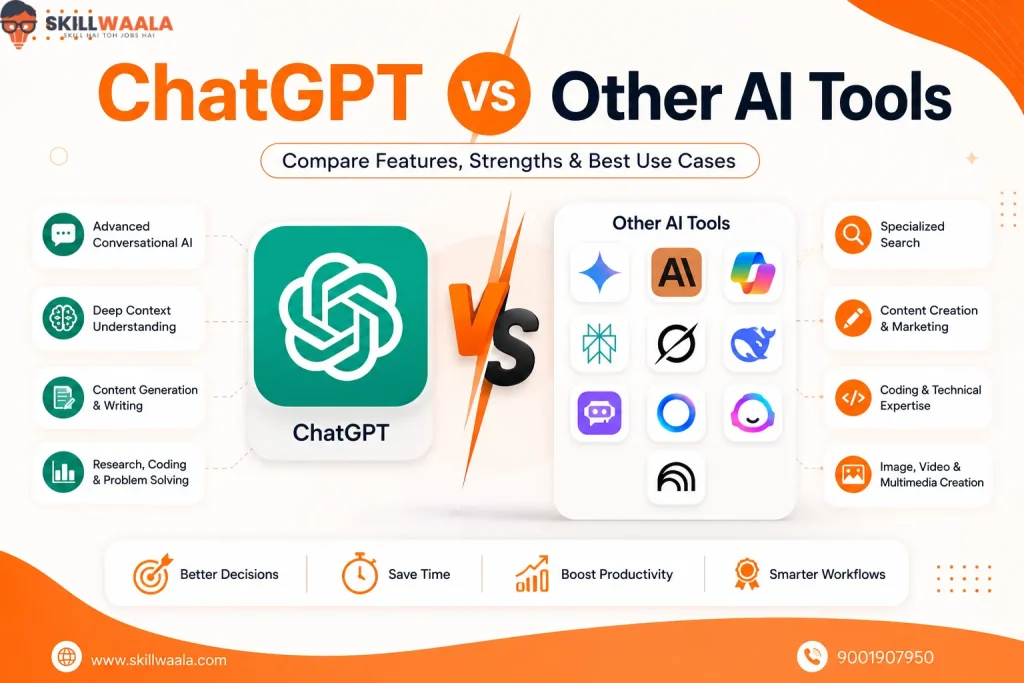
Declaring a single AI tool as the “best” misses the point. The smarter question is: Which AI assistant is best for the way you work?
Each platform has carved out its own strengths. Some excel at writing, others prioritize research, while a few are deeply integrated into the software you already use.
| AI Tool | Choose It When |
|---|---|
| ChatGPT | You need an all-purpose AI assistant for writing, coding, brainstorming, and everyday productivity. |
| Google Gemini | You rely on Gmail, Google Docs, Drive, and other Google Workspace apps. |
| Claude | You regularly write long-form content or analyze lengthy documents. |
| Microsoft Copilot | Your workflow revolves around Word, Excel, PowerPoint, and Microsoft 365. |
| Perplexity AI | You want accurate, citation-backed research with real-time web search. |
| Grok | You follow breaking news, trending topics, and conversations on X. |
| DeepSeek | You need a capable AI assistant for coding and logical reasoning without paying a subscription fee. |
| Poe | You prefer experimenting with multiple AI models from one platform. |
| Meta AI | You want quick AI assistance inside WhatsApp, Instagram, or Facebook. |
| Jasper AI | You create marketing content and need consistent brand messaging. |
| NotebookLM | You work with PDFs, notes, and research documents daily. |
Don’t choose an AI tool because everyone else is using it. Pick the one that removes the biggest bottleneck from your workflow. That’s where the real productivity gains happen.
Still can’t decide between Google’s AI and ChatGPT? Read our ChatGPT vs Gemini comparison to explore their features, pricing, and performance in greater detail.
How to Choose the Best ChatGPT Alternative?
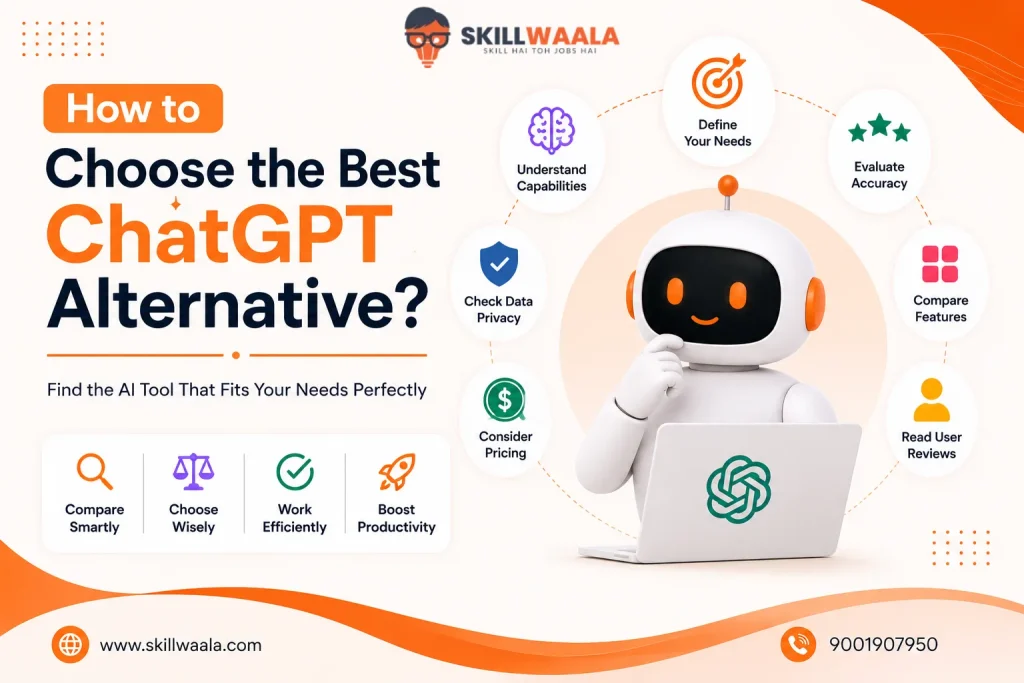
A longer feature list does not automatically make an AI tool better. The right choice depends on what you expect it to do every day. Use these questions as a quick checklist before making your decision:
- What will you use it for? Writing, coding, research, studying, or business productivity all require different strengths.
- Do you need real-time information? Choose tools like Perplexity AI or Grok if live web access is essential.
- Will the free plan be enough? If you are an occasional user, a generous free tier may be all you need.
- Does it fit your existing workflow? Google Gemini works best with Google Workspace, while Microsoft Copilot works well inside Microsoft 365.
- How important is accuracy? For research-heavy work, prioritize AI tools that provide citations and source references.
- Are you creating content at scale? Dedicated platforms like Jasper AI offer features that general-purpose chatbots don’t.
After using AI regularly, most people discover that one tool is rarely enough.
Many professionals pair ChatGPT with a research-focused assistant like Perplexity AI or a document specialist like NotebookLM. That combination often delivers better results than relying on a single chatbot for everything.
Start with the task, not the brand. The best AI tool is the one that saves you the most time while consistently producing results you can trust.
Final Words
The best AI tool is not always the most popular one; it’s the one that solves your problem efficiently.
ChatGPT remains an excellent all-around assistant, but alternatives like Gemini, Claude, Perplexity AI, and DeepSeek each bring unique strengths to the table. Start with a free plan, experiment with a few options, and stick with the one that fits your workflow best.
Frequently Asked Questions (FAQs)
There’s no single winner. Google Gemini, Claude, Perplexity AI, and Microsoft Copilot are among the best ChatGPT alternatives. Each AI tool excels in different use cases.
DeepSeek, ChatGPT, and Claude are some of the best tools for coding, debugging, and technical workflow.
Perplexity AI, NotebookLM, and Google Gemini are excellent for research, document analysis, and fact-checking.
Yes. Gemini, Claude, Perplexity AI, and Grok are all available on both Android and iOS platforms.
ChatGPT and Claude stand out in terms of writing capabilities. They are widely used for blogs, marketing copy, emails, and other long-form content.
About The Author