

Grammarly and QuillBot solve different writing problems. Grammarly focuses more on grammar, clarity, tone, and polishing. On the other hand, QuillBot is particularly useful for paraphrasing and rewriting. The interesting part is that you can use both for the same piece of writing and still get very different results.
One might flag a sentence that sounds awkward, but the other might give you three different ways to rewrite it. After testing both, I found that the better choice depends less on the number of features and more on what you actually need help with.
Grammarly vs QuillBot: Quick Comparison
If you want the short version, Grammarly is better for editing and polishing, while QuillBot is better for paraphrasing and rewriting.
| Feature | Grammarly | QuillBot |
|---|---|---|
| Grammar checking | Excellent | Good |
| Paraphrasing | Good | Excellent |
| Writing suggestions | Excellent | Good |
| AI writing tools | Yes | Yes |
| Plagiarism checker | Yes | Yes |
| Free version | Yes | Yes |
| Best for | Editing & clarity | Rewriting & paraphrasing |
My Pick:
- I use Grammarly for everyday writing and professional communication, primarily because it integrates with Google Docs.
- Quillbot gets the edge when rewriting an existing paragraph is the main task. If you already have the content and want to improve its wording, QuillBot becomes much more useful.
Grammarly vs QuillBot: Key Differences
The easiest way to separate Grammarly and QuillBot is to look at what each tool does best.
Grammarly Focuses on Editing
Grammarly is primarily an editing and writing-improvement tool. It checks grammar, spelling, punctuation, clarity, tone, and sentence construction while you write. That makes it useful for emails, assignments, reports, articles, and other content where you want your original writing to sound cleaner without completely changing it.
QuillBot Focuses on Rewriting
QuillBot takes a different approach. Its paraphrasing feature is the main attraction, allowing you to rewrite existing text in different styles while keeping the original meaning. This is particularly useful when a sentence feels repetitive, too complicated, or simply doesn’t sound the way you want it to.
So, Which Difference Matters Most?
- If your writing has a lot of errors, Grammarly will help you.
- If your problem is “I know what to say, but I need a better way to say it,” QuillBot is better.
Grammarly vs QuillBot: Hands-On Feature Comparison
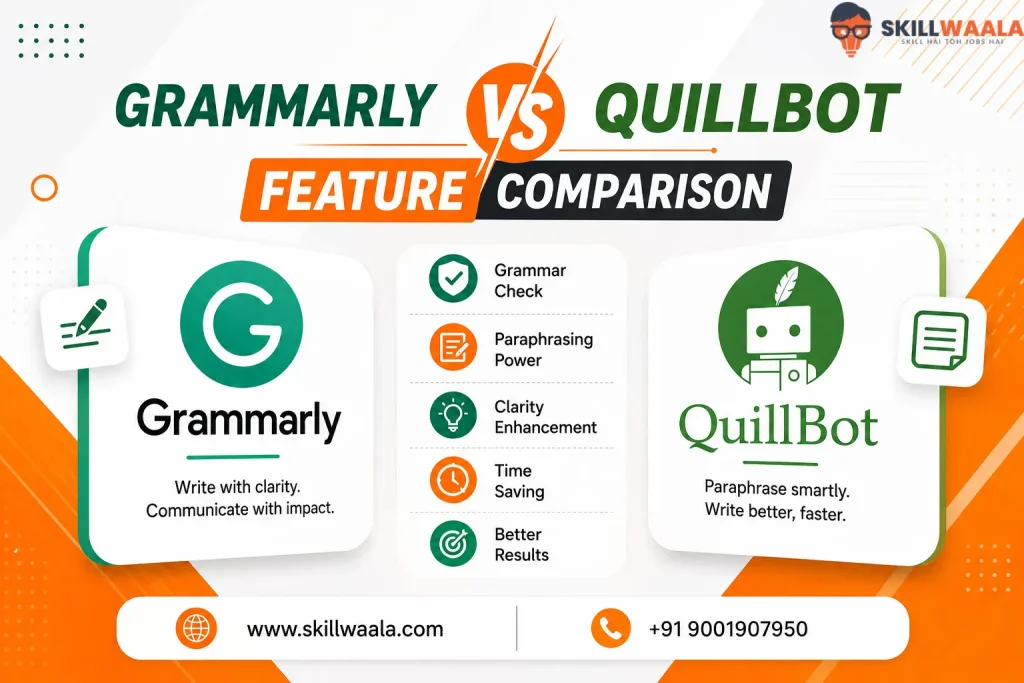
A feature list doesn’t tell you much when both tools now offer similar features. A better test is to put them against each other on the tasks people actually use them for. I’d focus on four areas where the overlap is strongest.
QuillBot vs Grammarly: Grammar Checker
Both Grammarly and QuillBot can catch grammar, spelling, and punctuation mistakes, but they approach corrections differently.
In testing, QuillBot detected more individual errors. On the other hand, Grammarly was better at suggesting broader, sentence-level improvements.
Catching a missing comma is useful, but understanding how the entire sentence should read is a different skill.
Winner: Grammarly for overall editing
Grammarly vs QuillBot: AI Detector
Neither tool excels in AI detection. Basic testing found that both Grammarly and QuillBot failed to identify some text that was entirely AI-generated. Both performed better when the writing contained obvious AI patterns, but casual AI-written text could slip through.
Winner: Neither for me. Depends on your preference
QuillBot vs Grammarly: AI Humanizer
This is where Grammarly shines. QuillBot mainly rephrases existing sentences, while Grammarly’s humanizer makes broader structural and stylistic changes. After testing, I found Grammarly’s output more natural and easier to read in its test.
Winner: Grammarly
QuillBot vs Grammarly: Plagiarism Checker
QuillBot had the stronger showing in my testing. Its checker successfully identified copied material, while Grammarly failed to flag several deliberately copied passages in the same test.
Winner: QuillBot
10 AI Writing Tools Comparison
Which AI writing tool is actually worth using? We compare 10 popular AI writing tools, including ChatGPT, Jasper AI, Copy.ai, Writesonic, Rytr, Grammarly, and more. Explore their features, content quality, SEO capabilities, pricing, and best use cases to find the right AI writing assistant for your needs.
Compare the Top AI Writing Tools →Grammarly vs QuillBot: Which Is Better for Grammar?
Grammar checking is where the comparison gets interesting because both tools catch mistakes, but they don’t approach them in exactly the same way.
QuillBot can be surprisingly strict when checking individual errors. In our hands-on test, it detected 25 errors compared with Grammarly’s 19. QuillBot also caught some informal expressions and punctuation mistakes that Grammarly allowed to pass.
However, Grammarly has an advantage when the problem goes beyond a single word or punctuation mark. It can suggest sentence-level improvements, helping you improve how an entire sentence reads rather than only correcting individual errors. QuillBot’s grammar checker is more focused on word-level corrections.
There’s another useful detail for Indian users. Grammarly supports Indian English, American, British, Canadian, and Australian English.
That can make a difference when you’re writing formal work but don’t want every regional convention treated as an error.
Verdict: QuillBot has the edge for spotting individual errors, but Grammarly is better for overall writing quality and sentence-level editing.
Grammarly vs QuillBot: Which Is Better for Paraphrasing?
This is where QuillBot has the clearest advantage. QuillBot started as a paraphrasing tool, so rewriting is still at the heart of the platform. You can change the wording and structure of existing content while choosing different modes depending on how much you want the text altered.
Grammarly also offers paraphrasing, but I wouldn’t choose it over QuillBot. Grammarly is more convincing when you want to improve your original sentence rather than completely rework it.
For example, if you have written a paragraph for a report and it sounds repetitive, QuillBot can give you several alternative versions. You can then pick the one that sounds closest to your own voice instead of accepting the first AI rewrite blindly.
Verdict: QuillBot wins for paraphrasing.
Jasper vs Copy.AI: Which AI Writing Tool Is Better?
Trying to decide between Jasper AI and Copy.ai? Our detailed comparison looks at content quality, brand voice, workflows, automation, pricing, ease of use, and real-world use cases. Find out whether Jasper is better for marketing and brand-focused content or Copy.ai is the stronger choice for sales and GTM workflows.
Read the Full Jasper vs Copy.AI Comparison →Grammarly vs QuillBot: AI Writing Features
AI writing is where the two tools have moved closer together, but their approach is still different. Grammarly is better when you want AI to improve your existing writing. It can suggest rewrites, adjust tone, and help reshape paragraphs while keeping your original idea intact.
QuillBot is more rewrite-focused. Its AI tools give you more ways to paraphrase, summarize, translate, and change the style of existing content. It also offers AI Chat for brainstorming and content generation.
For someone who already has a draft but feels the wording is weak, QuillBot gives you more flexibility. If you want an AI assistant that sits closer to your normal writing and editing workflow, Grammarly feels more natural.
Verdict: QuillBot wins for writing flexibility.
QuillBot vs Grammarly: Pricing Comparison
Price is one area where the difference is pretty straightforward. QuillBot is cheaper, especially if you plan to use it regularly.
Grammarly Pricing
Grammarly has a Free plan with basic writing assistance. Its Pro Plan costs $12/month when billed annually, $20/month on a quarterly plan, or $30/month when billed monthly.
QuillBot Pricing
QuillBot also offers a Free plan, with limits on features such as paraphrasing. Premium costs $8.33/month when billed annually ($99.95/year), $13.31/month on a six-month plan, or $19.95/month when billed monthly.
Side-by-Side Pricing Comparison
| Pricing Plan | Grammarly | QuillBot |
|---|---|---|
| Free plan | Yes | Yes |
| Annual plan | $12/month | $8.33/month |
| Monthly plan | $30/month | $19.95/month |
| Best value | Editing | Paraphrasing & writing tools |
For someone paying out of pocket, QuillBot offers better value on paper. Grammarly’s higher price makes more sense if you specifically want its stronger editing, clarity, and tone-focused workflow.
Pricing Winner: QuillBot
Grammarly vs QuillBot: Pros & Cons
Both tools have clear strengths, but their weakness show up in different places.
Grammarly
Pros
- Excellent grammar and clarity suggestions
- Strong tone and sentence-level editing
- Good fit for emails, reports, assignments, and professional writing
- Supports Indian English
Cons
- More expensive
- Advanced features are locked behind the paid plan
- Paraphrasing isn’t its strongest area
QuillBot
Pros
- Excellent paraphrasing
- More affordable Premium plan
- Useful tools for summarizing, citations, and rewriting
- Better suited to working with existing content
Cons
- Grammar suggestions are less comprehensive
- The free version has tighter usage limits
- Some outputs can sound overly rewritten if you don’t edit them yourself
Which Has the Better Overall Package?
I’d give Grammarly the edge for everyday writing. Its suggestions tend to feel more useful when you’re trying to improve your own writing rather than replace it.
QuillBot wins if rewriting is a major part of your workflow. Its paraphraser remains one of the strongest reasons to choose it.
Grammarly vs QuillBot: Which One Should You Choose?
The choice becomes easier when you focus on what you actually need help with.
| If you need to | Choose |
|---|---|
| Fix grammar, spelling, and punctuation | Grammarly |
| Improve sentence clarity and tone | Grammarly |
| Polish emails, reports, or professional writing | Grammarly |
| Paraphrase existing content | QuillBot |
| Rewrite sentences in different styles | QuillBot |
| Summarize long text | QuillBot |
| Work with citations and research content | QuillBot |
| Keep your writing tool budget low | QuillBot |
If you’re still undecided, I’d start with Grammarly for general writing. It fits more naturally into an everyday workflow and helps you improve your own writing rather than constantly replacing it.
Choose QuillBot when rewriting is a regular part of your work. For many people, that makes it the more practical option.
And if you write frequently, using both isn’t necessarily overkill. Grammarly can handle the final edit while QuillBot can help when a stubborn paragraph needs a complete rewrite.
Grammarly vs QuillBot: Final Verdict
After comparing both tools, there isn’t a single winner for every type of writing. Grammarly is the better overall writing assistant. Its grammar, clarity, tone, and sentence-level suggestions make it more useful for everyday writing, especially when you want to improve your own draft rather than completely rewrite it.
QuillBot is the better specialist for paraphrasing. Its rewriting tools are more flexible, and the lower Premium price makes it attractive if you regularly work with existing content.
My recommendation is simple. Choose Grammarly if you want an everyday writing editor. If paraphrasing is your primary use case, pick QuillBot.
Frequently Asked Questions (FAQs)
Grammarly is better for grammar, clarity, tone, and everyday editing, while QuillBot is better for paraphrasing and rewriting. The better choice depends on the type of writing you do most often.
Yes. QuillBot is the stronger choice for paraphrasing. Rewriting has been its core strength since its launch, with multiple modes for changing sentence structure and wording.
Grammarly is better for overall grammar and sentence-level editing. QuillBot can detect individual errors effectively, but Grammarly provides broader sentence-level suggestions.
Yes. QuillBot generally costs less than Grammarly on comparable annual plans. QuillBot’s lower price also makes it appealing if paraphrasing and rewriting are your primary needs.
Both have AI detectors, but neither should be treated as a definitive AI detector. Independent testing has found that both can miss AI-generated writing, particularly when the text uses a natural or casual style.
QuillBot is useful for paraphrasing, summarizing, and working with research material, while Grammarly is better for proofreading and improving academic writing. Students should still write and verify their own work rather than relying on either tool to rewrite everything.
Grammarly is generally the better choice for professional writing. Its focus on grammar, clarity, tone, and sentence-level improvements makes it well suited to emails, reports, proposals, and workplace communication.
Yes. A practical workflow is to use QuillBot when a paragraph needs substantial rewriting and Grammarly for the final grammar, clarity, and tone check. Their overlapping features mean you don’t necessarily need both, but the combination can be useful for heavier writing workflows.
About The Author

