
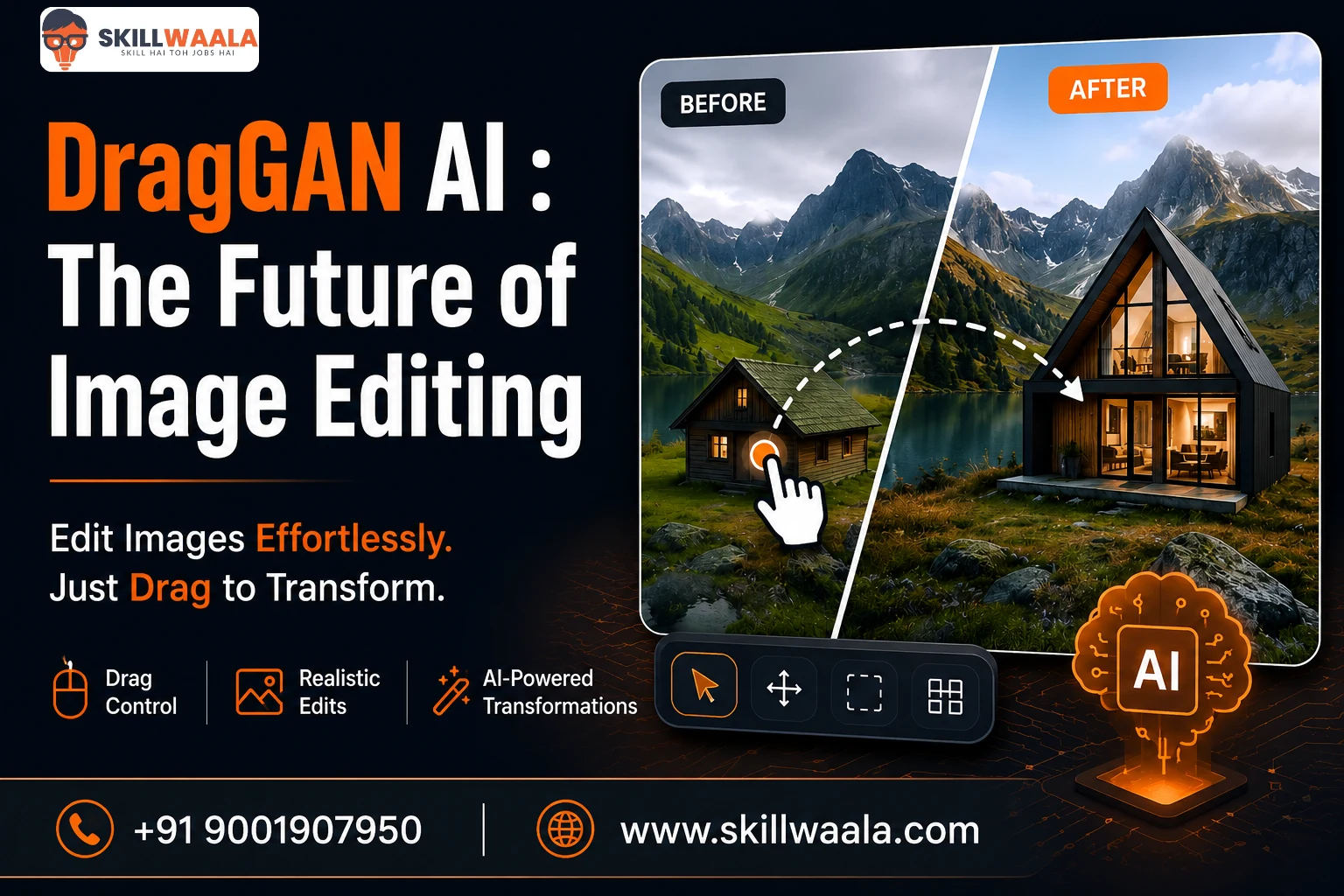
Imagine changing a person’s facial expression or repositioning an object in a photo by simply dragging it with your mouse.
That isn’t science fiction anymore. DragGAN AI Tool is changing the way images are edited by replacing complex design techniques with intuitive point-and-drag controls. Instead of masking, warping, or spending hours fine-tuning an image, the DragGAN AI editing tool uses a GAN (Generative Adversarial Network) to generate realistic edits while preserving natural details like lighting, texture, and perspective.
In this blog, I will explain how DragGAN works, what it is used for, its limitations, and why it has become one of the most talked-about AI image editing technologies.
What is the DragGAN AI Editing Tool?
The DragGAN AI Editing Tool is an AI-powered image editing technology that lets you modify images by simply dragging specific points. Instead of using complex tools like masks, layers, or warp effects, you click on an object, drag it to a new position, and the AI generates realistic changes.
That’s the biggest difference.
Unlike traditional editors that manipulate pixels, DragGAN AI tools understand an image’s structure. The AI predicts how objects should naturally move while preserving details like lighting, textures, and perspective.
The technology was introduced by researchers from Google Research, the Max Planck Institute for Informatics, and MIT CSAIL. Since then, it has become one of the most talked-about innovations in AI image editing because of its intuitive editing experience.
What Makes DragGAN Different?
Most AI image editors rely on text prompts. DragGAN relies on direct interaction. Want to turn a face, move a car, or change an animal’s pose? Simply drag the desired point, and the AI fills in the missing details naturally instead of stretching the image.
Key highlights include:
- Point-and-drag image editing
- Realistic object manipulation
- Natural preservation of textures and lighting
- Minimal learning curve compared to traditional editing software
- Greater control than prompt-only AI image generators
How Does DragGAN AI Work?
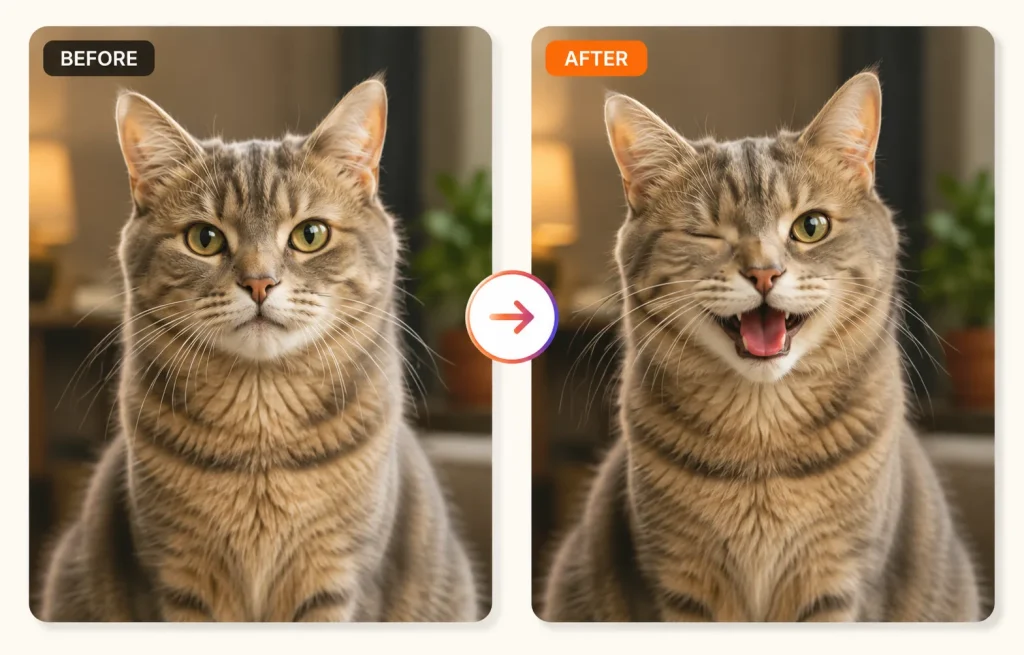
At first glance, DragGAN feels almost magical. Behind the scenes, it combines Generative Adversarial Networks (GAN) with interactive point-based editing. Instead of rewriting the entire image, the AI focuses only on the area you want to change while keeping the rest of the image consistent. Here’s how the process works:
Step 1: Upload an Image
Start by importing the image you want to edit. It could be a portrait, product photo, vehicle, animal, or landscape.
Step 2: Place Control Points
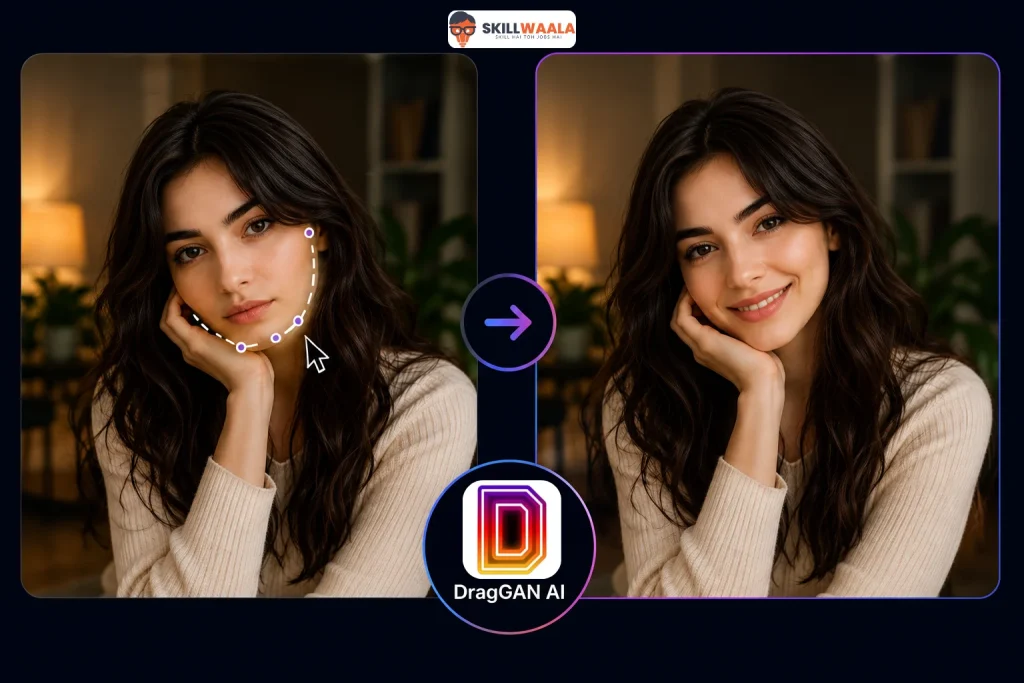
Click on the part you want to modify, such as a person’s eyes, the corner of a mouth, or the front of a car. Then select where you want that point to move.
Step 3: Drag to the Desired Position
Simply drag the point. As you move it, DragGAN predicts how the surrounding pixels should change to create a realistic result instead of stretching the image.
Step 4: AI Generates Natural Edits
This is where DragGAN stands out. The AI preserves facial features, object shapes, lighting, shadows, and textures while completing missing details automatically. The final edit often looks like the image was captured that way in the first place.
Unlike prompt-based AI editors that rely on text descriptions, the DragGAN AI tool gives you direct control over the final result. That hands-on editing experience is precisely why the technology has generated so much interest among designers, creators, and AI enthusiasts.
💡 Example
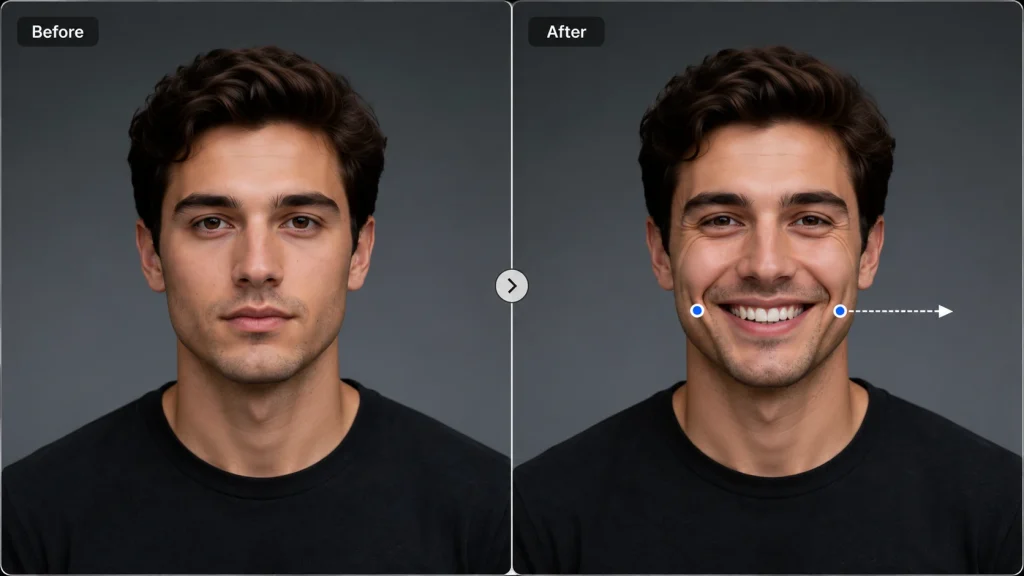
Drag the corner of a person’s mouth upward, and DragGAN generates a natural smile instead of awkwardly distorting the face.
Key Features of the DragGAN AI Tool
DragGAN is not trying to replace creativity. It removes the technical barriers that often slow it down.
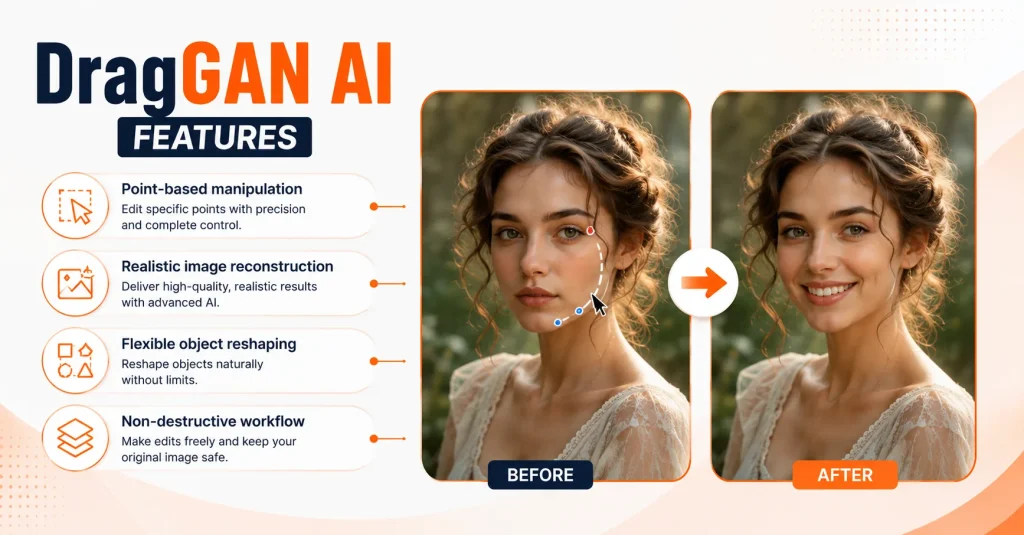
Point-and-Drag Editing
Forget complicated selection tools and manual warping. DragGAN lets you click on a point in an image and move it naturally. The AI handles the heavy lifting behind the scenes.
Realistic Image Manipulation
Moving an object usually creates stretched pixels or visible distortions. DragGAN predicts how the object should look after the edit, producing results that appear surprisingly natural.
Fine-Grained Control
Prompt-based AI editors can be unpredictable. DragGAN gives you precise control over where and how an object moves, making it easier to achieve the exact result you’re after.
Preserves Image Quality
Lighting, shadows, textures, and perspective remain consistent during edits. That attention to detail helps images retain a realistic appearance instead of looking artificially altered.
Beginner-Friendly Workflow
You don’t need years of Photoshop experience to start editing. The interface is built around simple interactions, making it approachable for anyone exploring AI-powered creative tools.
Supports Different Types of Images
DragGAN is not limited to portraits. It can edit:
- Human faces and expressions
- Animals and their poses
- Cars and other vehicles
- Product images
- Landscapes and natural scenes
Practical Uses of the DragGAN AI Editing Tool
The technology behind DragGAN is impressive, but where does it actually make a difference? Literally everywhere.
Social Media Content
Creating attention-grabbing visuals often means editing the same image multiple times. With DragGAN, you can adjust facial expressions, poses, or compositions in minutes instead of starting from scratch.
Graphic Design Projects
Need a product to face a different direction? Want a model to look toward a headline? Rather than rebuilding the design, DragGAN lets you make targeted edits while keeping the image natural.
Marketing & Advertising
Campaign visuals rarely look perfect on the first attempt. Brands can experiment with different product angles, object placements, or promotional creatives without arranging another photoshoot.
Product Photography
Online stores constantly need fresh product images. DragGAN can generate alternative viewing angles and subtle adjustments, helping businesses create more engaging catalogs with fewer resources.
Creative Learning and AI Experimentation
Reading about AI is one thing. Using it is another. Exploring tools like DragGAN gives you hands-on experience with modern image manipulation techniques and a better understanding of how AI is transforming creative workflows.
Content Creation
Bloggers, YouTubers, and digital creators often need custom visuals that stand out. DragGAN makes it easier to tweak images for thumbnails, banners, presentations, and educational content without spending hours on manual editing.
Explore the Best AI Tools for Graphic Designers
Discover 20 powerful AI tools that help designers create stunning visuals, speed up workflows, and boost creativity with less effort.
Read the Guide →DragGAN vs Traditional Photo Editing Software
Both DragGAN and any photo editing software can be used to edit images. Then how is DragGAN different from traditional software like Photoshop? Here’s a side-by-side comparison:
| Feature | DragGAN AI Editing Tool | Traditional Photo Editing Software |
|---|---|---|
| Editing Method | Drag points directly on the image | Manual tools, layers, masks, and brushes |
| Learning Curve | Beginner-friendly | Steeper, especially for advanced edits |
| Realism | AI generates natural-looking changes | Depends on the editor’s skill |
| Editing Speed | Fast for targeted edits | Can take significantly longer |
| Best For | AI-assisted image manipulation | Detailed professional editing |
When Should You Use DragGAN?
Choose DragGAN when you need to:
- Change facial expressions or poses
- Reposition objects naturally
- Create quick visual variations
- Experiment with AI-powered editing
When Is Traditional Software Better?
DragGAN is not a replacement for every editing task. Software like Photoshop still offers greater flexibility for compositing, advanced retouching, typography, color grading, and complex graphic design projects.
If you’re building marketing creatives from scratch or preparing print-ready artwork, conventional editing tools remain the stronger choice.
A better approach would be to use both. DragGAN can handle realistic image manipulation in minutes, while traditional software adds the finishing touches that AI is not designed to manage yet.
How to Use the DragGAN AI Editing Tool?
Getting started with DragGAN is easier than learning traditional photo editing software. Once you understand the workflow, the process becomes surprisingly intuitive.
Step 1: Access DragGAN
Choose a working implementation or demo of DragGAN. Since it’s primarily a research project, availability may vary depending on community builds and supported platforms.
Step 2: Upload Your Image
Select a clear, high-quality image. Portraits, products, vehicles, and animals generally produce the best results because the AI can identify their structure more accurately.
Step 3: Add Control Points
Click on the area you want to modify and place a target point where you want it to move. This is where the editing begins.
Step 4: Drag and Preview
Move the control point gradually instead of making large jumps. Small adjustments usually create more realistic outcomes and give you better control over the final image.
Step 5: Refine the Edit
If you are not satisfied with the first result, reposition the control points, tweak the movement, and preview the changes until the image looks natural. Experiment and iterate until you get your desired result.
Step 6: Export the Final Image
Once you’re satisfied, save the edited image in your preferred format and use it for presentations, creative projects, social media, or marketing materials.
💡 Pro Tip
DragGAN performs best with realistic edits. Trying to force extreme changes can produce unnatural results, regardless of how advanced the AI is.
Find the Best AI Reel Maker Tools
Discover the top AI reel maker tools for Instagram to create engaging videos faster with AI-powered editing, captions, effects, and automation.
Read the Guide →Benefits and Limitations of DragGAN AI Tools
No AI tool is perfect. DragGAN comes remarkably close to image manipulation, but it still has boundaries worth knowing.
Benefits of DragGAN AI
- Easy to learn: Point-and-drag controls make editing far less intimidating than traditional software.
Realistic results: The AI preserves lighting, textures, and object proportions during edits. - Faster workflow: Simple modifications that might take several minutes manually can often be completed in seconds.
- Creative flexibility: Experiment with different poses, expressions, and object placements without reshooting an image.
- Great for learning AI: Using DragGAN offers practical exposure to how modern generative AI works beyond text prompts.
Limitations of DragGAN AI
- Limited public availability: DragGAN began as a research project, so finding a stable, official version is not always straightforward.
- Not built for every editing task: Features like typography, layer management, and advanced compositing still require traditional editing software.
- Results depend on the image: High-quality photos with clear subjects usually perform better than blurry or cluttered images.
- Extreme edits can look unnatural: Pushing objects too far from their original position may produce unrealistic outputs.
Discover the Best AI Video Editing Tools
Explore the top AI tools that simplify video editing, automate repetitive tasks, and help you create professional-quality videos faster.
Read the Guide →Tips to Get Better Results with DragGAN
A powerful AI tool won’t fix a poor image. The quality of your input often determines the quality of your output.
Start With High-Resolution Images
Clear images give DragGAN more visual information to work with. Sharp edges, good lighting, and visible details usually produce cleaner edits than low-quality or heavily compressed photos.
Make Small Adjustments
Dragging a point too far can confuse the AI. Instead, move objects in small steps and preview the result. Gradual edits almost always look more believable.
Choose the Right Control Points
Where you place the control points matters. Position them on key facial features, object edges, or important landmarks for better accuracy.
Don’t Chase Unrealistic Edits
Turning a slight smile into an exaggerated laugh or rotating a car by 180 degrees might sound interesting, but the results can look artificial. DragGAN performs best when the changes are physically plausible.
Combine it with Other Editing Tools
Think of DragGAN as one part of your workflow, not the entire workflow. After generating the edit, use tools like Photoshop or Canva to add text, adjust colors, remove backgrounds, or prepare the final design.
Keep Experimenting
No two images behave the same way. Try different control points, compare multiple versions, and don’t hesitate to undo an edit if it feels unnatural. Some of the best results come from a bit of trial and error rather than getting everything right on the first attempt.
Explore AI image editing tools to enhance, retouch, remove backgrounds, create better visuals, and speed up your editing workflow.
Explore AI Image Editing Tools →Final Words
AI image editing is moving beyond text prompts, and the DragGAN AI tool is proof of that shift. Instead of asking AI to guess what you want, the DragGAN AI editing tool lets you guide every change with simple drag-and-drop interactions.
Will it replace professional editing software overnight? Probably not
It offers a faster, more intuitive way to create realistic image edits without wrestling with complex tools. For anyone exploring AI-powered creativity, DragGAN is more than an interesting experiment; it’s a glimpse into how visual editing will likely evolve.
Frequently Asked Questions (FAQs)
DragGAN was introduced as a research project rather than a commercial product. While community implementations and demos are available, access depends on the platform you’re using.
Yes. DragGAN is designed around a simple point-and-drag workflow, making it much easier to learn than traditional photo editing software. You don’t need advanced editing skills to make realistic image adjustments.
Portraits, product photos, vehicles, animals, and landscapes generally deliver the best results. Clear, high-resolution images with well-defined subjects give the AI more information to generate natural edits.
No. DragGAN excels at realistic image manipulation, but Photoshop remains the better choice for tasks like layer-based editing, typography, color grading, and complex graphic design projects. Many creators use both tools together.
No. Unlike AI image generators such as Midjourney or DALL·E, DragGAN edits existing images. It modifies specific parts of a photo instead of creating a new image from a text description.
If you’re exploring AI-powered creative tools, then yes. DragGAN offers a practical introduction to interactive AI image editing and demonstrates how generative AI can simplify complex visual tasks without sacrificing creative control.
About The Author

