

Every AI writing tool promises better content in less time. However, the reality is far less exciting. While some excel at long-form blogs, others are good at marketing copy, and a few are better left unused.
I’ve spent years testing AI writing tools across real writing projects. And it is obvious that there is no single best tool. The right choice depends entirely on what you’re trying to write. This AI writing tools comparison is based on hands-on testing rather than features. Instead of giving one undisputed winner, I’ll show you where each tool performs well, where it struggles, and who should actually use it.
By the end, you will know which option fits your workflow and whether a free plan is enough or a paid subscription is required.
The 10 Best AI Writing Tools at a Glance
If you just want the shortlist, here you go. Every tool below excels at something different, whether that’s writing long-form blogs, creating ad copy, polishing grammar, or brainstorming ideas.
| Tool | Best For | Free Plan | Starting Price* |
|---|---|---|---|
| ChatGPT | All-purpose writing, brainstorming, research, and editing | Yes | Paid plans available |
| Jasper AI | Marketing campaigns and brand-focused content | Trial only | Paid plans available |
| Copy.ai | Sales emails, product copy, and outreach | Yes | Paid plans available |
| Writesonic | SEO blogs and AI-assisted content marketing | Yes | Paid plans available |
| Rytr | Affordable everyday content writing | Yes | Paid plans available |
| Anyword | Performance marketing and ad copy optimization | Yes | Paid plans available |
| HyperWrite | Daily writing assistance and productivity | Yes | Paid plans available |
| Sudowrite | Fiction, storytelling, and creative writing | Trial only | Paid plans available |
| Wordtune | Rewriting, paraphrasing, and improving clarity | Yes | Paid plans available |
| Grammarly | Grammar checking, editing, and tone improvement | Yes | Paid plans available |
*Pricing and free plan limits may change over time.
No single tool topped every test I ran. ChatGPT remains my go-to for versatility, but I still switch AI tools depending on the task.
For example, I’d rather use Writesonic when building an SEO article, Grammarly for the final edit, and Sudowrite when experimenting with creative storytelling. The best workflow often combines two or three tools instead of relying on just one.
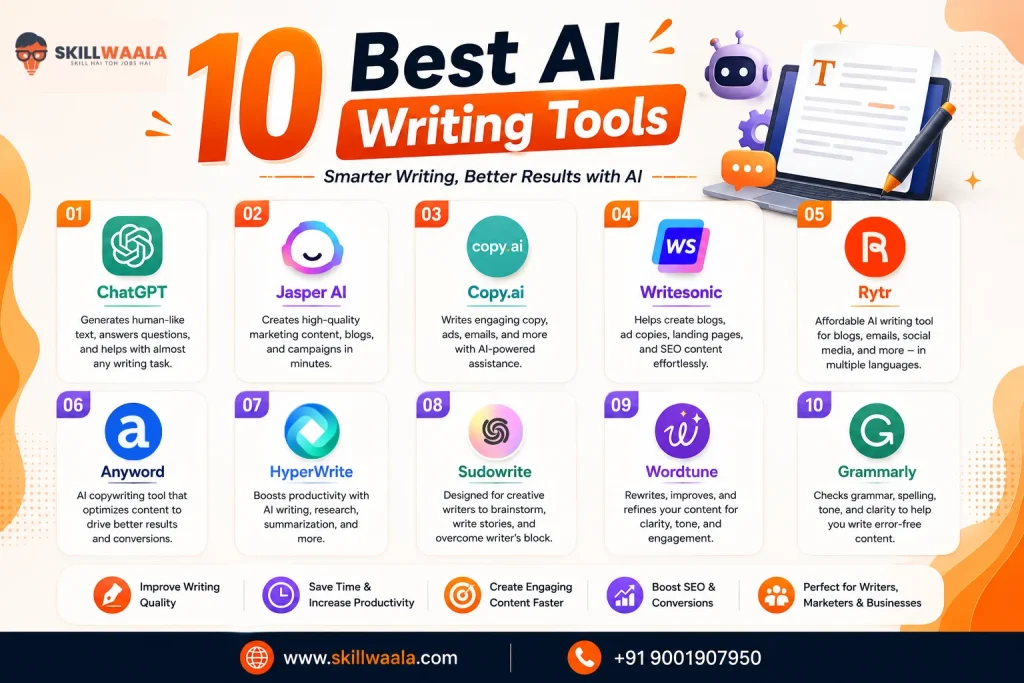
1. ChatGPT: Best Overall AI Writing Tool
If I could keep only one AI writing tool, it would be ChatGPT. Not because it is perfect. But because of its versatility. I use it for everything, like brainstorming, article ideas, creating outlines, rewriting paragraphs, drafting emails, and even reviewing my own writing.
Instead of replacing the writing process, it speeds up parts that usually take the longest. Unlike many dedicated AI writing tools, ChatGPT adapts to almost any workflow. One day it’s helping build an SEO content brief. The next, it’s refining a LinkedIn post or generating product descriptions.
The quality of the output depends heavily on your prompts, but once you learn how to guide it, the results improve drastically.
Key Features
- Conversational AI writing assistant
- Content rewriting and summarization
- Brainstorming and idea generation
- Multi-language support
- Document analysis and editing
- Custom GPTs and web browsing (paid plans)
What I Liked About ChatGPT
- Handles a wide variety of writing tasks in one place
- Produces natural-sounding content with the right prompts
- Excellent at refining existing drafts instead of generating content from scratch
- Supports file uploads, web browsing, and custom GPTs in paid plans
Limitations of ChatGPT
- Generic prompts often produce generic content
- Can occasionally state incorrect information, so fact-checking is essential
- Content still benefits from human editing before publishing
Pricing
A generous free plan is available, with paid subscriptions offering access to more advanced models, higher usage limits, and additional features.
2. Jasper AI: Best for Marketing Teams
Jasper AI is designed for businesses that create content at scale. Unlike general-purpose AI assistants, it focuses on marketing workflows, making it easy to generate blogs, ad copy, landing pages, emails, and social media posts while maintaining a consistent brand voice.
During testing, I found Jasper particularly useful for campaign planning and repurposing content across multiple channels. The output is polished, and features like Brand Voice help maintain consistency across teams. That being said, you’ll get the best results when you provide detailed prompts and clear guidelines.
Key Features
- Brand voice
- Marketing templates
- AI-powered campaign creation
- Team collaboration
- Integrations with third-party apps
What I Liked About Jasper AI
- Maintains a consistent brand voice
- Excellent templates for marketing content
- Built for team collaboration
- Integated with popular marketing platforms
Limitations of JasperAI
- Higher pricing than many alternatives
- Overkill for occasional writers
Pricing
Jasper offers a free trial, while its full feature set is available through paid subscription plans.
3. Copy.ai: Best for Sales & Marketing Copy
Copy.ai started as an AI copywriting tool, but it has grown into a platform for creating sales emails, product descriptions, social media captions, and marketing campaigns. If your work revolves around short-form content, it can generate usable drafts much faster than starting from a blank page.
In my experience, Copy.ai performs best when you need quick, persuasive copy rather than long-form articles. The templates are easy to use, and the interface is beginner-friendly. While it can write blog content, I found dedicated long-form tools like ChatGPT and Writesonic more reliable for in-depth writing.
Key Features
- AI copywriting templates
- Sales email generation
- Product description creator
- Social media content generation
- Workflow automation
What I Liked About Copy.ai
- Generates marketing copy in seconds
- Beginner-friendly interface
- Wide variety of pre-built templates
- Useful for sales outreach and product descriptions
Limitations of Copy.ai
- Long-form writing isn’t its strongest area
- Output can feel repetitive without prompt refinement
Pricing
Copy.ai offers a free plan with limited usage, while paid plans unlock higher limits, advanced workflows, and collaboration features.
4. Writesonic: Best for SEO Content
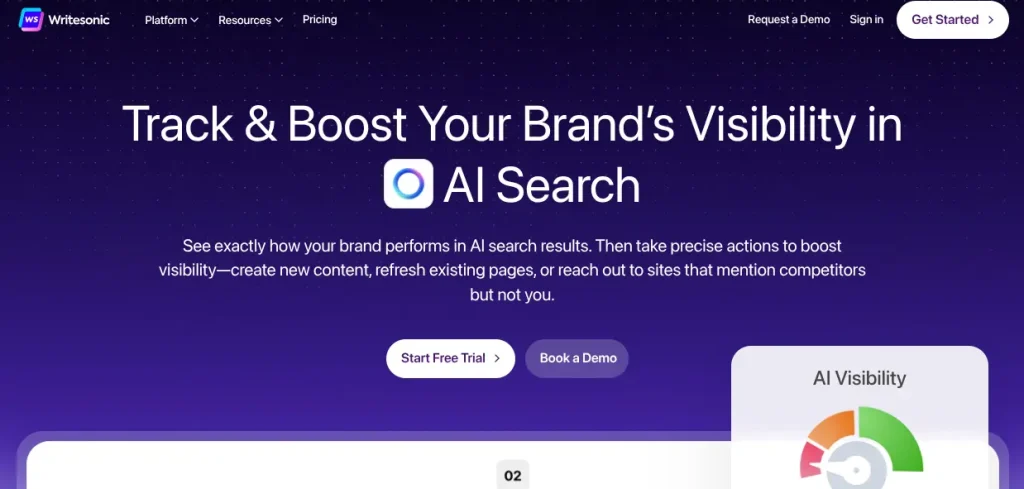
Writesonic is one of the few AI writing tools built with SEO content creation in mind. It combines AI writing with keyword optimization, making it a practical choice for bloggers, marketers, and businesses that want to create content capable of ranking on search engines.
I found Writesonic particularly useful for generating blog outlines, long-form articles, and landing page copy. Its integration with SEO tools and AI-powered research features helps speed up the content creation process. The first draft still needs human editing, but it gives you a solid foundation that’s easier to refine than writing from scratch.
Key Features
- AI article writer
- SEO content optimization
- AI-powered research
- Landing page and website copy generation
- Multiple content templates
What I Liked About Writesonic
- Strong focus on SEO-friendly content
- Generates well-structured blog drafts
- Helpful AI research and content planning features
- Suitable for blogs, landing pages, and website copy
Limitations of Writesonic
- Content still requires fact-checking and editing
- Advanced features are locked behind paid plans
Pricing
Writesonic offers a free plan with limited credits, while paid plans provide access to advanced AI models, higher usage limits, and premium SEO features.
5. Rytr: Best Budget AI Writer
Rytr proves you don’t need an expensive subscription to get reliable AI writing assistance. While it doesn’t have as many advanced features as ChatGPT or Jasper, it covers the essentials well. From blog ideas and emails to social media posts and product descriptions, it’s a practical option for anyone getting started with AI writing.
During testing, I found Rytr surprisingly effective for short-form content and quick drafts. The interface is quite clean, the learning curve is minimal, and the output is good enough for everyday writing tasks. It may not be the first choice for long-form articles, but it’s excellent value for the price.
Key Features
- AI content generation
- Tone customization
- Multiple writing templates
- Built-in plagiarism checker
- Multi-language support
What I Liked About Rytr
- Affordable compared to most AI writing tools
- Easy to use, even for beginners
- Supports multiple writing tones and use cases
- Good quality for short-form content
Limitations of Rytr
- Long-form writing capabilities are limited
- Fewer advanced features than premium competitors
Pricing
Rytr offers a generous free plan, while its paid plans increase character limits and unlock additional features at a budget-friendly price.
6. Anyword: Best for Performance Marketing
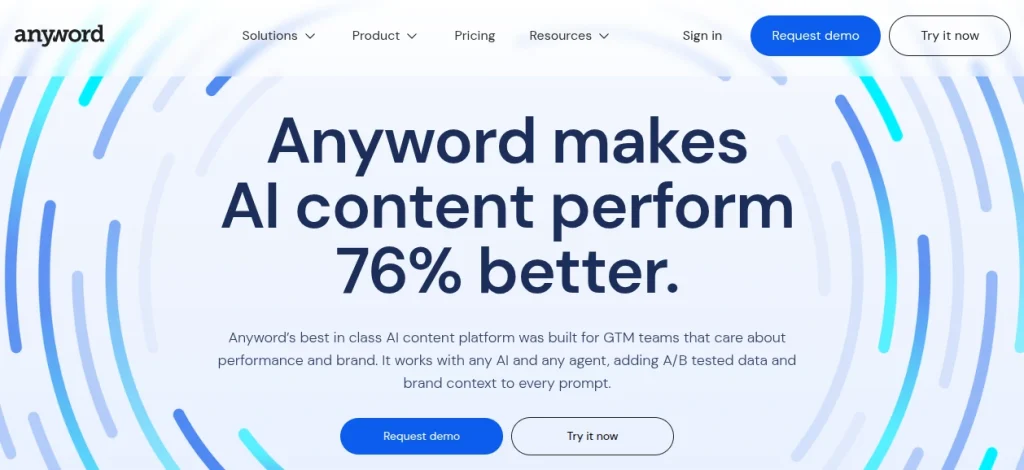
Anyword is built for marketers who care about conversions as much as content. Instead of simply generating copy, it predicts how different versions of your headlines, ads, and emails might perform. That makes it a valuable tool for businesses running paid campaigns or A/B testing marketing assets.
I found Anyword most effective for creating ad copy, landing pages, and email campaigns. Its predictive scoring features add an extra layer of confidence when choosing between multiple versions. If your focus is long-form blogging, there are stronger alternatives, but for performance marketing, Anyword stands out.
Key Features
- Predictive performance score
- AI and copy generation
- Landing page and email copy creation
- A/B testing support
- Brand voice customization
What I Liked About Anyword
- Predictive performance scoring for marketing copy
- Excellent for ads, emails, and landing pages
- Multiple copy variations generated quickly
- Useful for insights for optimizing conversions
Limitations of Anyword
- Less suitable for long-form content
- Premium features can be expensive for individuals
Pricing
Anyword offers a free trial, while its paid plans unlock predictive analytics, advanced marketing tools, and higher usage limits
7. HyperWrite: Best AI Writing Assistant for Daily Work
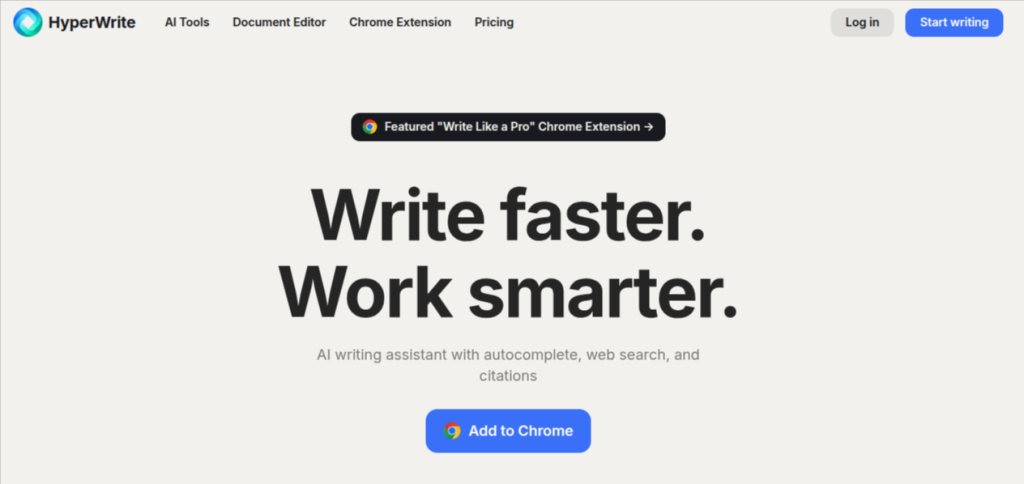
HyperWrite feels less like a content generator and more like an AI assistant that works alongside you. Instead of producing complete articles, it helps you write emails, summarize information, rewrite sentences, and continue drafts directly as you work. If you spend hours writing every day, those small time savings add up quickly.
I found HyperWrite most useful for everyday productivity rather than large content projects. Its browser extension and autocomplete features make it easy to draft replies, improve wording, or overcome writer’s block without constantly switching between applications.
Key Features
- AI autocomplete
- Smart writing assistant
- Email and document drafting
- Browser extension
- Content rewriting and summarization
What I Liked About HyperWrite
- Integrates seamlessly into everyday writing
- Helpful autocomplete and sentence suggestions
- Great for emails, reports, and business communication
- Browser extension improves workflow efficiency
Limitations of HyperWrite
- Not ideal for creating long-form articles
- Some advanced features require a paid plan
Pricing
HyperWrite offers a free plan with limited usage, while paid plans provide higher limits, faster responses, and access to advanced AI writing features.
8. Sudowrite: Best for Fiction & Creative Writing
Most AI writing tools are designed for marketing or business content. Sudowrite takes a different approach by focusing on storytelling. It’s built for novelists, screenwriters, and creative writers who need help developing characters, writing dialogue, overcoming writer’s block, or exploring new plot ideas.
After testing it, I understood why it’s popular among authors. Instead of sounding robotic, Sudowrite encourages creativity by suggesting fresh descriptions, expanding scenes, and offering multiple directions a story can take. It isn’t the tool I’d choose for SEO blogs or business writing, but it’s one of the strongest options for creative projects.
Key Features
- Story engine
- Character and plot development
- Dialogue generation
- Scene expansion
- Creative writing assistance
What I Liked About Sudowrite
- Excellent for storytelling and fiction writing
- Helps overcome writer’s block
- Generative creative scene and dialogue suggestions
- Easy to experiment with different writing styles
Limitations of Sudowrite
- Not designed for marketing or SEO content
- No permanent free plan
Pricing
Sudowrite offers a free trial, while its paid plans are designed for writers who regularly work on novels, short stories, or other long-form creative projects.
9. Wordtune: Best for Rewriting & Improving Drafts
Wordtune isn’t designed to write entire articles from scratch. Instead, it helps you say the same thing more clearly. I found Wordtune particularly useful during the fighting stage.
Rather than replacing my writing, it refined awkward sentences, improved clarity, and offered alternative phrasings that often sounded more natural. If you already have a draft and want to make it stronger, Wordtune does that exceptionally well.
Key Features
- AI sentence rewriting
- Tone adjustment
- Content shortening and expansion
- Grammar and clarity improvements
- Browser extension
What I Liked About Wordtune
- Improves sentence clarity without changing meaning
- Offers multiple rewrite suggestions instantly
- Supports different writing tones
- Integrated with popular writing platforms
Limitations of Wordtune
- Not suitable for generating long-form content
- Free plan has daily usage limits
Pricing
Wordtune offers a free plan with limited rewrites, while paid plans unlock unlimited suggestions and advanced editing features.
Grammarly vs QuillBot: Which Writing Tool Is Better?
Grammarly and QuillBot both help improve your writing, but they serve different purposes. Compare their grammar checking, paraphrasing, writing assistance, AI features, ease of use, pricing, and overall performance to find out which tool is better for your writing needs.
Read the Full Grammarly vs QuillBot Comparison →10. Grammarly: Best AI Editor and Grammar Checker
Grammarly has evolved far beyond a grammar checker. Today, it helps improve clarity, adjust tone, rewrite sentences, and even generate content with AI assistance. Even after using several AI writing tools, I still rely on Grammarly as the final editing step before publishing or sending important documents.
What impressed me most is how seamlessly it fits into everyday work. It’s not the best tool for generating content from scratch, but it’s one of the best for polishing what you’ve already written.
Key Features
- Grammar and spell checker
- AI writing assistance
- Tone detection
- Sentence rewriting
- Plagiarism detection (Premium)
What I Liked About Grammarly
- Accurate grammar and spelling corrections
- Helpful tone and clarity suggestions
- Works across multiple apps and websites
- Excellent for proofreading professional documents
Limitations of Grammarly
- AI writing features are more limited than dedicated AI writers
- Premium features require a subscription
Pricing
Grammarly offers a robust free plan for grammar and spelling checks, while paid plans unlock AI writing features, advanced editing suggestions, and plagiarism detection.
AI Productivity Tools: 10 Best Options Compared
Want to work smarter without adding more complexity to your workflow? We compared 10 of the best AI productivity tools for writing, research, task management, scheduling, note-taking, and project workflows. Discover which tool is best for your specific productivity needs and budget.
Explore the AI Productivity Tools Comparison →How I Tested These AI Writing Tools?
Every tool in this list was evaluated using real-world writing tasks instead of relying on feature lists or marketing claims. I tested how each platform performed across common use cases, including blog writing, email drafting, social media content, rewriting existing text, brainstorming ideas, and editing.
Rather than looking for the “smartest” AI, I focused on what actually matters during day-to-day work. This includes output quality, ease of use, speed, customization, pricing, and overall value for money. I also considered how much editing each draft required before it was ready to publish or share.
To keep the comparison fair, I used similar prompts wherever possible and evaluated each tool on the same criteria:
- Content quality and accuracy
- Ease of use
- Long-form and short-form writing capabilities
- Editing and rewriting features
- AI assistance beyond content generation
- Pricing and free plan value
AI Writing Tools Comparison Table
If you don’t have time to read every review, this table gives you a quick side-by-side comparison of the most important features. Think of it as a shortcut to finding the tool that matches your workflow.
| Tool | Best For | Free Plan | AI Content Generation | SEO Features | Starting Price* |
|---|---|---|---|---|---|
| ChatGPT | All-purpose writing | Yes | Yes | No | Paid plans available |
| Jasper AI | Marketing teams | No (Trial) | Yes | Yes | Paid plans available |
| Copy.ai | Sales & marketing copy | Yes | Yes | Limited | Paid plans available |
| Writesonic | SEO content | Yes | Yes | Yes | Paid plans available |
| Rytr | Budget-friendly writing | Yes | Yes | Limited | Paid plans available |
| Anyword | Performance marketing | Yes (Trial) | Yes | Limited | Paid plans available |
| HyperWrite | Everyday writing assistance | Yes | Yes | No | Paid plans available |
| Sudowrite | Creative writing | No (Trial) | Yes | No | Paid plans available |
| Wordtune | Rewriting & editing | Yes | Limited | No | Paid plans available |
| Grammarly | Grammar & proofreading | Yes | Limited | No | Paid plans available |
* Features and pricing may change over time.
The right choice depends on how you plan to use AI.
If you need one tool for almost everything, ChatGPT is difficult to beat. For SEO-focused blogs, Writesonic has the edge.
Jasper and Anyword cater to marketing teams, while Grammarly and Wordtune are better suited for polishing content rather than generating it.
Free vs Paid AI Writing Tools: Which One Should You Choose?
A free AI writing tool is enough for many people. If you’re drafting emails, brainstorming ideas, rewriting paragraphs, or creating occasional blog posts, you may never feel the need to upgrade. Most free plans offer enough features to understand how the platform works before spending money.
Paid plans become worthwhile when AI is part of your daily workflow. Higher usage limits, access to advanced AI models, team collaboration, and premium features can save hours every week. If you regularly create client content, marketing campaigns, or SEO articles, the productivity gains often justify the subscription cost. Here’s a quick comparison to help you decide:
| Feature | Free AI Writing Tools | Paid AI Writing Tools |
|---|---|---|
| Daily Usage | Limited | Higher or Unlimited |
| AI Models | Basic | Latest and More Capable |
| Content Quality | Good | More Consistent and Accurate |
| Advanced Features | Limited | Full Access |
| Team Collaboration | Rare | Common |
| Best For | Beginners and Occasional Users | Professionals and Businesses |
If you’re just getting started, begin with a free plan and explore the features. Once you find yourself hitting usage limits or relying on AI every day, upgrading becomes a practical investment rather than an unnecessary expense.
Popular AI Writing Tool Comparisons
Choosing between two AI writing tools is often easier than comparing ten at once. Here are the biggest head-to-head matchups and which one comes out ahead for different use cases.
ChatGPT vs Jasper AI
Choose ChatGPT if you want a versatile AI assistant for brainstorming, long-form writing, coding, research, and editing. It adapts well to different tasks and offers excellent value.
Go with Jasper AI if your focus is marketing. Its brand voice features, collaboration tools, and campaign templates make it a stronger choice for businesses producing content at scale.
Winner: ChatGPT for most users, Jasper AI for marketing teams
Copy.ai vs Jasper AI
Both tools target marketers, but they excel in different areas.
Copy.ai is ideal for generating sales emails, product descriptions, and social media copy quickly.
Jasper AI offers a more complete content marketing workflow with stronger collaboration and brand management features.
Winner: Copy.ai for short-form copy, Jasper AI for end-to-end marketing content.
Writesonic vs Copy.ai
If SEO is your priority, Writesonic is the better choice. It offers AI-assisted research, blog generation, and optimization features that make long-form content creation easier.
Copy.ai remains the stronger option for sales copy, ad campaigns, and marketing assets.
Winner: Writesonic for bloggers and SEO writers, Copy.ai for marketers.
Rytr vs Jasper AI
Rytr delivers excellent value at an affordable price. It covers everyday writing tasks without overwhelming new users.
Jasper AI justifies its higher price with premium marketing features, better collaboration, and advanced customization.
Winner: Rytr for budget-conscious users, Jasper AI for businesses.
Grammarly vs Wordtune
Both tools improve existing writing, but they solve different problems.
Grammarly focuses on grammar, spelling, punctuation, and tone, making it an excellent proofreading companion.
Wordtune specializes in rewriting sentences, improving clarity, and suggesting alternative phrasing.
Winner: Grammarly for editing accuracy, Wordtune for rewriting and refining drafts.
Which AI Writing Tool Is Best for You?
The best AI writing tool isn’t necessarily the one with the most features; it’s the one that fits your workflow. If you’re writing blog posts every week, your needs are very different from someone creating ad campaigns or polishing business emails. Use this quick guide to narrow down your choice:
| Use Case | Recommended AI Tool |
|---|---|
| Write Almost Anything | ChatGPT |
| Create SEO-Friendly Blog Posts | Writesonic |
| Build Marketing Campaigns | Jasper AI |
| Generate Sales Emails & Product Copy | Copy.ai |
| Get the Best Value for Money | Rytr |
| Improve Ad Performance | Anyword |
| Speed Up Everyday Writing | HyperWrite |
| Write Novels or Creative Stories | Sudowrite |
| Rewrite & Refine Existing Content | Wordtune |
| Check Grammar & Polish Your Writing | Grammarly |
If you’re new to AI writing, start with ChatGPT or Rytr since both offer generous free plans and are easy to learn. As your requirements grow, you can add specialized tools like Writesonic for SEO, Jasper for marketing, or Grammarly for editing.
Many experienced writers don’t rely on a single platform. They combine two or three tools to get the best results at each stage of the writing process.

Final Words
The AI writing tool you choose should match the kind of content you create most often. While ChatGPT remains the most versatile option, tools like Writesonic, Jasper AI, and Grammarly shine in specific areas. Start with a free plan, experiment with a few platforms, and build a workflow that saves time without sacrificing quality. The best results come from combining AI efficiency with human creativity.
Frequently Asked Questions (FAQs)
ChatGPT is the best all-rounder, while Writesonic, Jasper AI, and Grammarly are better suited for specific use cases like SEO, marketing, and editing.
Yes. Most tools offer a free plan or trial, with paid plans unlocking advanced features and higher usage limits.
ChatGPT and Writesonic are excellent choices for creating blog outlines, drafts, and SEO-friendly articles.
No. AI speeds up writing, but human editing and expertise are still essential for quality content.
Yes, if they are fact-checked, edited, and offer original value to readers, AI-generated articles can be good for SEO and ranking on the SERP.
You should start with a free plan and upgrade only if you need higher limits, premium features, or use AI regularly.
About The Author

