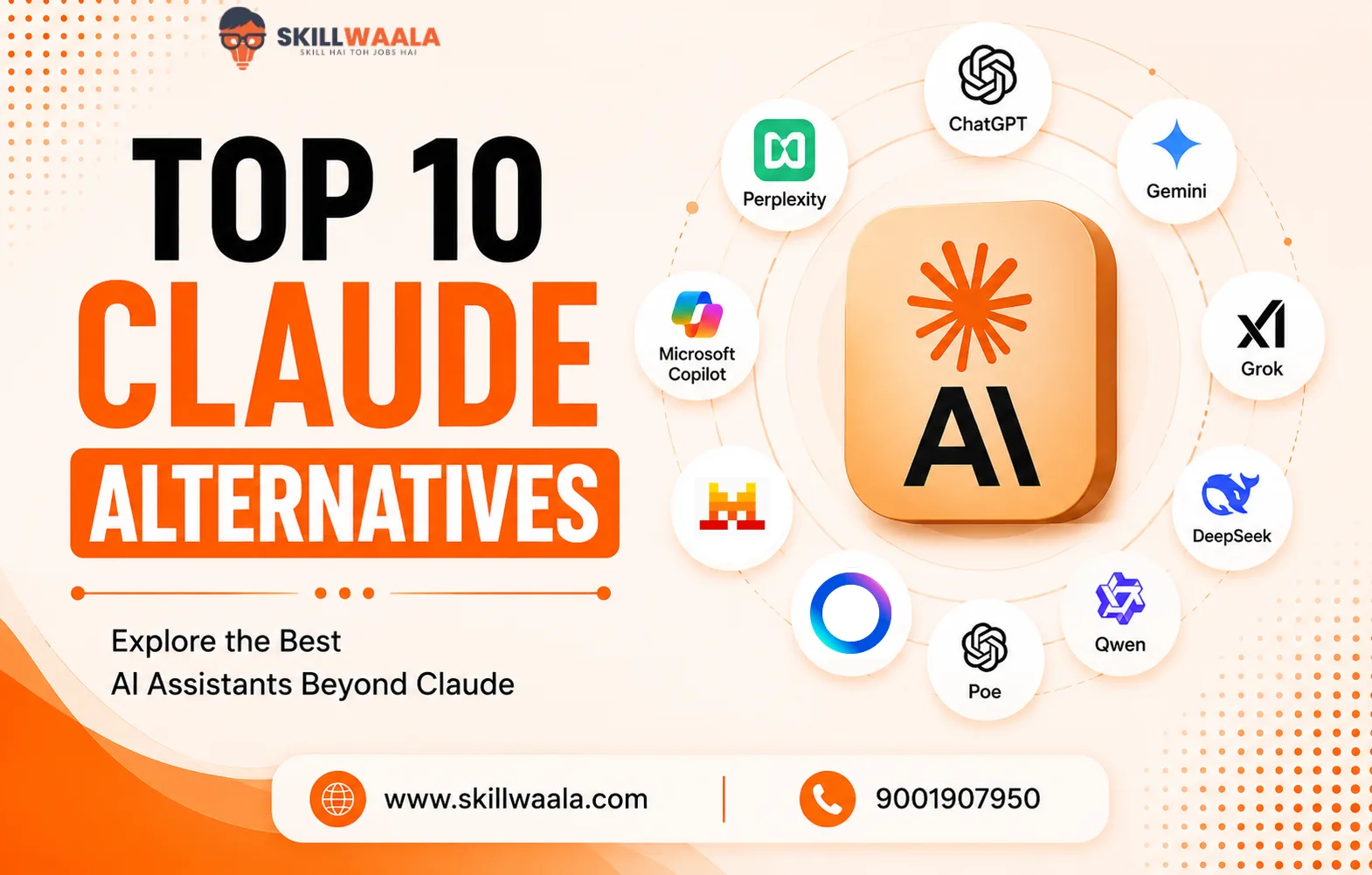
Claude has built a strong reputation for thoughtful writing, long-context conversations, and reliable reasoning. Even so, it isn’t the perfect fit for everyone. Some users need better coding support, others want live web search, while many are simply looking for a more affordable Claude alternative.
But there’s no single best tool to replace Claude. The best AI assistant depends on what you actually use it for. A tool that excels at writing may struggle with research, and one built for coding might not be the best creative partner.
That’s why we haven’t simply listed AI tools like Claude. We will compare the top options based on features, pricing, strengths, and real-world use cases to help you choose the best option.
Why Are People Looking for a Claude Alternative?
Claude remains one of the most capable AI assistants for writing, reasoning, and document analysis. Still, even an excellent tool has blind spots. As AI adoption grows, users are becoming less loyal to a single platform and more focused on finding the right tool for specific tasks.
Here are some of the most common reasons people explore tools like Claude:
- Limited live web access compared to some competitors. This makes real-time research less convenient.
- Coding is not always its strongest suit, especially for debugging large projects or generating production-ready code.
- Subscription costs may be too much for occasional users who only need AI a few times a week.
- Feature gaps, such as image generation, deeper integrations, or advanced productivity tools, are available elsewhere.
- Different work styles require different AI strengths. Someone writing reports has very different expectations from someone building apps or analyzing spreadsheets
The good news is that today’s market offers plenty of capable Claude alternatives, each with its own strengths.
How We Evaluated These AI Tools Like Claude?
Not every AI assistant deserves a spot on this list. Some are impressive in demos but frustrating after a week of real use. Others don’t grab headlines yet quietly outperform bigger names in specific tasks.
Rather than relying on feature lists alone, we evaluated each tool through everyday workflows that people actually care about.
AI Response Quality
An AI should do more than produce fluent text. We looked at how well each model followed instructions, handled complex prompts, maintained context across long conversations, and reduced factual mistakes.
Coding & Problem-Solving
Strong coding support has become a deciding factor for many users. Each tool was assessed on code generation, debugging, explanation quality, and its ability to solve logical or technical problems without excessive prompting.
Research & Web Access
Some AI assistants work with static knowledge, while others can search the web in real time. We compared how effectively each tool gathered current information, cited sources, and summarized findings without sacrificing accuracy.
Features & Integrations
Writing, coding, image generation, file uploads, voice conversations, third-party apps, and more. Users expect all this from an AI tool. Tools offering a smoother, more complete experience naturally ranked higher.
Pricing & Overall Value
The most expensive option is not always the smartest purchase. We compared free plans, subscription costs, feature limitations, and whether the paid version genuinely offers enough value to justify the upgrade.
Ease of Use
Powerful features lose their appeal if the interface gets in the way. Setup time, navigation, response speed, and overall user experience all played a role in our evaluation.
These criteria helped us move beyond marketing claims and identify AI tools like Claude that consistently deliver value in real-world use cases.
Claude vs Other AI Tools: Quick Comparison
Reading through feature lists is helpful, but comparing everything side by side makes the decision much easier. The table below highlights how the leading Claude alternatives compare against each other.
| AI Tool | Best For | Web Access | Coding | Writing | Free Plan |
|---|---|---|---|---|---|
| Claude | Long-form writing, document analysis | Limited | 4/5 | 5/5 | Yes |
| ChatGPT | All-round productivity | Yes | 5/5 | 5/5 | Yes |
| Google Gemini | Research & Google Workspace | Yes | 4/5 | 4/5 | Yes |
| Microsoft Copilot | Microsoft 365 users | Yes | 4/5 | 4/5 | Yes |
| Perplexity AI | Research & fact-checking | Yes | 3/5 | 3/5 | Yes |
| Grok | Real-time information | Yes | 4/5 | 4/5 | Limited |
| DeepSeek | Coding & technical tasks | Limited | 5/5 | 3/5 | Yes |
| Mistral Le Chat | Everyday AI assistance | Limited | 4/5 | 4/5 | Yes |
| Poe | Access to multiple AI models | Depends on the model | 4/5 | 4/5 | Yes |
| Qwen Chat | Writing & coding | Limited | 4/5 | 4/5 | Yes |
There is no perfect AI assistant that is the best in every category.
- ChatGPT delivers the most balanced experience, that’s for sure.
- Perplexity dominates research
- DeepSeek stands out for coding
And Claude continues to be a top choice for long-form writing.
The right option depends less on benchmark scores and more on the problems you’re trying to solve every day.
Top Claude Alternatives in 2026
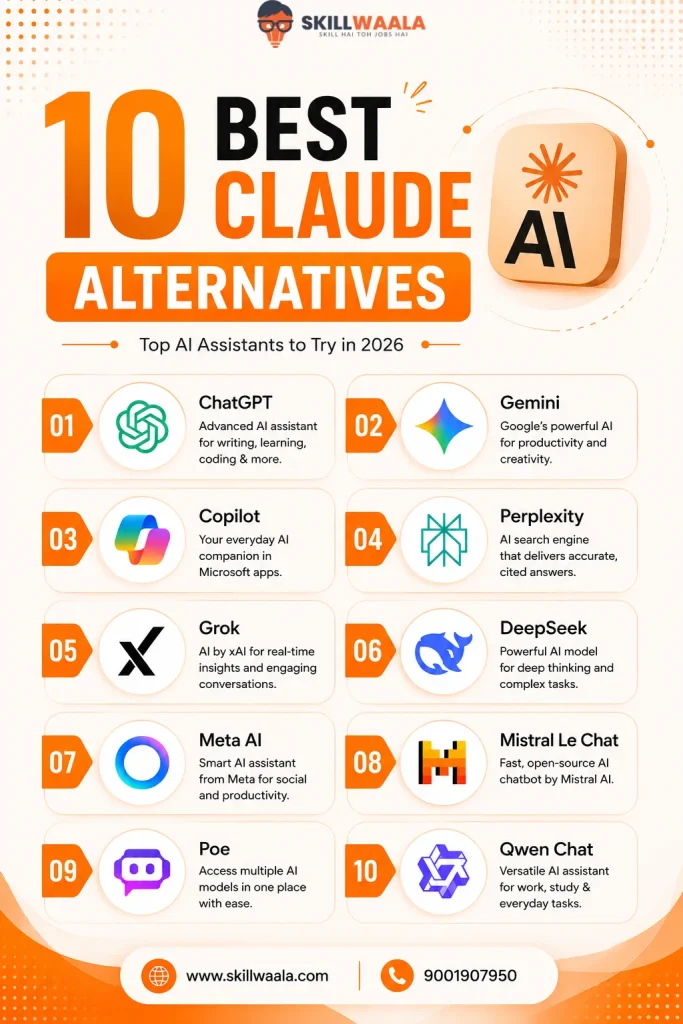
The AI landscape looks very different in 2026. Instead of searching for a single best AI tool, users are choosing the tools based on what they do most. Below are the top Claude alternatives that consistently stand out for their performance and features.
1. ChatGPT
- Best For: Writing, coding, brainstorming, productivity, and everyday AI tasks
- Pricing: Free plan available, paid plans start at around $20/month
If you’re looking for the closest all-around Claude alternative, ChatGPT should be your first pick. It combines strong reasoning, creative writing, coding assistance, image generation, and web browsing in a single platform. This versatility is the reason why so many users prefer it.
Unlike Claude, ChatGPT offers a broader ecosystem with custom GPTs, voice conversations, file analysis, and integrations that make it useful beyond simple chat sessions.
Pros
- Excellent writing and reasoning capabilities
- Strong coding support with debugging assistance
- Live web browsing and image generation
- Extensive ecosystem and integrations
Cons
- Some advanced features require a paid plan
- Responses can occasionally become overly verbose
2. Google Gemini
- Best For: Research, productivity, and Google Workspace users
- Pricing: Free version available, premium features come with Google AI Pro
Gemini shines when your workflow revolves around Google’s ecosystem. It connects naturally with Gmail, Docs, Sheets, Drive, and Search, reducing the need to switch between multiple apps.
Research is another area where Gemini performs well. Its access to fresh information makes it a practical choice for users who frequently summarize news, compare products, or verify facts.
Pros
- Deep integration with Google services
- Strong multimodal capabilities
- Fast access to current information
- Useful for document and spreadsheet workflow
Cons
- Writing style can feel less natural than Claude’s
- Performance varies across different prompt types
ChatGPT vs Google Gemini: Which AI Should You Choose?
Compare ChatGPT and Google Gemini side by side to see which AI assistant is better for writing, coding, research, image generation, pricing, and everyday productivity. Find the right tool for your workflow.
Read the Full Comparison →3. Microsoft Copilot
- Best For: Microsoft 365 users and workplace productivity
- Pricing: Free version available; premium plans depend on Microsoft subscriptions
Copilot is built for people who spend most of their day inside Microsoft Office. Drafting Word documents, analyzing Excel data, summarizing Teams meetings, or preparing PowerPoint presentations becomes noticeably easier.
Its coding capabilities also benefit from Microsoft’s close relationship with GitHub. This makes it a practical choice for developers already working within that ecosystem.
Pros
- Excellent Microsoft Office integration
- Helpful for business documentation
- Good coding assistance
- Enterprise-friendly security features
Cons
- Delivers the best experience inside Microsoft’s ecosystem
- Some features require Microsoft subscriptions
4. Perplexity AI
- Best For: Research, fact-checking, and web-based queries.
- Pricing: Free plan available, Pro plans start at around $20/month
Perplexity AI takes a different approach from most chatbots. Rather than simply generating answers, it searches the web, cites sources, and summarizes information in seconds. If your work involves research, comparing products, or keeping up with current events, it’s one of the most dependable AI tools like Claude.
However, don’t expect it to replace Claude for creative writing. Research is where it truly earns its reputation.
Pros
- Real-time web search with source citations
- Accurate summaries of lengthy topics
- Clean, distraction-free interface
- The free plan is surprisingly good
Cons
- Creative writing is less polished than Claude’s
- Limited customization compared to some competitors
5. Grok
- Best For: Real-time information, coding, and casual conversations
- Pricing: Available through X premium plans
Developed by xAI, Grok brings a conversational style that feels less formal than most AI assistants. It performs well in brainstorming sessions, coding tasks, and discussions around trending topics thanks to its access to live information.
Its personality won’t appeal to everyone, but that’s part of the appeal for many users.
Pros
- Access to current information
- Strong reasoning capabilities
- Fast responses
- Engaging conversational style
Cons
- Writing quality can be inconsistent
- Some advanced features require a premium subscription
6. DeepSeek
- Best For: Coding, technical tasks, and budget-conscious users
- Pricing: Free to use. Premium plans also available
DeepSeek has gone from an underdog to one of the most talked-about tools like Claude, especially among developers. Its coding performance often exceeds expectations, while the free version offers remarkable value.
Writing quality is not always as refined as Claude’s, but for programming, mathematics, and technical problem-solving, DeepSeek consistently punches above its weight.
Pros
- Excellent code generation
- Strong logical reasoning
- Competitive free offering
- Fast performance
Cons
- Weaker creative writing
- Smaller ecosystem than larger competitors
7. Mistral Le Chat
- Best For: Everyday productivity and fast AI assistance
- Pricing: Free plan available with optional paid upgrades
Mistral Le Chat focuses on speed without sacrificing quality. Responses arrive quickly, the interface stays cluttered, and the model handles writing, summarization, and reasoning surprisingly well.
It may not have the extensive feature set of ChatGPT or Gemini, but simplicity can be an advantage when you just want answers without extra distractions.
Pros
- Quick response times
- Clean user experience
- Strong multilingual support
- Good writing performance
Cons
- Fewer integrations
- Limited advanced features compared to larger platforms
8. Poe
- Best For: Comparing AI models and experimenting with different assistants
- Pricing: Free plan available, premium subscription unlocks more usage and models
Can’t decide which AI model suits your use case? Poe solves that problem by bringing multiple leading models into a single interface. Instead of committing to one assistant, you can switch between different models depending on the task. This makes it an excellent alternative for Claude if flexibility matters more than brand loyalty. Think of it as an AI toolkit rather than a single chatbot.
Pros
- Access to multiple AI models in one place
- Simple and intuitive interface
- Great for testing prompts across different models
- Supports custom bots
Cons
- Premium models require a subscription
- Features depend on the underlying AI model
9. Meta AI
- Best For: Everyday assistance and social media users
- Pricing: Free
Meta AI has grown into a practical everyday assistant, especially for people already using WhatsApp, Instagram, or Facebook. Asking questions, generating content, or getting quick recommendations feels natural without downloading another app.
It won’t replace Claude for complex writing projects, but convenience is difficult to beat.
Pros
- Integrated into Meta’s ecosystem
- Fast responses for daily queries
- Free to use
- Easy access across multiple apps
Cons
- Limited advanced productivity features
- Less effective for long-form content creation
10. Qwen Chat
- Best For: Writing, coding, and multilingual tasks
- Pricing: Free plan available with additional premium features or advanced users
Qwen Chat has quietly become one of the strongest open source AI assistants available today. It performs well across writing, coding, document analysis, and multilingual conversations, often delivering results that rival more established competitors. It does not receive as much attention as ChatGPT or Gemini, and that’s a little surprising.
Pros
- Strong reasoning and coding abilities
- Handles long documents efficiently
- Supports multiple languages
- Generous free access
Cons
- Smaller ecosystem of integrations
- Brand recognition is still growing
Looking for the Best ChatGPT Alternative?
Discover the Top 10 ChatGPT Alternatives, including Google Gemini, Claude, Microsoft Copilot, Perplexity AI, Grok, DeepSeek, Meta AI, and more. Compare features, pricing, free plans, and use cases to find the perfect AI assistant for your needs.
Read the Complete Comparison →Which Claude Alternative Should You Choose?
Choosing the right AI assistant isn’t about chasing the newest release. It’s about finding the tool that consistently helps you finish your work faster and better. Here’s a quick recommendation based on different use cases:
Best Overall
Winner: ChatGPT
A balanced choice for writing, coding, research, brainstorming, and productivity.
Best for Writing
Winner: Claude
In terms of writing capability, nothing beats Claude. It is one of the strongest options for long-form content, editing, and document analysis.
Best for Coding
Winner: DeepSeek
It delivers excellent code generation, debugging, and technical reasoning.
Best for Research
Winner: Perplexity AI
Real-time web search with source citations makes research significantly easier.
Best Free Option
Winner: Google Gemini
It offers a capable free experience with seamless integration across Google’s ecosystem.
Best for Microsoft Users
Winner: Microsoft Copilot
Copilot is a natural fit for anyone working regularly with Word, Excel, PowerPoint, or Teams
Here’s a suggestion: Don’t feel pressured to stick with just one AI tool. The best Claude alternative is the one that fits naturally into your workflow, not the one with the most features.
Top 10 AI Productivity Tools Comparison
From AI assistants and note-taking to task management, scheduling, research, and team workflows, the right productivity tool can save you hours every week. Compare 10 of the best AI productivity tools, including ChatGPT, Notion AI, ClickUp Brain, Motion, Gemini, Copilot, and more, to find the tool that fits your workflow.
Explore the Top 10 AI Productivity Tools →Final Words
Claude remains one of the best AI assistants available, but it no longer exists in a league of its own. The competition has become stronger, more specialized, and in many cases, more affordable. That’s good news for users because you now have genuine choices instead of settling for a single platform.
Don’t choose an AI tool because it’s trending. Choose the one that solves your everyday problems with the least effort. The smartest approach is building an AI toolkit that matches your workflow.
Frequently Asked Questions (FAQs)
If you’re looking for the best all-around replacement, ChatGPT is the strongest choice. It combines writing, coding, web browsing, image generation, and productivity features in one platform. That said, the ideal Claude alternative depends on your primary use case.
ChatGPT comes closest in terms of conversational quality and reasoning. If your focus is on writing long-form content, it offers a comparable experience while adding more features and integrations.
Yes. Google Gemini, DeepSeek, Perplexity AI, Qwen Chat, and Meta AI all offer free plans.
DeepSeek stands out for programming, debugging, and solving technical problems. ChatGPT and Microsoft Copilot are also excellent choices, particularly if you work with larger projects or use development tools regularly.
Absolutely. Many people rely on different AI tools for different tasks. For example, Claude for writing, Perplexity AI for research, and ChatGPT or DeepSeek for coding. Using specialized tools often produces better results than expecting one assistant to do everything.
Neither is objectively better. Claude generally excels at long-form writing and document analysis, while ChatGPT offers a more versatile experience with stronger coding support, web browsing, and image generation. The better choice depends on your use case.
About The Author