

Canva and Adobe Express are two of the easiest design platforms to pick up when you need professional-looking visuals without becoming a graphic designer. I have used both platforms for different types of content. And the difference becomes noticeable once you move beyond basic templates.
Canva feels faster and more beginner-friendly. On the other hand, Adobe Express is great if you already use Adobe’s creative tools. So which one is better?
Let’s compare Canva vs Adobe Express to see which one is actually suitable for your workflow.
What is Adobe Express?
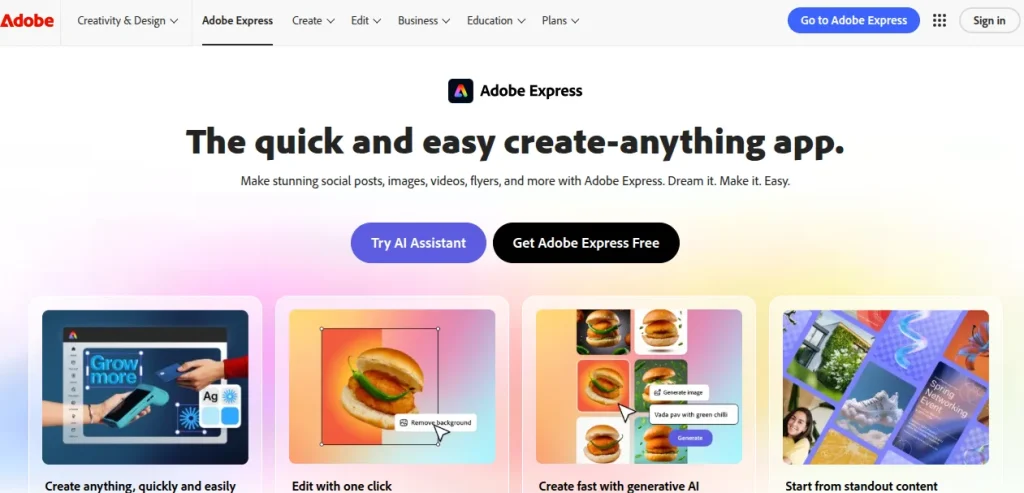
Adobe Express is Adobe’s simpler, browser-based design platform for creating visual content without needing the complexity of Photoshop or Illustrator.
It covers the same everyday jobs as Canva, including social media graphics, presentations, posters, etc. The difference becomes noticeable when you bring Adobe’s wider ecosystem into the workflow. Express works with Adobe Fonts, Adobe Stock, Creative Cloud files, and even Firefly’s generative AI features.
That makes Express particularly interesting if you already use Adobe products or expect your design work to become more professional over time.
What is Canva?
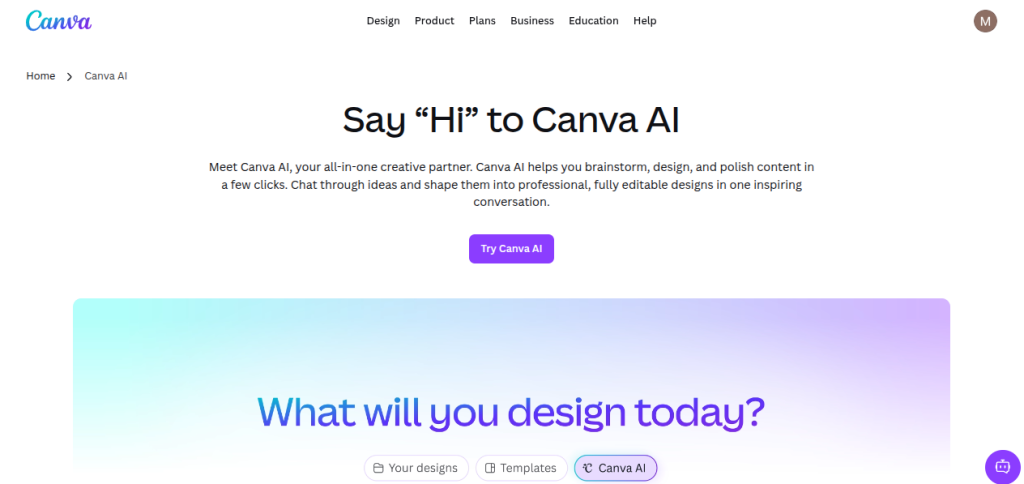
Canva is a browser-based design platform that lets you create professional-looking visual content without needing advanced design skills.
Since launching in 2013, it has grown into one of the most widely used design platforms, with more than 260 million monthly users reported in 2026. For everyday work, Canva covers almost everything, like presentations, social media graphics, resumes, posters, infographics, videos, and documents.
Its biggest strength is how quickly you can go from a blank page to something that looks polished. Canva has also moved well beyond graphic design, adding AI-powered features through its Magic Studio and expanding into a broader visual content platform.
Canva vs Adobe Express: Ease of Use
My Verdict: Canva is great if you prefer simplicity. Adobe Express has a better editing workflow if you need more control.
Both Canva and Adobe Express are easy to pick up. If you can work with a basic drag-and-drop editor, you won’t need much time to understand either platform. Both also use smart guides to help align elements, and both let you work with custom canvas dimensions. The difference shows up once you start doing more than dropping text onto a template.
Rulers, Guides, and Precise Design
Canva displays the dimensions of an element as you resize or move it, which makes quick alignment fairly intuitive.
Adobe Express takes a more traditional design-software approach with rules and draggable guides. You can turn them on from the editor, position guides manually, and work in units such as pixels, inches, or millimetres.
Layers
Honestly, I prefer Adobe Express for Layers.
Express keeps the layer panel visible, so you can see the stacking order of your elements and move them around without hunting through menus.
Canva also has layer controls, but they’re less prominent in the interface.
If you’ve ever had five overlapping elements and struggled to select the one sitting underneath, you will feel this difference.
Adobe Files and Quick Actions
Adobe Express has another advantage if your work involves other Adobe software. You can work with files such as PSD, AI, and PDF while also accessing Creative Cloud libraries within Express.
Express also has Quick Actions for common jobs such as removing backgrounds, converting files, merging PDFs, generating QR codes, or trimming videos. These are handled as dedicated tools rather than forcing you to start a full design project.
Canva is more straightforward for the basic stuff. Adobe Express starts pulling ahead when the task becomes a little more technical.
Canva vs Adobe Express: Templates
My Verdict: Canva wins for template variety and sheer choice. Adobe Express is better if you prefer a smaller, more curated selection.
Canva has a clear advantage in template quantity. Both platforms offer templates for presentations, social posts, resumes, posters, flyers, videos, and other common design jobs, but Canva’s library is considerably larger.
Canva boasts a massive 3.6 million premium templates, which is around 10x the quantity of Adobe Express. Express offers around 220,000 to 350,000 templates depending on the plan.
On paper, Canva wins by a long margin, but template count is not everything. Canva’s library feels like a huge marketplace. You can search for something specific, like a LinkedIn carousel or an Instagram Reel cover, and you will be bombarded with a ridiculous number of templates.
This variety is great when you’re figuring out your visual style. However, choice overload is a real drawback. You can spend 20 minutes browsing templates and still wonder which one to use.
Adobe Express takes a more curated approach. Its library is smaller, but the templates tend to feel more restrained and professionally styled. I find that useful when the goal is to get a solid starting point rather than browse hundreds of variations of the same design.
There’s also a difference in how the two platforms handle customization. Adobe Express gives you stronger control when working with imported professional files, while Canva’s templates are generally easier to modify if you want quick changes.
Canva vs Adobe Express: Design Features
My Verdict: Canva is excellent for fast, template-led design. Adobe Express wins when file compatibility, typography, and greater control start becoming important.
This is where the comparison gets more interesting. Canva and Adobe Express cover the same basic design jobs. However, the difference in how much control they give you once you move beyond templates.
Fonts
Canva has a strong built-in font library, including many familiar Google Fonts, and its paid plans let you upload your own fonts. That is more than enough for most everyday designs.
Adobe Express has a natural advantage if typography matters to you. It integrates directly with Adobe Fonts, giving Premium users access to more than 30,000 licensed fonts. Express also offers font recommendations and lets you search by style or mood rather than remembering a specific font name.
For a presentation or social graphic, you probably won’t notice much difference. For someone building a consistent visual identity across multiple projects, Adobe’s font ecosystem becomes more valuable.
Importing PDFs and Professional Files
This is one of Adobe Express’s biggest practical advantages.
Both platforms can import PDFs, but Express handles complex files with much greater fidelity. Individual elements and text can remain editable, rather than arriving as a flattened or partially broken design.
Express can also work with PSD and AI files, making it far more useful when you’re moving between Adobe’s professional applications and a simpler editor.
This is especially useful if you’re collaborating with a designer who works in Photoshop or Illustrator. You don’t necessarily have to rebuild their work just because you need to make a quick change.
On the other hand, Canva is better suited to designs created primarily within Canva itself.
Resizing and Layouts
Both platforms can resize designs for different formats, but their workflows differ slightly.
Canva’s Magic Resize is particularly convenient when you need to turn one design into several formats.
Adobe Express has offered flexible page sizing for years and lets different-sized pages exist within the same project, which is useful when you’re building a campaign with assets for multiple platforms.
Both also use generative AI to extend backgrounds when changing aspect ratios.
A Small But Useful Difference
Adobe Express also lets you crop an asset into custom shapes. However, Canva relies heavily on its predefined frames.
That won’t decide the platform for most users. But once you start experimenting with layouts rather than relying on templates, these small differences add up.
Canva vs Adobe Express: Stock Photos & Video
My Verdict: Canva is excellent for convenience and variety. Adobe Express gets the win if stock-media quality is important to you.
If you regularly create presentations, social posts, videos, or marketing creatives, the quality of the stock library matters almost as much as the design editor. A great template can still look mediocre if the image choices are weak.
Both Canva and Adobe Express include stock media with their paid plans, but Adobe Express has the stronger library overall. Adobe Stock gives Express access to a very large collection of royalty-free photos, videos, and music, while Canva also has an enormous media library through its own collection and acquisitions.
Canva
Canva is excellent when you want to search for a very specific visual and get dozens of usable options quickly. Its media library is broad, and the platform makes it easy to drop an image or video straight into a template without interrupting your workflow.
This is one of the reasons why Canva works so well for everyday content. You rarely need to leave the editor to find an asset.
Adobe Express
Adobe Express has the advantage of Adobe Stock integration. The library tends to feel more curated, particularly for professional photography and commercial-looking visuals. Paid Express users can use included stock assets without purchasing individual Adobe Stock licenses separately.
This makes a noticeable difference when you’re creating client-facing work. A presentation or campaign can look much more polished when the underlying photography doesn’t have that familiar “free template” feel.
There is also a practical benefit for video creators. Adobe Express brings stock video and audio into the same workflow, so you can build short-form content without constantly switching between platforms.
Midjourney vs Leonardo AI: Which AI Image Generator Is Better?
Midjourney and Leonardo AI are powerful AI image generators, but they offer different creative workflows and features. Compare their image quality, AI capabilities, creative control, editing tools, ease of use, pricing, and overall performance to find out which AI image generator is better for your needs.
Read the Full Midjourney vs Leonardo AI Comparison →Canva vs Adobe Express: Ensuring Brand Consistency
My Verdict: Canva for building and documenting a brand. Adobe Express for controlling how that brand gets used.
If you’re creating content regularly, keeping every design consistent becomes more important than finding a clever template. A presentation, LinkedIn post, portfolio, or client creative should look like it came from the same person or brand.
Both Canva and Adobe Express let you save your logos, colors, fonts, images, and other brand assets so you don’t have to rebuild the same visual identity for every project.
Canva also includes Brand Voice for keeping AI-generated copy aligned with your preferred tone, along with Brand Guidelines that document how the brand should be used.
Adobe Express approaches consistency a little differently. Its brand controls work alongside template locking, which lets you restrict specific elements of a design. For example, you can allow someone to change the headline or image while preventing them from accidentally altering the logo, colors, or other fixed elements.
Canva gives you a strong central brand kit. On the other hand, Express gives you more granular control over what other people are allowed to change.
Canva vs Adobe Express: Third-Party Integrations
My Verdict: Canva wins on the breadth of integrations. Adobe Express wins if you prefer a more curated creative ecosystem.
Canva and Adobe Express both let you extend the editor with third-party apps, but their approach is quite different.
Canva has the bigger ecosystem. Its app marketplace includes integrations for popular productivity, marketing, storage, and collaboration platforms. That versatility is useful when your workflow already depends on several other services. But there is a drawback. It could take some time to find genuinely useful apps among a very large marketplace.
Adobe Express takes a more curated approach. It has fewer integrations, but many are focused on specific creative tasks. The platform also includes tools such as mockup generators and add-ons for accessibility and design analysis. Tools like Color Blindness Simulator and Attention Insight add practical value to a design workflow.
Canva vs Adobe Express: Generative AI
My Verdict: Canva wins for convenience. Adobe Express wins for AI depth and creative control.
Both platforms have moved well beyond basic AI image generation, but they take noticeably different approaches.
Canva AI
Canva’s AI features sit under Magic Studio, which includes tools such as Magic Eraser, Magic Grab, Magic Expand, background generation, image generation, and AI-assisted design workflows.
Canva has also introduced its own Design Model, built specifically around understanding editable design rather than producing a flat image.
AI is woven into the same editor you already use for templates, presentations, social posts, and other content. You don’t have to think of AI and design as separate stages.
For example, you can generate an image, remove an unwanted object, expand the background, and continue editing the result within the same Canva project.
Adobe Express + Firefly
Adobe Express has a similarly broad AI toolkit, but its biggest advantage is Adobe Firefly. Express includes features such as Generate Image, Generate Text Effects, Insert Object, Remove Object, and AI-assisted presentation creation.
Adobe also introduced an AI assistant in beta that lets users make design changes through natural language instructions. The presentation feature is particularly useful for practical work. You can provide a document, URL, or prompt, review the proposed structure, and then have Express turn it into a presentation.
That can save considerable time when the difficult part isn’t designing slides but figuring out how to structure the information in the first place.
There is also a difference in Adobe’s approach to AI provenance. Adobe says Firefly was developed using licensed and permission-based content, including appropriately licensed Adobe Stock material, and has placed considerable emphasis on content authenticity and transparency.
Canva vs Adobe Express: Planning & Scheduling Content
My Verdict: Adobe Express wins comfortably because free content scheduling is a genuinely useful feature, not a cosmetic extra.
Creating the design is only half the job when you’re publishing content regularly. Both Canva and Adobe Express let you plan posts and schedule them directly from the platform, but there’s one difference that could save you money.
Canva’s Content Planner is available with its Pro plan. It supports major platforms such as Instagram, Facebook, LinkedIn, Pinterest, X, Slack, and Tumblr, so you can create a post and schedule it without moving to another social media management tool.
Adobe Express offers a similar Content Scheduler, supporting platforms including Instagram, Facebook, LinkedIn, Pinterest, X, and TikTok. The big advantage is that scheduling is available on the free plan. Free users can connect one account per social network and schedule up to 1,000 posts per month.
If you’re building a personal brand, promoting a portfolio, or managing social content alongside a regular job, paying for Canva Pro partly to unlock scheduling may feel unnecessary. With Express, you can create the content and schedule it without adding another subscription to your monthly expenses.
Canva Pro vs Adobe Express Premium: Pricing Comparison
My Verdict: Canva Pro is the better standalone choice for most users. Adobe Express Premium becomes more compelling if you already use Adobe products or specifically value Adobe Stock, Fonts, and Firefly.
Both Canva and Adobe Express have free plans, so you can get a good feel for either platform before paying.
For paid users, Canva Pro bundles premium templates, stock content, AI features, background removal, resizing, and brand tools. Canva currently lists Pro at $180/year for one person. However, regional pricing and offers can vary.
Adobe Express Premium adds premium Adobe Stock content, Adobe Fonts, advanced editing tools, and expanded generative AI access. Adobe also includes Express Premium with several Creative Cloud plans, which changes the value considerably if you already pay for Adobe software.
| Pricing Tier | Canva Pro | Adobe Express Premium |
|---|---|---|
| Free plan | Yes | Yes |
| Premium templates | Yes | Yes |
| AI tools | Yes | Firefly AI |
| Stock assets | 141M+ | Adobe Stock |
| Brand tools | Yes | Yes |
| Adobe ecosystem | Limited | Strong |
Canva vs Adobe Express: Video Creation & Editing
My Verdict: Canva wins for simplicity. Adobe Express is better for more capable video workflows and Adobe’s broader creative ecosystem.
Neither Canva nor Adobe Express is going to replace Premiere Pro for serious video editing. However, that isn’t really the point. Both are built for quick social videos, presentations, tutorials, and short-form content.
Canva makes the process extremely approachable. You can combine clips, add transitions, captions, music, animations, and branded elements without leaving the familiar Canva editor.
Adobe Express offers a similar workflow, with tools for trimming, splitting, resizing, adding captions, animations, music, and effects. It also includes features such as Enhance Speech for cleaning up audio and Clip Maker for turning longer videos into shorter social clips.
Express gives you stronger connections to Adobe’s wider creative ecosystem.
Canva remains the easier choice when you’re producing quick videos alongside other visual content.
Midjourney vs DALL-E: Which AI Image Generator Is Better?
Midjourney and DALL-E are two popular AI image generators with different strengths and creative approaches. Compare their image quality, AI capabilities, prompt accuracy, creative control, editing features, ease of use, pricing, and overall performance to find out which AI image generator is better for your needs.
Read the Full Midjourney vs DALL-E Comparison →Canva vs Adobe Express: Final Verdict
After comparing the two, I wouldn’t call either platform the universal winner. They’re aimed at slightly different workflows.
Choose Canva if you want the easiest learning curve, a huge template library, and a broad all-in-one platform for everyday content. It makes particular sense when you’re creating presentations, social posts, resumes, portfolio pieces, or marketing graphics without needing professional Adobe software.
Choose Adobe Express if you already use Photoshop, Illustrator, or other Creative Cloud tools. Its strongest advantage is the ability to connect those professional workflows with a simpler design environment. Firefly, Adobe Fonts, Adobe Stock, editable PDF imports, and stronger professional file compatibility add genuine value here.
Canva is the better all-rounder. However, Adobe Express is the better professional companion to Adobe’s creative ecosystem.
Explore 3500+ AI Tools in One Place
Looking for the right AI tool? Explore SkillWaala’s 3500+ AI Tools Directory to discover AI tools for writing, image generation, video, marketing, SEO, coding, productivity, automation, research, and more. Find the right tools for your goals and compare options across different categories.
Explore 3500+ AI Tools →Frequently Asked Questions (FAQs)
Canva is the better choice for most people who want an easy-to-use design platform with a large template library and a broad range of everyday content tools. Adobe Express is a stronger choice if you already use Adobe products or want closer integration with Adobe Fonts, Stock, and Firefly.
Adobe Express Premium is currently at ₹398.84 per month, including GST in India. Canva Pro Pricing can vary by region, plan, and current offers. If you already have an eligible Creative Cloud subscription, Express Premium may be included, making Adobe Express considerably better value for you.
It depends on the task. Canva’s AI tools are particularly convenient for generating designs and making quick edits inside the Canva workflow. Adobe Express has the advantage of Firefly, particularly for AI image generation and creative editing.
Canva. Its template-driven interface is easier to understand when you’re starting out. Adobe Express is also beginner-friendly, but its advantages become more apparent when you need Adobe’s broader creative ecosystem.
Choose Canva Pro if templates, everyday content creation, and simplicity are important to you. Choose Adobe Express Premium if Adobe Stock, Adobe Fonts, Firefly, PDF workflows, or Creative Cloud integration matters more to you.
Of course you can. There’s no rule saying you have to pick one. Canva can handle fast, template-heavy content, while Adobe Express can be useful for Adobe-based projects, PDFs, and more advanced creative workflows.
About The Author

