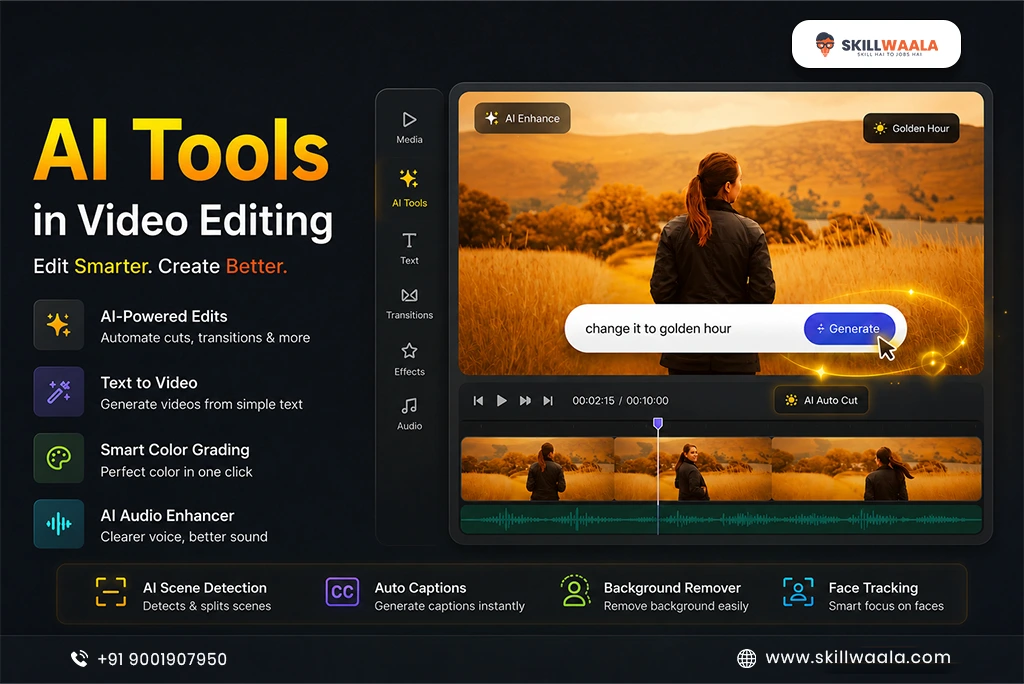
Ever felt that ideas come to your mind at rocket speed, but executing them in editing is difficult?
The evolution of AI video editing tools in 2026 has helped to reduce this gap. Editing is not just about manual cuts, transitions, and timeline juggling. Now, AI handles time-consuming repetitive tasks along with editors. All this has helped editors shift their focus from technicalities to creativity.
From Runway ML to Adobe Sensei, systems have become so intuitive that it feels as if the software understands your editing styles. This collaboration of AI and editors shows that post-production is already changing as AI becomes a part of the editing process.
In this blog, let’s explore how artificial intelligence in video editing is setting up new rules with faster processes, smarter tools, and story-driven creativity.
What Is AI Video Editing?
AI editing doesn’t simply mean that software gives a little bit of automation. Its core idea is that the machine understands your editing decisions and executes them with speed and accuracy. When we talk about artificial intelligence in video editing, it includes tasks like:
- Scene detection
- Auto-cut
- Smart captioning
- Face/object removal
- Background clean-up
- Audio balancing
These are the tasks that normally take hours on the timeline, but AI handles them within seconds.
Machine learning is the engine behind AI; it is the model that learns patterns from thousands of videos, such as:
- Where cuts feel natural
- Which frames look distracting
- Which color tones improve the mood
Because of this learning, creators now think, ‘Can AI edit my videos faster?’ The answer is becoming increasingly clear.
If we examine the short-term benefits, this trio of AI editing is extremely powerful:
- Speed: AI can handle repetitive tasks, which fastens the editing workflow and saves time for creative work.
- Precision: AI conducts step-by-step analysis, providing smoother cuts, clean transitions, and consistent color tones, that too without manual interference.
- Idea Generation: With accurate prompts and references, AI suggests creative ideas and helps editors break creative blocks and try new visual styles.
This is why people are curious to know how AI is used in video editing, because it has not just made it faster but also smoother and creative.

Top AI Tools in 2026
Today, editors aren’t dependent on any particular software, and their workflow has now become a complete multi-tool AI ecosystem. Some tools boost creativity, some keep the timeline clean, and some use AI auto-cut to polish rough edits in seconds. This combination defines the real editing workflow in 2026.
Here we’ve listed the top tools that have become game-changers for creators:
Runway

For 2026 editors, Runway ML (Machine Learning) has become a tool that merges both creativity and speed. Runway ML video editing operations seamlessly help creators to avoid creative blocks through:
- Text-to-video magic
- Smart motion tracking
- Clean green-screen removal
Gen-2 and Gen-3 models are especially useful for editors who want to explore the following without heavy setups:
- Cinematic shots
- Stylised visuals
- Fresh ideas
The biggest benefit of Runway is that it simplifies brainstorming and provides direct directions to creators. This is why it consistently ranks at the top of the best AI tools for editors in 2026, especially when creative block is the most common problem.
Pika Labs
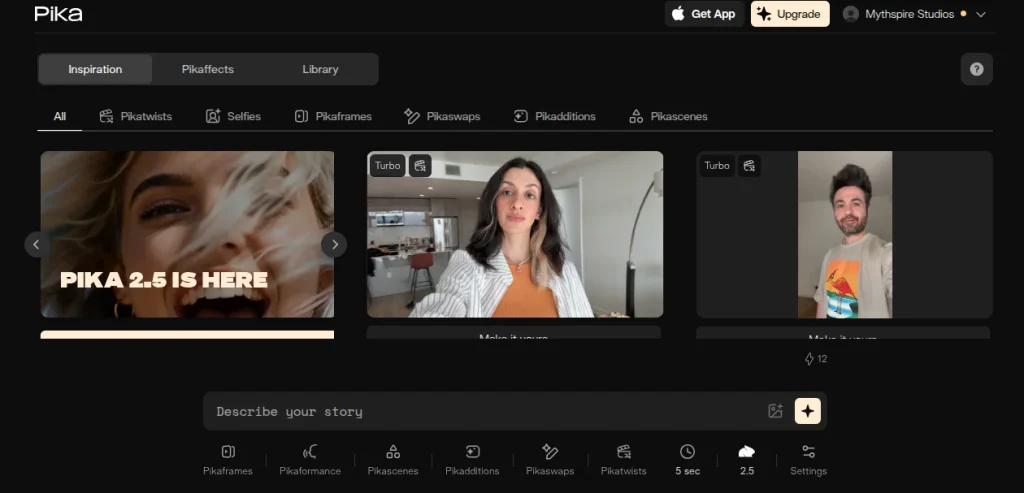
Pika Labs provides creators with a smooth, story-centric workflow where simple prompts generate motion-filled visuals and the flow of narration is naturally shaped. Pika Labs is amongst the best AI tools for editors that is clearly focused on:
- Motion-driven generation
- Clean movements
- Depth
- Styling
All this helps short-form editors to create fast and polished outputs. This shows the real impact of artificial intelligence in video editing.
If compared to Runway, Pika Labs feels more flexible, especially when you have to pick:
- Dynamic looks
- Stylish motion
- Customised shot moods
Also, its community-driven updates keep adding new templates and style variations, so creators always have fresh creative options, such as:
- Motion-focused shot generation
- Style-based visual variations
- Community-led templates & effects
Pika Labs is counted among the top AI video editing tools because it converts time-consuming editing into prompt-driven speed.
Descript

Descript eliminates the struggle of editors being stuck in a timeline, as it allows them to edit transcripts and automatically scan videos or podcasts. Its speech-to-text engine is:
- Fast
- Clean
- Context-aware
It handles tasks like:
- Repetitive trimming
- Removing filler words
- Adding captions
These features make the whole workflow even more streamlined, especially when you need precision and consistency.
- Transcript-based editing
- Auto captions & filler removal
- Voice cloning & Overdub controls
Descript easily fits into any setup, whether you use Premiere or Resolve, because it cuts down a lot of manual work. That is the reason why it is counted amongst the top AI video editing tools. It is a space where artificial intelligence in video editing automates repetitive tasks and reduces the pressure on creators. Ultimately, it makes the workflow smart, and it clearly deserves a place in the list of the best AI tools for editors in 2026.
Adobe Firefly / Premiere Sensei
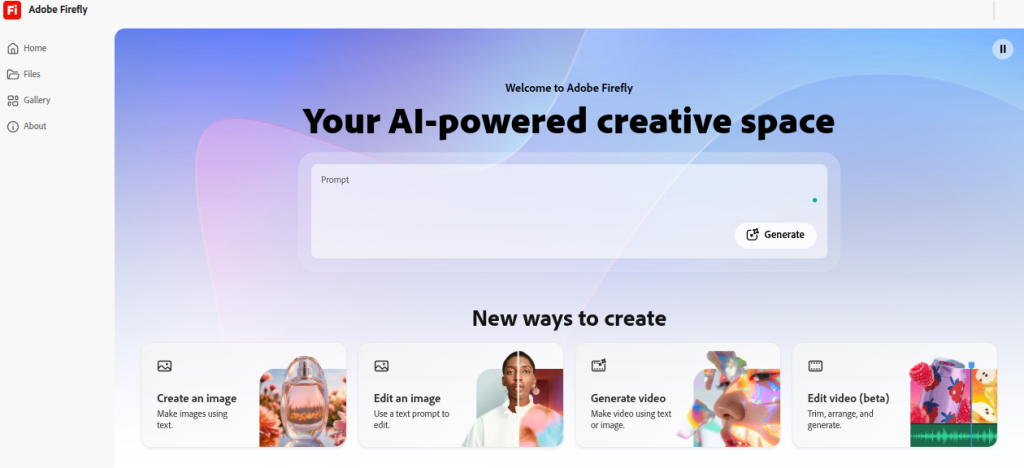
Adobe Firefly and Premiere Sensei offer a professional-grade AI setup to editors where workflow becomes fast and polished without compromising creative control. While Premiere Sensei helps to make smarter decisions, Firefly refines visuals with:
- Color tone matching
- Generative fill
- Style transfer
By understanding patterns and delivering cleaner and consistent edits, machine learning in post-production shows its real impact.
Here are some points highlighting the core features that make Adobe’s AI system stand out:
- Auto-reframe & smart cut detection
- Color match & tone consistency
- Generative fill & creative style options
The biggest edge of Adobe integration and the predictable results. Professionals and agencies rely on these tools because AI video editing tools provide real value only when the system is stable. This is where artificial intelligence in video editing truly shines, making Adobe a strong benchmark for how AI is used in video editing.
Wondershare Filmora AI
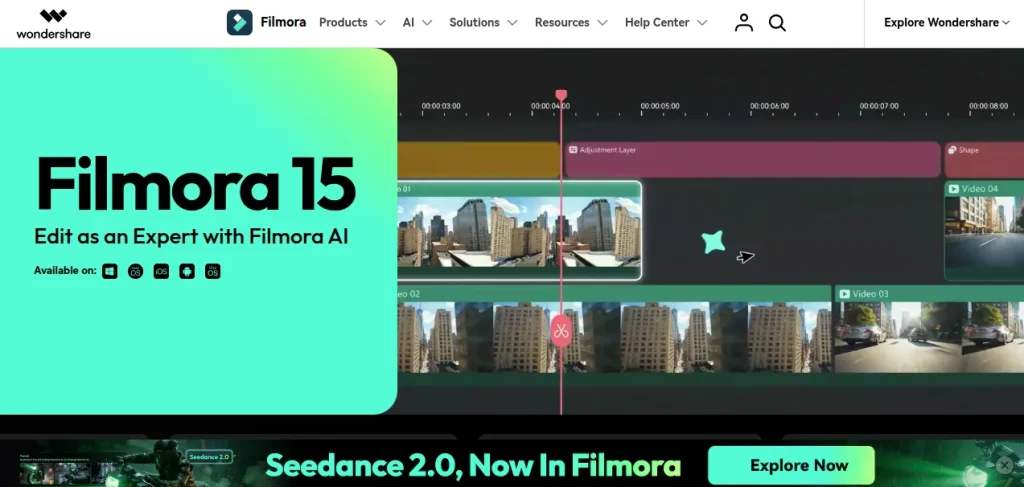
Wondershare Filmora AI is perfect for creators who want to master editing without engaging with complicated tools. It is focused on beginner-friendly automation as it makes the following features lightweight and approachable:
- AI text-to-speech
- AI cut
- Motion tracking
- Auto captioning
This is where machine learning in post-production works quietly, understands patterns, and gives smoother, cleaner results. Filmora proves that AI workflows are not just for pros, and even everyday editors can assess them. It is a pocket-friendly option for students and beginners who prefer budget-friendly tools.
These points highlight key AI strengths of Filmora:
- Quick AI-driven cutting & scene handling
- Auto captions & speech tools
- Motion tracking for simple effects
Due to these features, Filmora is counted among the top AI editing tools. Here, artificial intelligence in video editing is evident, providing practical value, which is exactly why it fits the list of best AI tools for editors in 2026.
Read More – 7 Best Free Video Editing Software for Students
⚡ Still doing things manually?
Upgrade your workflow with Skillwaala’s AI Tools Course today.
Start Learning AI TodayAI-Powered Color, Cut, and Sound Tools
AI-powered color, cut, and sound tools simplify editing methods to depths where the load of manual modification naturally reduces. Different tools balance tone, rhythm, and audio clarity to create a polished output, without the usual struggle of making the same small adjustments again and again on the timeline. You can try AI-based color correction tools to maintain visual consistency without manual adjustments. Such tools include:
- Colourlab AI
- AutoCut
- Auphonic
- Krisp
This is where machine learning in post-production does its job by:
- Reading patterns
- Matching color tones
- Keeping the scene rhythm steady
- Reducing audio issues
The biggest benefit of this process is the time saved and the consistent results, which give creators more space to focus on creative decisions.
The points below explain the core improvements that AI tools bring to this workflow:
- Automated color harmonization & tone balance
- Smart scene cuts with rhythm-aware trimming
- Noise reduction, level control & clean audio shaping
These features make it clear that AI video editing tools don’t just make small tasks easier, rather they fix the biggest problem of endless manual adjustments. That’s why artificial intelligence in video editing is slowly becoming a trusted partner for editors, especially for those looking for how AI is used in video editing and the best AI tools for editors in 2026 to build a smoother, faster workflow.
Pros & Cons of AI in Video Editing
It’s important to understand the pros and cons of AI in editing, because this decides how smooth an editor’s workflow will be. AI is strong in:
- Speed
- Automation
- Idea-generation
All this assists in quickly resolving stacked repetitive tasks. Machine learning in post-production understands editing patterns and takes smart decisions that provide creators with more space to be focused on creative directions.
Along with this, AI also has some limitations, as some tasks still demand human supervision:
- Capturing emotions
- State a detailed creative judgement
- Rectify minor visual mistakes
These points highlight the strengths and limitations of AI in editing in a balanced way:
- Faster operations & automated repetitive tasks
- Creative suggestions & cost-friendly editing options
- Limited emotional depth & occasional technical inconsistencies
- Learning curve & dependency on training data
Despite these contrasts, one thing is clear that AI video editing tools have become powerful assistants but not replacements. This is where the real position of artificial intelligence in video editing becomes clear, as AI increases efficiency, but the creative side remains in the hands of the human editor.
Read More – Latest Video Editing Trends in 2026
Can AI Replace Human Editors?
Do you think that AI can replace human editors? This is the most common doubt amongst creators, especially when AI auto cut and smart trimming tools are generating such fast results. AI’s ability to handle precision, speed, and repetitive tasks is undeniable. With the evolution of artificial intelligence in video editing, editors have:
- Cleaner timeline
- Accurate cuts
- Less technical workload
AI in video editing is a strong collaborator rather than a replacement because it is far from human intuition when it comes to:
- Narration
- Emotional pacing
- Storytelling
Here, we’ve listed some points that show a clear contrast between AI and human roles:
- AI ensures technical polish and efficiency
- Humans bring story rhythm, emotional depth, and creative intuition
- AI builds the structure, and humans add narrative meaning
Ultimately, AI video editing tools reduce your workload, but creative directions are still decided by editors. AI runs along with editors, not in their place. Collaboration is the real formula for future editing.
Read More – How to Become a Freelance Video Editor
Best Video Editing AI Tools for Students & Freelancers
Selecting the right AI tools is a crucial decision for students and professionals who want to boost freelance workflow with AI tools. They browse for simple processes, fast results, and budget-friendly options. In this section, we’ve grouped tools that balance the following real-world editing needs:
- Speed
- Creativity
- Polishing
With this approach, you can easily decide which tool fits your current skill level and project type the best.
The table below clearly shows which tool is the best fit for which purpose:
| Purpose | Tools | Use |
|---|---|---|
| Quick Edits | Filmora AI and Descript | Fast trimming, captions, speech tools, lightweight, and beginner-friendly |
| Creative Projects | Runway ML and Pika Labs | Text-to-video, motion creativity, visual style options |
| Pro-Level Polish | Adobe Firefly and ColourLab AI | Advanced color, tone, and refinement tools |
These tools are easily scalable for students and independent creators due to cloud access, free tiers, and simple UI (User Interface). Along with that, machine learning in post-production makes their operations smarter and cleaner.
Ultimately, these AI video editing tools give students and freelancers the speed and confidence they need, where artificial intelligence in video editing becomes a true growth partner.
Real-Life Use Cases
Real workflows of new-age editors clearly indicate the level to which they practically use AI tools. Artificial intelligence in video editing can be optimized for:
- Delivering fast content
- Cleaning cluttered timelines
- Polishing short-form videos
Some features of these AI tools make editing effortless:
- AI auto cut
- Automated pacing
- Smart enhancement
This shift has led to changes in industry trends, where almost 60% of online short-form edits now depend on AI-driven processes.
Here are some points to signify the real impact of AI tools in everyday editing scenarios:
- When creators have to hit tight deadlines, AI auto cut and intelligent cleanup make their edits naturally fast-track. This eliminates the need to compromise on quality.
- AI subtitles, captions, and tone-based adjustments help editors to make the viewing experience organically smoother and give a polished and consistent feel.
- If workloads are repetitive, AI-based templates, scene detection, and auto-adjust features will automatically handle such tasks. This helps creators invest their creative energy in better decisions.
Overall, the best AI tools for editors 2026 work as a practical support system that is fast, reliable, and creator-friendly.
Future of AI in Video Editing
The future of AI video editing tools is moving towards smarter prediction tools, where edits will evolve through both automation and understanding of creators’ overall style. Artificial intelligence in video editing will conduct context-based analysis of each element to make decisions, and it will also significantly reduce manual fine-tuning. After 2026, machine learning in post-production will make editing even more intuitive, allowing creators to work faster naturally.
These points clearly show how future tools deepen the editing experience:
- AI will analyze your past visual preferences and use them to generate improved, more consistent results.
- Audio, pacing, and transitions will read the emotional flow of each scene and adjust themselves automatically to create a balanced final result.
- Creative guidance will read the mood of the timeline and give the editor smarter direction without compromising their intent.
The best AI tools for editors in 2026 are already setting the stage for this major shift.

Conclusion
AI video editing tools provide a clear message that technology can’t replace creativity but does amplify it. When artificial intelligence in video editing handles repetitive tasks, you can shape your story with better clarity, emotion, and intention. The simple mindset is that AI will handle the timing, and you will handle the storytelling.
Today’s editing world is the future of creators who are not afraid of experimentation. Your imagination works as the lens that defines the angle for each edit, and AI just improves the focus. So don’t wait, start exploring these tools now, and you’ll quickly see how your next edit turns smoother, cleaner, and creatively stronger with far less effort.
FAQs
Runway ML and Pika Labs are considered the best AI video editing tools in 2026, as these AI video editing tools assist editors in creating engaging and catchy edits.
No, AI can’t replace video editors because artificial intelligence in video editing can assist you with tasks, but it can’t replace human creativity and storytelling.
AI editing is not exactly expensive, as it depends on the tools and plans you prefer. For basic elements, you can choose free tiers offered by multiple tools. However, if you need premium options, then you have to buy subscriptions, which will cost you around $10-$20/month.
Yes, multiple mobile-friendly apps like CapCut and Filmora include AI features that you can use to enhance your edits and simplify complex tasks.
About The Author